AI Experience & Cost Intelligence
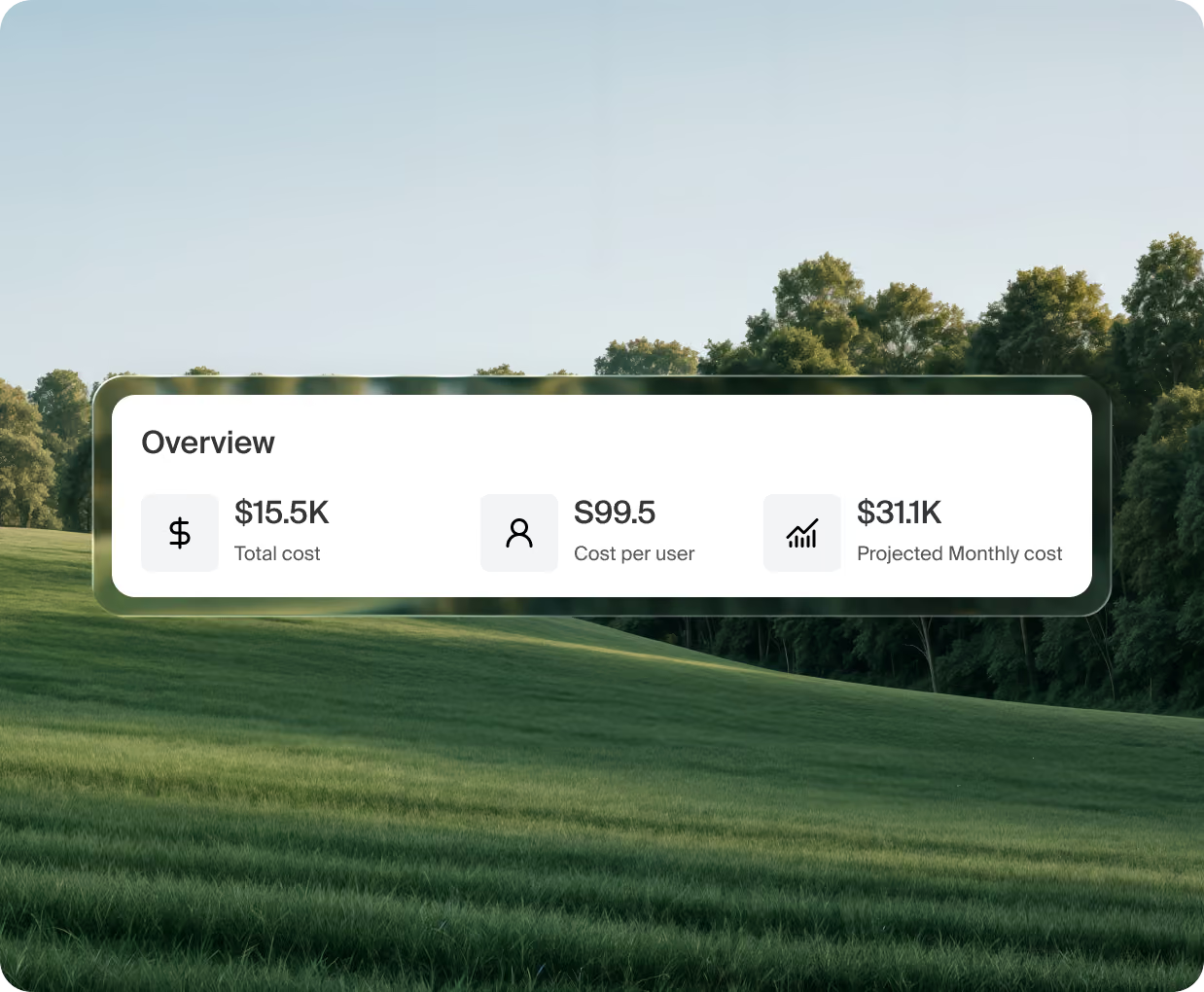
Island aggregates real AI usage, cost, and performance into one view, per person and per agent, using actual session and tool call data.
The world’s leading enterprises run on Island.
.png)
.png)
.png)
.png)

.png)










AI spend keeps climbing while its value stays hard to prove
93%
Of surveyed organizations report exceeding their AI budgets.
5-30x
More tokens per task for agents than chatbots.
1 in 5
Organizations limit AI use because of operating costs.
14%
Of employees at AI-adopting companies strongly agree it transformed work.
Put an owner on every AI dollar
Most organizations have basic visibility into AI usage, but not nearly enough to track adoption and usage by department, determine return on investment (ROI), justify increased expenditure, identify opportunities for cost efficiencies, and detect user experience and performance problems.
An account-level total isn't detailed enough
Most AI providers aggregate AI usage cost data. It cannot tell you which team, which model, or which retry loop is driving up spend. There are several common areas that cause AI overspend.
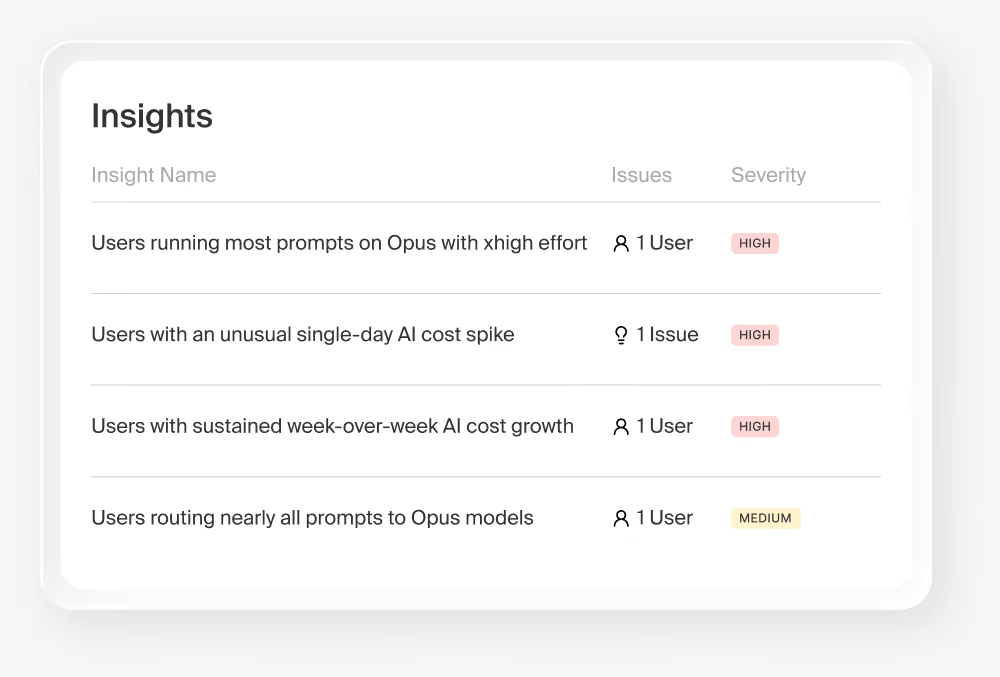
The wrong model on the routine work
A team routes every task through the priciest model when a cheaper one would do.
Personal usage on a corporate account
Employees using corporate AI for non-work queries can lead to significant costs over time.
Unused or overprovisioned AI licenses
Spending on multiple AI tools that accomplish the same thing or paying for seats that no one is using.
How it works
Cost broken down by session, model, and tool call rather than aggregated at the account level.
Measure the session
Island reads actual sessions and tool calls across the browser, the desktop, the network, and the tools teams use, so the number reflects work rather than logins.
Attribute it
Usage, cost, and performance are tracked in real time for each user, agent, model, provider, and tool call, with cost and token usage breakdowns.
Act on it
Cut waste, fix performance problems, find your AI power users, and coach people in the moment on better prompts.
Cost control that acts rather than reports
Cost intelligence gives you a better understanding of your AI spend before you receive the bill.
- Token spend tracked and waste detected per team and per project
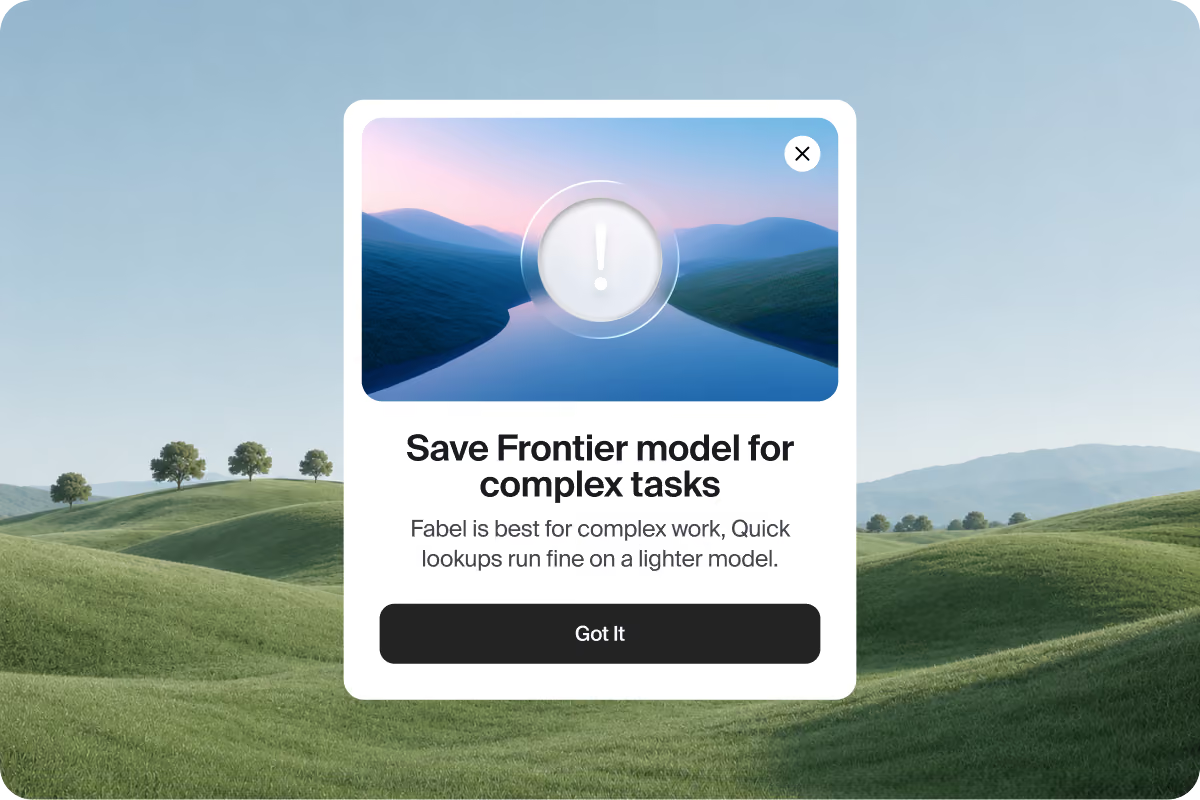
- Premium models flagged when a lighter model would finish the job
- Tasks routed to the best model for the task, with the reason surfaced to the user
- Real-time cost policies prevent improper or excessive use
The same data makes people better at using AI
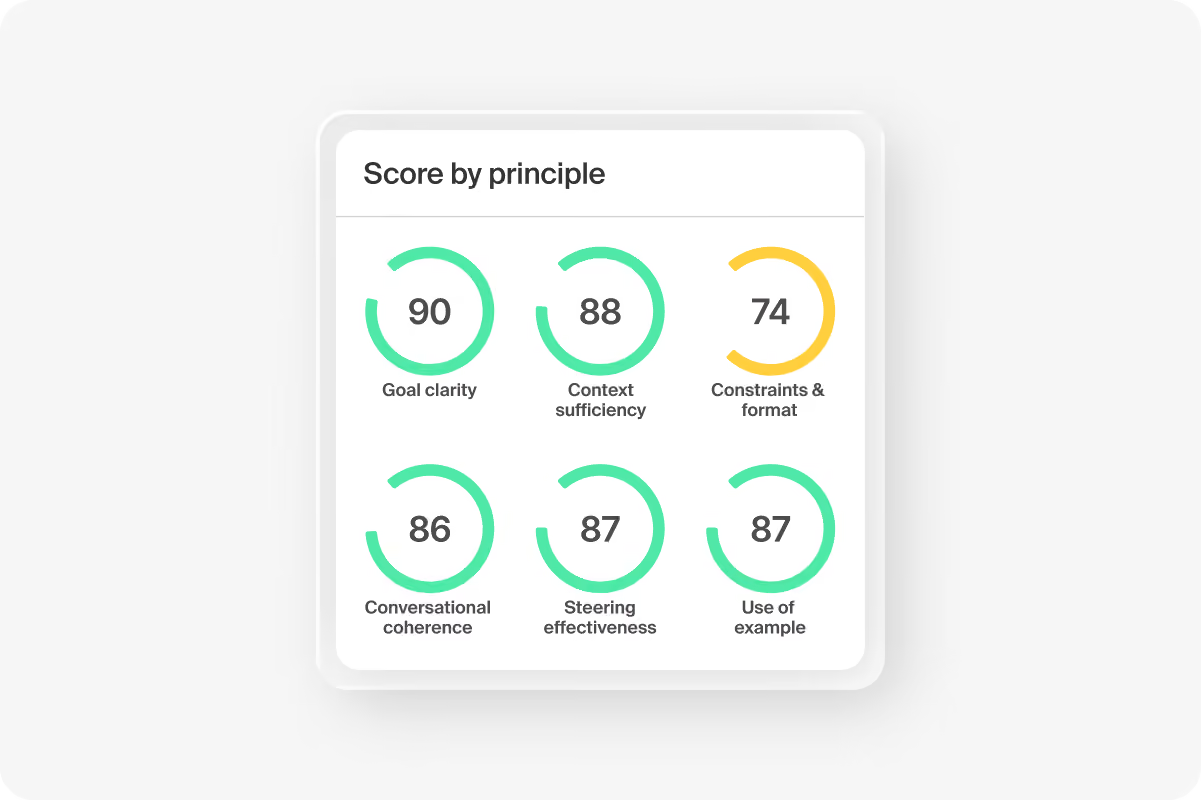
Island scores prompt quality and surfaces what already works elsewhere in the organization, so the measurement improves the work instead of only correcting it.
- Prompt quality scored, with working patterns from other teams surfaced
- Real adoption measured on usage rather than license counts
- Underused tools identified along with the barriers behind them
- Tool performance and its effect on output tracked through digital employee experience (DEX)
Make better AI investment decisions
Every AI line item comes up for renewal eventually. Real usage data changes that conversation.
See user adoption across the organization
.avif)
Right-size the licenses
Seat counts checked against people who actually use the tool, not people who logged in once.
Find the adoption barrier
Low usage has a cause. Island shows whether it was performance, access, or training.
Show the return
Usage, cost, and performance in one view, per person and per agent, for the conversation with finance.
FAQs
Island attributes usage and available cost data by application, team, model, and cost center, using data from connected large language model (LLM) gateways and AI provider sources. Where identity and telemetry are available, the breakdown reaches individual users and agents, and token usage appears per application, team, and model. The same attribution feeds showback reports, so each team sees the AI usage and cost it generated.
AI Experience & Cost Intelligence shows whether the AI an organization enabled is working, and what it costs. Island aggregates real usage, cost, and performance into one view, per person and per agent, from actual sessions and tool calls rather than login counts or estimates. Cost breaks down by session, model, and tool call instead of an account-level total, and because Island sits inline, it acts on what it finds.
FinOps for AI applies cloud cost discipline, meaning visibility, allocation, and optimization, to tokens, model calls, and agent runs. The hard part is allocation: finance can see the provider invoice and cannot say which team, model, or workflow generated it. Island supplies that allocation from the activity itself. Usage, cost, and performance attribute to the person or agent, the session, the model, and the tool call, and showback reports give each team the usage and cost it generated. When a task runs through a model that costs more than the job needs, Island routes it to the right one and tells the user why, before the bill arrives.
Yes. Administrators set budget and usage thresholds per application or team, and Island sends an alert when usage crosses one. The dashboards then show which team, model, or application drove the spend.
Where the provider or licensing source shares seat assignments, Island compares assigned seats with actual use and reports the seats going unused. Adoption reports track usage by application, team, model, and user over time.
It identifies where people get poor results from AI and surfaces patterns that already work elsewhere in the organization, so the same data that finds waste also improves output.
Scheduled reports reach executives by email and cover which AI tools people use, how usage grows over time, and the AI activity, posture, and incidents behind it. Showback reports give each team the AI usage and cost it generated. Role-based dashboards give security, governance, and executive teams their own view of the same data.
Island classifies AI conversations by topic and summarizes them for analytics, so a team can see the kinds of work it brings to AI. Task-category analytics point to the tasks that consume the most, which helps explain a spike in usage.
Yes. Agents consume tokens through long-running tasks, tool calls, and automatic retries that never appear as a sign-in and rarely map to a seat. Island attributes cost per agent by session, model, and tool call, so a retry loop or an agent sending routine work to a premium model shows up as its own line instead of an unexplained jump in the monthly total.
Yes. When a task runs through a model that costs more than the job needs, Island routes it to the right model for the task and shows the user the reason in the moment. Real-time cost policies also prevent improper or excessive use before the budget question comes up.
License counts show who was provisioned. Island measures who actually used each tool, how often, and for what kind of work, from session data across every AI tool in the organization. Seat counts get checked against real use, and when a team's usage is low, Island shows whether the cause was performance, access, or training.
Digital employee experience (DEX) measures how well the tools people rely on perform for them. Applied to AI, Island tracks tool performance and its effect on output, so a failing Model Context Protocol (MCP) server that has slowed a team's work for weeks gets connected to the drop in output, and a tool people abandoned shows up with the barrier behind it.
Yes. Island discovers sanctioned and unsanctioned AI through several sources at once: browser activity, routed network traffic, the Island MCP Gateway, AI provider integrations, telemetry, and local collection on the endpoint. Personal use running through a corporate account, or a tool a team adopted without telling anyone, appears in the same usage and cost view as the tools the organization bought.



.svg)
.svg)

