For defense and regulated manufacturing
Cover more CMMC requirements while shrinking your audit cost and complexity
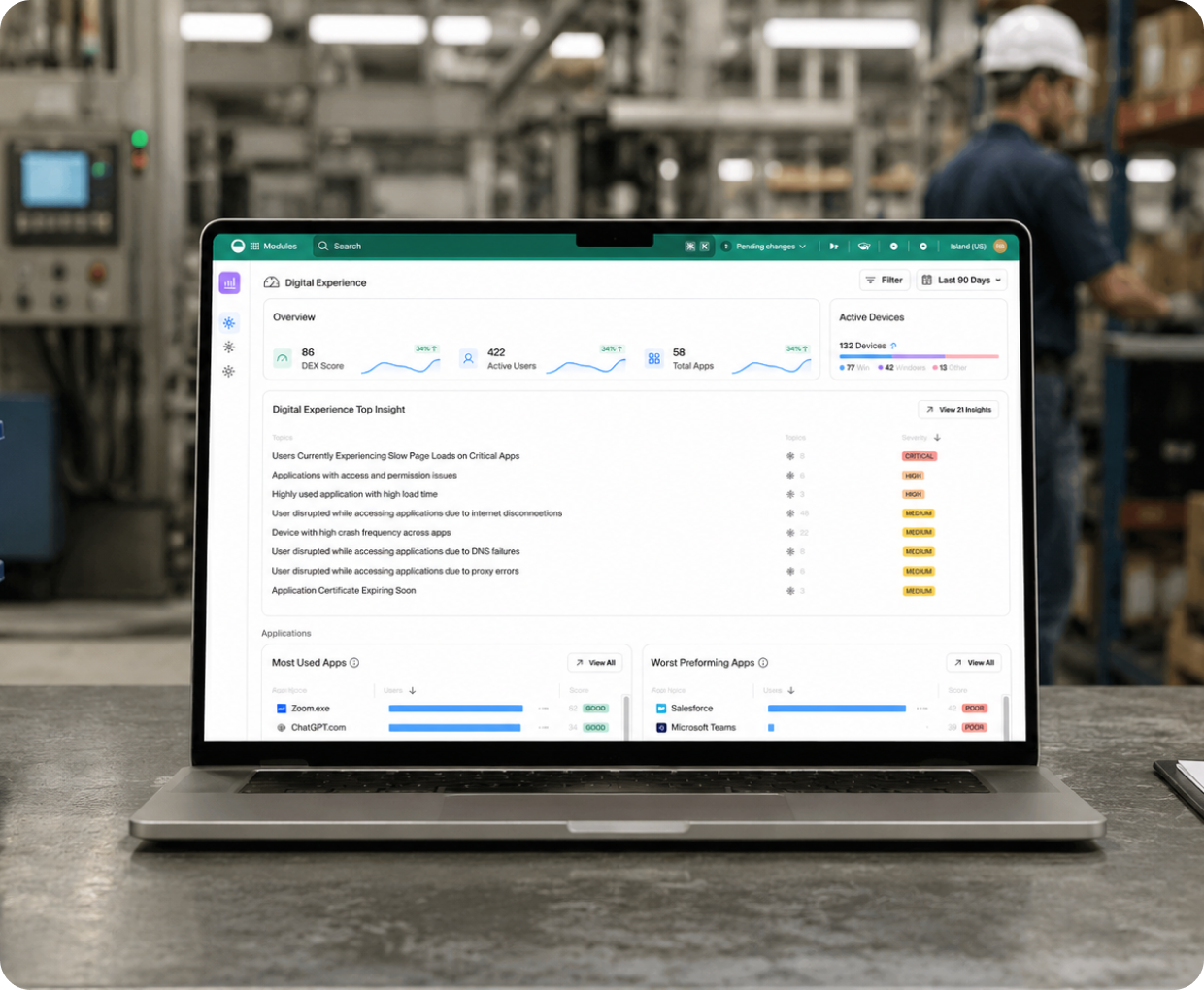
Your teams use Controlled Unclassified Information (CUI), ITAR, and other defense-regulated data through the browser. Island enforces the access, data, and audit controls right there, giving capture teams and assessors the session-level evidence they need.
The Problem
The cost of proving compliance is pushing companies out of defense work
Existing methods are complex and pricey
VDI is the legacy way to isolate CUI. The cost and complexity usually land beyond the reach of the people who need the data.
The boundary keeps growing
Every device, app, and user that touches CUI lands in scope, and flowdown pulls in your subcontractors. A wider boundary costs you more.
Evidence sits in too many places
Your records live across network, endpoint, and app tools. Pulling them together for an assessor takes real work.
Certification isn’t continuous security
Proving you can protect data matters more than passing a one-time assessment. Annual affirmation means your controls have to hold every day.
The Solution
How Island helps
Island places a boundary between the routes CUI access through the browser and where CUI needs to be in use, in transit, and be stored. The moment someone requests the data Island begins enforcing your controls.
One policy, any device
Your people reach CUI through the Island Enterprise Browser, the Chrome and Edge extension, desktop, or mobile, with no VDI. One console covers managed and unmanaged devices.
.png)
Checks before access
Island validates identity, device posture, and context before anyone reaches CUI. Non-compliant devices and unverified destinations don't get through.
.png)
Control inside the session
Island governs copy, paste, download, print, screenshot, and watermarking at the point of use, on every device type. CUI never reaches unmanaged storage.
.png)
Evidence on demand
Island logs every CUI interaction with user, device, and action context. That record goes where your security, capture, and contracting teams can use it.
.png)
What this does to your assessment




“We were moving at a crazy speed. Getting [CMMC] certification usually takes two years. And Island had a big part in that.”
NIST 800-171 families Island enforces
Island contributes directly to the NIST SP 800-171 Rev. 2 families where your teams access and handle CUI:
Access Control (3.1)
Audit and Accountability (3.3)
Configuration Management (3.4)
Identification and Authentication (3.5)
Media Protection (3.8)
System and Communications Protection (3.13)
System and Information Integrity (3.14)
FAQs
No. Island enforces the technical controls in the families where your teams access and handle CUI: access, audit, data, and system protection. Your SSP, POA&Ms, SPRS submission, training, and physical and personnel controls stay with you. But Island will help you with the language related to the use of the Island browser for your documentation.
Access Control (3.1), Audit and Accountability (3.3), Configuration Management (3.4), Identification and Authentication (3.5), Media Protection (3.8), System and Communications Protection (3.13), and System and Information Integrity (3.14).
Island gives you the same in-session data controls a locked-down VDI client provides, without standing up virtual desktops or servers. Your endpoint stays in scope, but Island shrinks its compliance surface: CUI doesn't reach unmanaged local storage or removable media, and Device Posture validates the endpoint at every access attempt. Contractors and BYOD users get compliant access without you managing their devices and the smaller CUI boundary reduces costs for both security and compliance purposes.
Yes. You can stream logs straight from the browser to your own Amazon S3, Azure Blob, or Snowflake storage and bypass Island's console.
Island logs each CUI session with user, device, app, and action context, then streams durable, assessment-ready records to your SIEM. The record an assessor asks for is already there. In addition, Island provides a dedicated evidence collection kit to streamline your audit. It contains guidance on which artifacts and policies best demonstrate compliance for each control, plus pre-written SSP statements you can drop directly into your own system security plan. Island also ensures your business logs not related to CUI are separated and not in scope.
There’s lots more to learn

Forrester: Total Economic Impact of the Island Enterprise Browser

.png)
Slingshot Aerospace Gains CMMC, Wins $27M Contract

.svg)
.svg)

