On-Demand Webinar
Say “yes” to AI without losing control
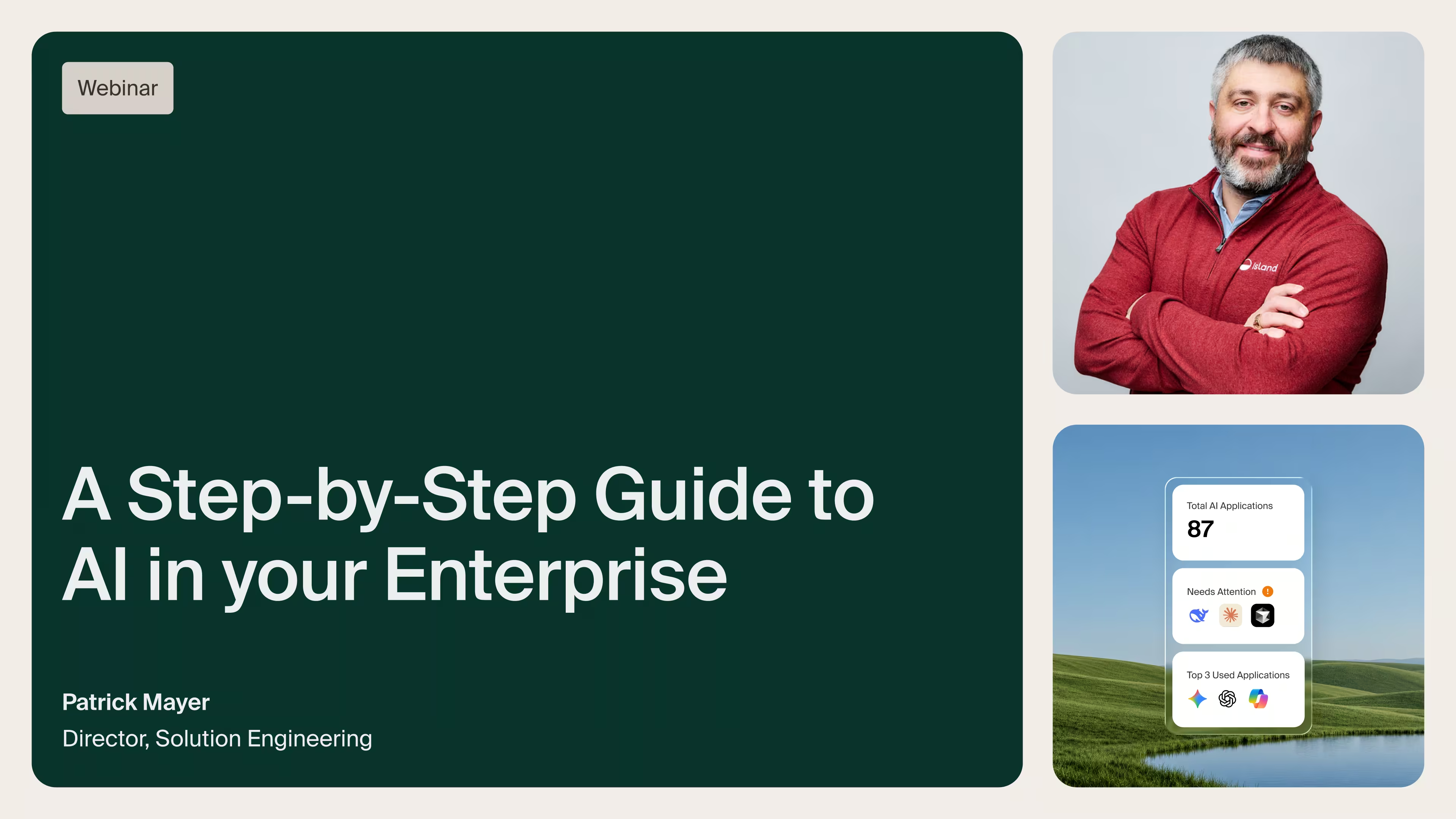
Your people are already using AI at work, and plenty of it runs on tools you never approved. In this 25-minute walkthrough, one of Island's solutions engineering leaders follows the path most organizations take from AI averse to AI first. He shows how to find every AI tool in use, from browser chat to locally installed apps like Claude Code, and how to tell corporate accounts from personal ones. From there, he enables approved AI tools by policy and sets guardrails that block sensitive data in prompts, responses, and agent tool calls. One live demo stops a Claude Code prompt before it ever leaves the device. He closes with the next stage: teams building shared agent workflows and secure AI-built apps on the same controls, moving from using AI to running on it.
Hi, my name is Patrick Mayer, and I'm a director of solutions engineering here with Island. And today, we're going to be taking a look at a step-by-step guide to AI in your enterprise. Over the past several months, we've been going through and been working with our customers on the best ways to be able to implement AI, to get visibility across the organization, and to be able to go through and set up guardrails for the eventual AI solutions that you have selected.
Now, for all of our customers, this has been a journey, right? For many people, they started the year as being AI averse. They are going through and they're saying, "Hey, we do not need AI in our organization to be able to get our tasks done." And then typically what happens is somebody from senior leadership goes through and sees the actual benefits that are there for businesses that go out and adopt AI solutions, and they really push their organizations to become AI leaning or AI first. And what this does is it leaves us in a scramble to be able to go through and be able to protect the AI solutions that we pick.
Now, many organizations, they start pretty simply here. They go through and they take a look at licensing that they already have. So a lot of organizations, before they even do some due diligence, they're starting to enable things like Microsoft's Copilot for their users to be able to go through and use. And while that satisfies the demand for a bit, people go through and they start to do one of two things. They either request that their personal AI tools get brought into that enterprise for them to be able to use on a wider scale with all their teams, or what they do is they start to go through and try to use those AI tools on themselves because it's something that's a little bit more natural to them and what they prefer.
So what we really have now for all of the customers that we work with are a few general gaps that we need to be able to go through and put our arms around, and that's what we're hoping to be able to address here today.
So number one is what we need to do is we need to see what is out there. Shadow IT has been something that we've been dealing with our entire careers, and that doesn't really change in the AI world. Because what we're going to have now is we're going to have shadow AI, with people going through and trying to use the different AI platforms that they use for several different areas or that they've heard about from friends and being able to enable that here inside of your business.
Once we've gone through and selected an AI tool, we have several control areas that we haven't had to deal with before. Now we have a product that isn't just returning value to us, it's going through and it's actually doing work for us. We've got these non-human identities. We have these agents that are going through, they're accessing files, they're accessing data, they're processing information, and we need to be able to go through and control that.
And then ultimately here, we have the continuing problem of data exposure. And one of the things that we'll look at while we go through this is how data exposure and what data loss prevention has really changed from what it was even just a year ago.
So with that being said, let's go through and let's hop into our tool set, so that way you can actually get a feeling for what we're able to do for AI security.
Now, for anybody who hasn't seen Island before here, this is going to be the Island Enterprise Browser. What we want to do with the Island Enterprise Browser is we want to go through and give you a control plane where you're able to access all of your applications, all of your work, and be able to enable anything that you need. We're going to go through and we're going to plug into the larger ecosystem that you use across your enterprise, and that is inclusive of not just other security tools, but also your AI tools.
Now, one of the first places that we typically start here for Island is to go through and get visibility into what you're doing in your organization, and we have a couple different ways to be able to do this. Let's actually start here with AI Protect. With AI Protect, what we're going to do is we're going to give you several different areas where you're going to be able to deploy our tool set and be able to monitor how people are using AI in your organization.
When we're talking about AI maturity, one of the first things that we need to hit here is that ability to be able to discover what tools are out there and what tools are being used on a daily basis. So we have three different ways that we do this primarily. We either have a browser, we have an extension, or we have a desktop agent. But we're also going to have the ability to be able to fit into several other methods to be able to detect what people are doing. We have the ability to be able to go through and monitor the network. We have the ability to be able to go through and do API interactions with already chosen providers. We have the ability to be able to integrate with things like LLM gateways and MCP gateways to be able to identify the AI tools that are going through and being used in your environment.
And with this, we're going to be able to go through and be able to provide a map of the users that you have that are actively using AI. We're going to be able to show you those applications and the number of prompts that have been sent over a particular timeframe. We'll come back to the way data moves here in a minute, but what we're going to do is we're also going to be able to show you exactly how people are using those AI tools. Because simply knowing that somebody's coming into your organization and using something like ChatGPT or Claude is one thing. But to be able to go through and be able to see the different ways that people are logging into these tools is going to be critically important because you need to know whether these are your sanctioned AI models, whether this is something that people are doing as part of personal use. And then ultimately, we're going to need to discover if any corporate data is going out of any of these AI tools that we've decided to use.
Now, with AI Protect here, we're going to have that ability to be able to go through and see anything that's web-based or anything that's traversing across the network. But one of the other tool sets that we give you here is this ability to go through and look at agentic endpoint posture.
So when we're going through and looking at AI, one of the things that's kind of wonderful here about that platform is that virtually everything people do on the AI front is going to be web-based, right? If we wanted to get into something like a ChatGPT or a Claude or a Grok, those are all web-based interfaces that people are going through to interact with, but that's not 100% true for our developers. In many cases, our developers have tools like this, like Claude Code, that's going to be locally installed in a part of their system, or maybe they just prefer to use the locally installed application for them. Now the kind of dirty secret for AI is that both of these guys are going through and using web hooks this entire time, so Island always has that ability to be able to go through and see things. But the way we need to go and govern these tools is going to be different, and the way that they interact with the larger platform is also going to be different.
So what we can do here with agentic endpoint posture is give you the ability to be able to go through and map out what's happening across your organization, be able to see all the different AI applications that are installed. We can even go through and show you the IDEs that have connections to AI, so that way you have a good idea of what's happening. And then the beautiful part about this here is that we're going to give you the ability to be able to come in and interact with our data just as another human, right? You can come in, you can ask it real questions to be able to go through and understand what are the tools that people are using and get real-time reports back from all of your endpoints, not only on what they're doing across the web, but what they're doing on locally installed applications as well.
Now let's move a little bit forward into how Island goes through and breaks up doing AI enablement and AI guardrails. And so for this here, we go through and we break AI up into four different sections. And this is basically crawl, walk, run, right?
So the first thing that we want to do is we want to go through and we want to understand what AI solutions it is that you've chosen to use. You might have seen while I've been going through and talking here, this Island chat window that's over here on the side. And what I want you to understand is this is a placeholder. This is a spot for you to be able to go through and be able to tell us, "Hey, these are the AI platforms that we've chosen to use as part of our organization." And what you're going to do is you're going to come in here, you're going to build out these integrations. And by policy, we're going to go through and we're going to give users access to the tools that you say they should have.
So if we wanted to go through and say, "Hey, everybody across the organization is able to use ChatGPT," we're going to have the ability to be able to go through and just hand that out to everybody. But maybe we want to go through and say, our IT workers need something a little bit more special, a little bit more tailored for them. So if we wanted to go through and set up something like Claude, not only can we enable that for them, but we can limit them to friendlier models that are going to be cheaper or going to be just as effective for you to be able to use that can help save cost from other expensive models.
And on top of this here, what we're going to be able to do is we're going to have you build out all of those integrations that you would typically use with those platforms. So we still give you the ability to be able to bake in your tools, to bake in your enterprise RAG, to bake in the user-based knowledge that your users need day in and day out to do a part of their job.
And not only are we going through and offering this as part of a sidebar widget here, but this is a lot more. Because what we're doing here is we're actually taking your selected AI tools and making them a part of an agentic browser. So what this means is that your AI tools now are going to be bundled into that Island Enterprise Browser that you've rolled out for all of your users, and that it's actually going to be able to take actions based off of policy that you are going to allow in your organization, such as being able to summarize the page by actually being able to do skills or manipulate data on the screen of those particular users.
Now, once we have your chosen AI platform selected and rolled out and enabled for all of your users, now what we need to do is we need to have the ability to go through and build guardrails and monitor for future behaviors. And so as you will see here, when we're going through and we're monitoring what we're doing, we're able to distinguish the difference between users and agents. So we're going to have a native understanding here of whether this is a real human that's sitting there and going through and doing things, whether this is an agent that's going through and impersonating somebody like myself, or if we have a non-human identity that's going through and doing work on the behalf of the enterprise.
And as we've already discussed, we're going to have the ability to track everything that those users are able to do and give you that ability to be able to drill into things. So if we go through and we take a look at what I've been doing here in my lab over the past 90 days, what we can actually see is we can see the number of AI applications I've used, the prompts that we've sent, but more importantly, we can actually see how I'm interacting with these AI tools.
And this is a really big differentiator here for Island, because typically, endpoint tools don't understand everything that's going on across the ecosystem. A network tool doesn't understand if you've gone through and you've tried to copy and paste data from one application to another. It doesn't understand the difference between a personal instance and an enterprise instance. But with something like Island, where we understand natively what's going on in the network, as well as understanding what's going on at the enterprise, we have the ability to be able to go through and tell you exactly how your users are moving data, how they're able to go through and move files, or more importantly, exactly what those tool calls inside of their chosen AI platforms are capable of doing.
Now, one of the things that's going to be really important here is to understand exactly what an enterprise browser is capable of doing, and then going a step further here and understanding what an AI tool is capable of doing. So from an AI browser point of view, we have the ability to be able to change experiences. So if I were to go into something like Salesforce here, you can see that I can add watermarks to the screen. I can go through and I can do robotic process automations and be able to draw things on the screen. If I wanted to go through and manipulate data that we see on the screen, I can actually go through and manipulate that data. If I wanted to allow people to be able to click on these things, to be able to go through and see them, I'm going to be able to allow people to do that. If I wanted to just block somebody from being able to get to a URL, I can block somebody from getting there. These are all enterprise browser-based controls.
But we're going to have the ability to be able to use those enterprise browser-based controls even on AI platforms. So if we go through and we take a look at things that I'm doing here, we can actually see clipboard manager, where in some cases, I've actually already pulled through sensitive data sets. And if I wanted to be able to go through and use those, we can actually see that maybe I do allow data, but I only allow data where I want it to live, right?
So in this particular case here, I'm going to be inside my domain-managed ChatGPT instance, right? So here I can come through, I can type in whatever it is I need to be able to go through and type in. If I wanted to go through and attach information, we're still going to have the ability to be able to control what people are able to upload or download. We can still go through and we can do DLP scanning to make sure that data should be able to live there. If I wanted to, I could even go through and I could monitor what it is that we're typing whenever we go to a particular organization.
But what are we going to do about personal AI, right? This is an area where many times network tools don't have that ability to be able to go through and differentiate. But one of the things that's nice is that the browser natively understands session, right? So if I go through and I toggle over to my personal AI account, we can actually see that this experience changes instantly, right? So here, now I've drawn a red box around this. I've gone through and I've flagged this to be able to go through and show people that this is a non-managed instance and that restrictions are going to apply. If I wanted to restrict people from being able to type in here, I'd be able to go through and restrict that. If I wanted to go through and prevent people from being able to upload or download, we can actually just go through and we can completely block that. And things like copy and paste or that ability to be able to type in, we're going to be able to control.
And this is going to be something that's very important in that AI world, because any ability to be able to move data, even if it's just simply by asking a question, is going to be something that you would be able to go through and access somewhere else. So having that ability to control this is absolutely critical for moving forward with AI adoption across an enterprise.
Now that we understand what those enterprise browser controls are, we can get a little bit more into understanding the guardrails that we use specifically here for AI. So first things first, we're going to come back to this deployment item, right? We have 10 different ways to be able to go through and deploy Island, not because we chose to have 10 different ways, not because we think that this is going to be the industry standard moving forward, but because we need to go through and offer all these different ways in order to be able to go through and provide complete visibility.
One of the things that's been crazy about AI so far here is that so many people are focused on adoption and bringing out those features that they've really left enterprise controls in the dust. And then when we go through and we take a look at what our competitors are doing, most competitors are going back to the same old tricks that they've done for everything else. So if you take a look at an endpoint solution, they say, "Hey, we can control everything about AI from an endpoint posture." If you go through and take a look at a network solution, they're going to go through and say, "Hey, everything that we can do for protecting AI can all be done at the network."
But what we do here at Island is we say, "Hey, let's go through and let's give you a variety of options so that way we can fit into what's best for your organization." So we do have endpoint controls via the browser, via our extension, via our Island desktop. We do have the ability to be able to go through and monitor the network via our tooling or the tooling that you've already used and selected from one of our competitors. We have that ability to do that backend API integration. We are picking up new skills that are coming through, or new features that are coming through from AI providers as quickly as they're releasing them. So we've already built out capability for things like Anthropic's [inference hooks]. And as we've already discussed here, we have that ability to be able to go through and integrate with LLM gateways and MCP gateways, or to be able to go through and bring telemetry information via things like OpenTelemetry.
And what this is going to do is it's going to help us complete our vision around visibility. So again, just to reiterate, giving you visibility into the web applications that people are using, how they're connecting to those, what types of data are being sent, but also having visibility into the installed applications, and are there any vulnerabilities, and how are people going through and using those tools? To be able to go through and see the tools and MCPs that people have gone through and configured and used and have the ability to drill into those as we need, and then we can keep going. We can map out the skills of the agents and the models that each individual is using as part of that visibility.
When we move into protecting AI, we need to be able to go through and leverage every single one of those control points because that is going to be the most effective way to make sure that you're protected. So when we go through and we take a look at things like policy, here I've got two particular control points called out, but we could actually go through and allow this for any of those control points that we just showed on the previous screen.
And then what we're going to do is we're going to divide our guardrails into logical sections. So DLP doesn't really need to go through and be stated too much more than just saying those letters right there. We're going to go through and we're going to take a look at the data that's about to be sent, and we're going to be able to make that decision of should we go through and block this whenever somebody's sending that information as a prompt, which is ideal, right? Somebody goes through and types the data in, or they try to attach a subset of data. We want to make sure that our critical data never makes it to that backend platform. So we have the ability to be able to block that.
Maybe we need to be able to go through and we want to say, hey, maybe certain types of data shouldn't be going down to the user. So maybe on the flip side, we want to be able to go through and block those responses. Or more importantly, when we're taking a look at understanding data and understanding data movement, right? If we go back to that previous screen here where you actually saw all those tool calls, but you only saw me moving two or three files. Over the past 90 days, I haven't needed to move files because what AI does is it goes through and it accesses an application. It goes through and it reads the data, and it writes it back to its own memory. So it's not ever actually moving things. So understanding how to restrict tool calls is also going to be critically important.
Now, we can also go through and expand this out for things aside from just data. We can go through and do content moderation, and this is something that's been popping up in the news frequently lately. So if we need to go through and make sure that our AI tools aren't advocating hate speech, or they're not advocating violence or self-harm, then we have the ability to be able to safeguard against that. If we need to go through and monitor for things such as prompt injection, we have that actually built into our toolset here for you. And then we can also always go through and restrict where people are sending their AI to be able to go through and access. So if we don't want our users to be able to go out and access something like DraftKings, we definitely don't want our AI tools to be able to go through and do that. And we can even go through and we can build out these guardrails for our tools and our MCPs that are ultimately going to offer those further integrations down to our AI platforms.
So just to give you a little bit of visibility into what this looks like, I've actually set this up on my side here with Claude Desktop, or Claude Code. And I really wanted to go through and select this because this is really going to be unique for our developers and the way that they're able to go interact. So as you can see here, I'm on my Windows system. I have this locally installed here on my desktop. And when I go through and I try to be able to write in things, so here I just asked a silly question, me being an Ohio guy, "Hey, what are the chances that the Browns are going to win the Super Bowl?" And what you can actually see here is that prompt never made it through, and we can actually see why it was that we blocked it here. We went through and we said, "Hey, there's a data protection setting here. We don't want to do anything around gambling." And so we actually were able to call that out. If I asked, "Hey, what did you actually see from my prompt here?" Then you're actually going to be able to see that we were able to go through and block that prompt from getting to the back-end resource entirely, and all it got here was "blocked by company policy."
Now we can do this for Claude Code, for Claude Desktop or any other AI tool that's running, because what we are going to do is we're going to actually take action on that before that prompt ever needs to be able to go through and traverse the network.
Now that we've already talked about how to go through and enable AI and how we're going to be able to go through and build some guardrails around this, what we're going to do is we're going to talk about that ability to run here. So with AI Automate, what we're going to do is we're going to use those foundations that we've already done here with AI Browser, that ability to come through and tell us what your chosen AI platforms are. We're going to build on top of what we've done with AI Protect, that ability to be able to go in and see how people are using AI, but more importantly, to build guardrails on this.
And what we're going to do here is we're actually going to show it to you this way. We're going to give people that ability to be able to come through and be able to build skills and workloads that they can actually use for the rest of the organization. So for example, one of the things that I do a lot is I have to fly around and meet our customers, and sometimes my flight plans change and I want to be able to try to get home. So I've actually built out an AI bot that will go through here, and what it will do is it will ask me, "Hey, Patrick, where is it that you're at?" I'll go through and I'll say that I'm in Las Vegas here for today. And what it will do is it will actually interact with my browser here to be able to go through, search for the last flight home on Southwest Airlines, because that's the predominant airline here in Columbus, to be able to catch the last flight home here today.
And as you can see, this is something that we can just go through, we can distribute, and we can actually even just navigate away from that window if we want and allow that AI tool to be able to continue working, and it will give us visual references of, hey, what are we doing? It will pop up, and it will tell us whenever we're ready to be able to go through and do things. And while this is a pretty simplistic example, what you have the ability to do now is to be able to go through and be able to allow your skilled users to be able to build out skills and workloads that they can share to automate other processes across that organization, moving you just from an organization that's adopted AI and is starting to use this to an organization that's actually starting to run with AI.
And probably my most favorite feature that we're actually beginning to deploy here is AI Publish. And AI Publish is that ability for us to be able to go through and say, "Hey, let's take everything that it is that we've talked about, everything with the Enterprise Browser, everything that we've talked about with AI enablement and AI guardrails," and then give you the ability to be able to take all of our tooling via a prompt and bake that into the [vibe-coded] apps that you go through and build.
Now, building a [vibe-coded] app is not difficult. AI really goes through and makes this simple so that almost anybody that has the ability to be able to read and type can go through and build out an application. But what most people struggle with is that ability to be able to deploy your applications and the ability to be able to go through and safeguard those. And that is what Island is giving you here. It's giving you that ability to be able to go through and to be able to build out applications that you would be able to use and distribute those as functional parts of the browser.
Now, one of the things that I'm going to show here is just a demo that I just cooked up for fun. But as part of this, what we were able to do is be able to go through and say, "Hey, wouldn't this be fun if we were to go through and work with one of our licensing departments?" So, "Hey, let's go through it and say that I work for the state of Montana, and that I need to go through and make it so that way my users can quickly help customers with what type of licenses do you need, what type of permits do you need, and they don't necessarily need to understand all those building plans." And so what we were able to do is very quickly build a tool where somebody could bring in their plans, we could attach them into this toolset. It's baked into directly what we're doing here with the browser, and then it will actually go through and give answers back on the type of licensing that you need, or the type of permits that you need, or the businesses that can actually go through and help you with this plan.
And what we're starting to actually see people do is to be able to go through and use [vibe-coded] apps to replace legacy items, things that are Java consoles that are still stuck around, or things that have Windows XP dependencies that are still stuck around and have been difficult to get rid of, in order to be able to go through and quickly modernize your workforce using AI.
So at this point here, what you have now is you have a pretty good understanding of what we're able to do with AI. So just to go through and be able to recap this here, we're going to give you that ability to be able to go through and implement. We're going to have that ability for you to be able to go through and get visibility across AI Protect and agentic endpoint posture. And then we're going to give you that ability to build on top of everything that you've already done and be able to run and eventually sprint here with what [AI Controls] can give you.
If you'd like to be able to understand more about AI maturity for your organization and the ways to be able to go through and implement AI, we invite you to be able to download our playbook at the QR code that's here on the screen. We wanted to say thank you very much for being able to stop by and learn more about what Island is doing today, and we hope to be able to talk to you again in the future.
Take your next step.

Join our newsletter
There’s lots more to learn


How to Modernize the Control Plane for IT and Security Teams