AI Runtime Protection
Agents can access sensitive data, move data out of the network, perform permanent (sometimes destructive) actions, and more. AI Runtime Protection governs what an agent does, at the point it does it.
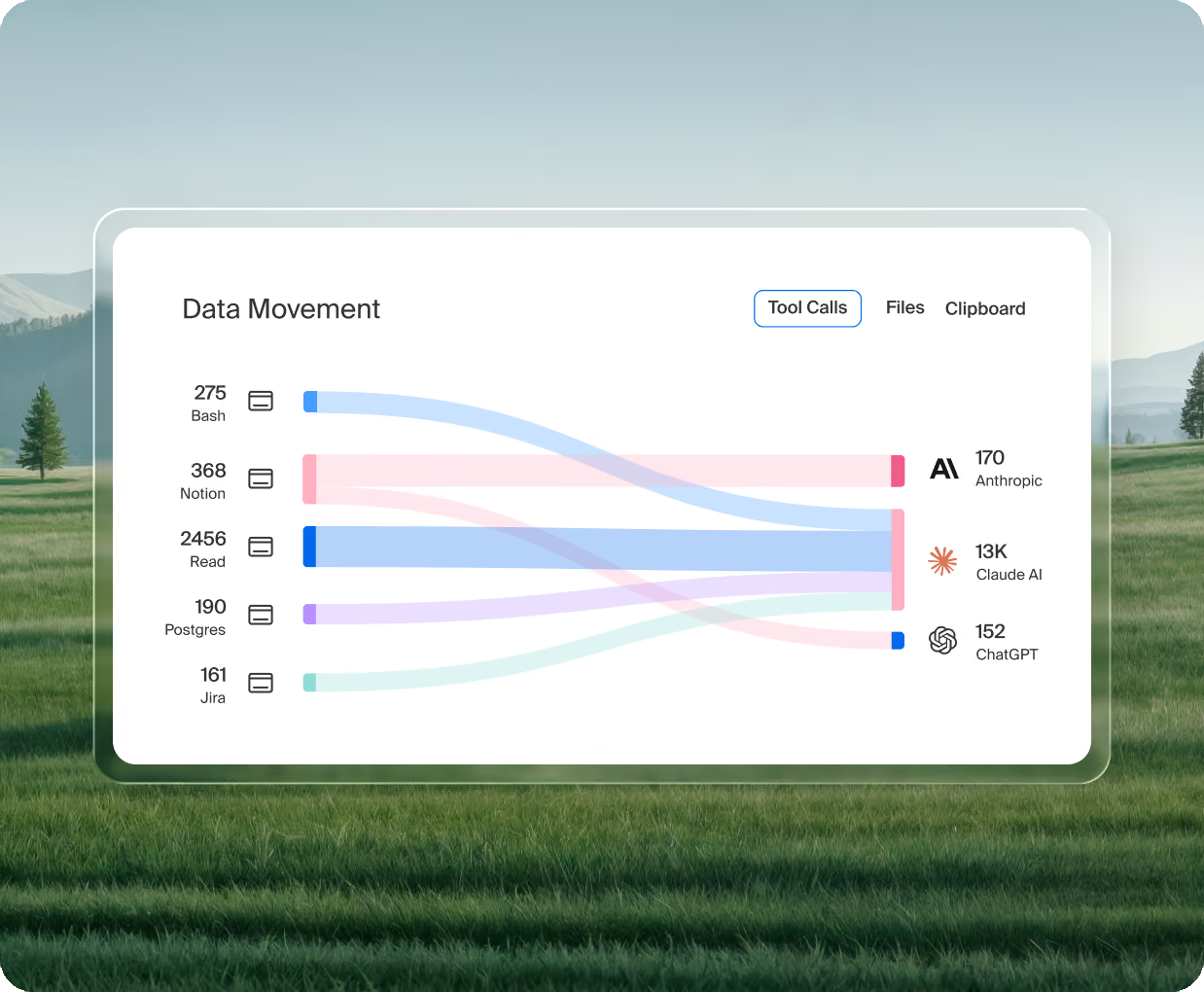
The world’s leading enterprises run on Island.
.png)
.png)
.png)
.png)

.png)










Agents can cause damage on their own
Agents work on their own. They are essentially employees who never sat through onboarding, they have no idea what the policies say, and they are built to find the fastest route to a finished task, even when that route was never the intent. There are three main problems this causes:
Agents can cause damage on their own
Agents work on their own. They are essentially employees who never sat through onboarding, they have no idea what the policies say, and they are built to find the fastest route to a finished task, even when that route was never the intent. There are three main problems this causes:
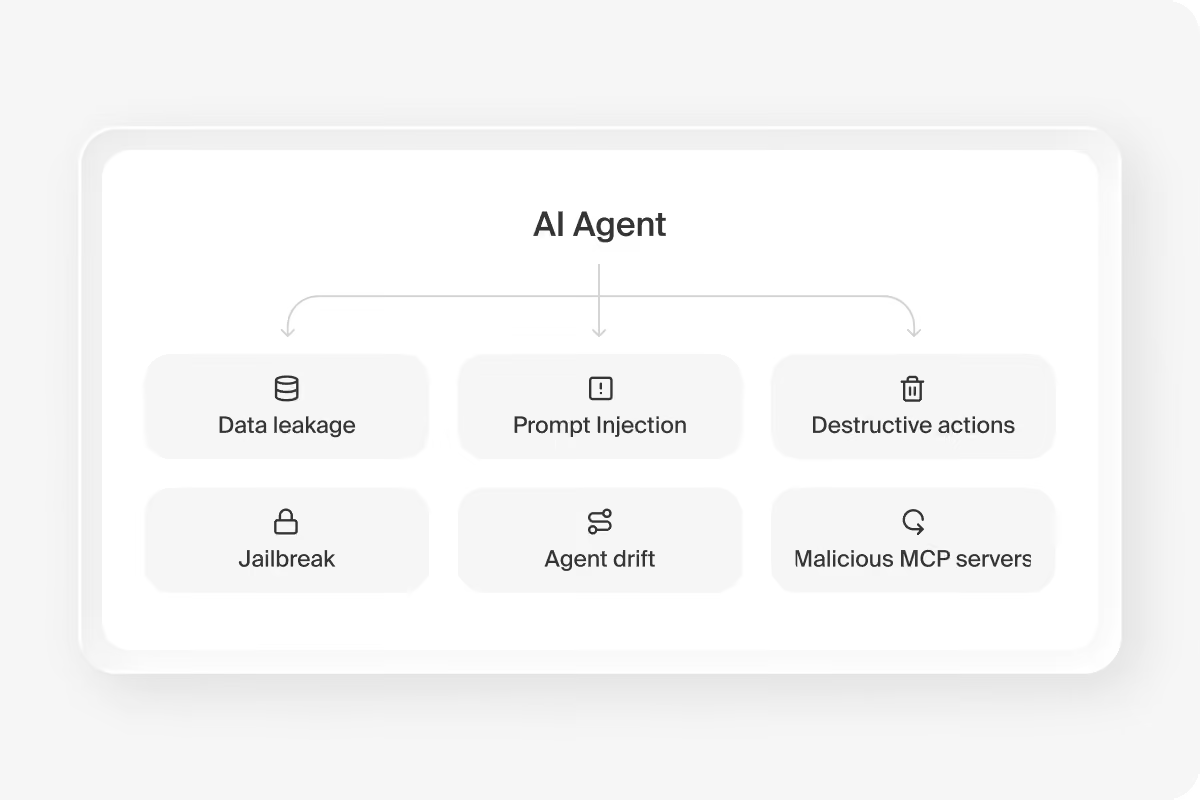
Governance blind spots
Security stacks are generally focused on the user and don't have visibility into every agent interaction.
Identity confusion
In most cases, agents act on behalf of a user, and most security tools cannot tell the agent's action from the person's.
Rogue actions
Agents can suddenly perform irreversible actions, which can result in data loss or permanent damage to resources.
Read the interaction, classify it, act on it
AI Runtime Protection governs everything that happens once an agent starts working, with full context and control.
Read the full interaction
The prompt it receives, the response it generates, every tool call it makes, the files it accesses, the skills and sub-agents it invokes, and everything that comes back from all of it.
Classify inline
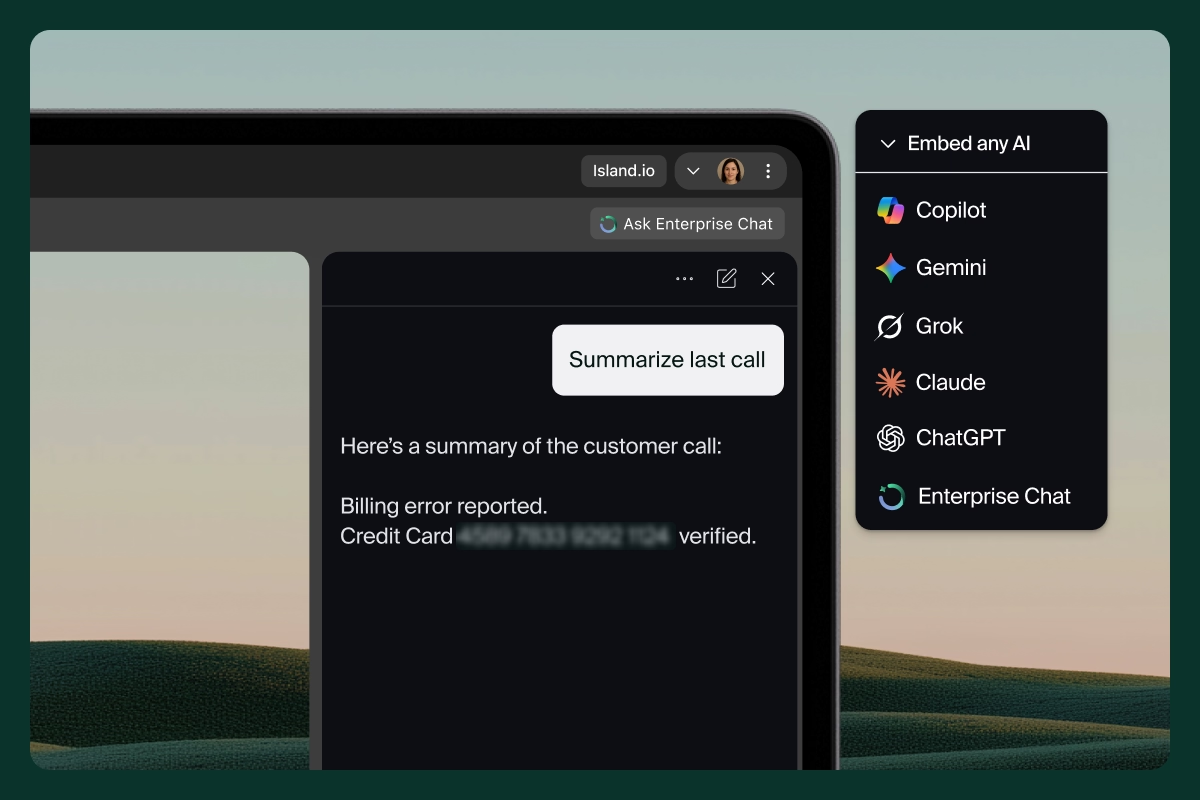
Real-time classifiers catch known threat types as they happen: prompt injection, jailbreak, agent drift, malicious Model Context Protocol (MCP) servers, data leakage, and unwanted content, using small, single-purpose models to keep classification fast.
Respond to policy
Allow and log, prompt the user for confirmation, redirect the agent, restrict access, and more. Actions happen in the moment, not after the fact.
Island is built to keep agents working
An agent drafting a customer reply tries to include a full account number. Island stops it and returns the reason. The agent rewrites the reply without the number and finishes the task. Security teams spent years training people not to make that mistake. The same training now happens on the agent, in the moment, every time.
- Prevention, then context returned to the agent explaining the block
- The task continues inside the boundary rather than failing outright
- A log entry for the administrator on every intervention
- The same treatment whether a person or an agent triggered the action
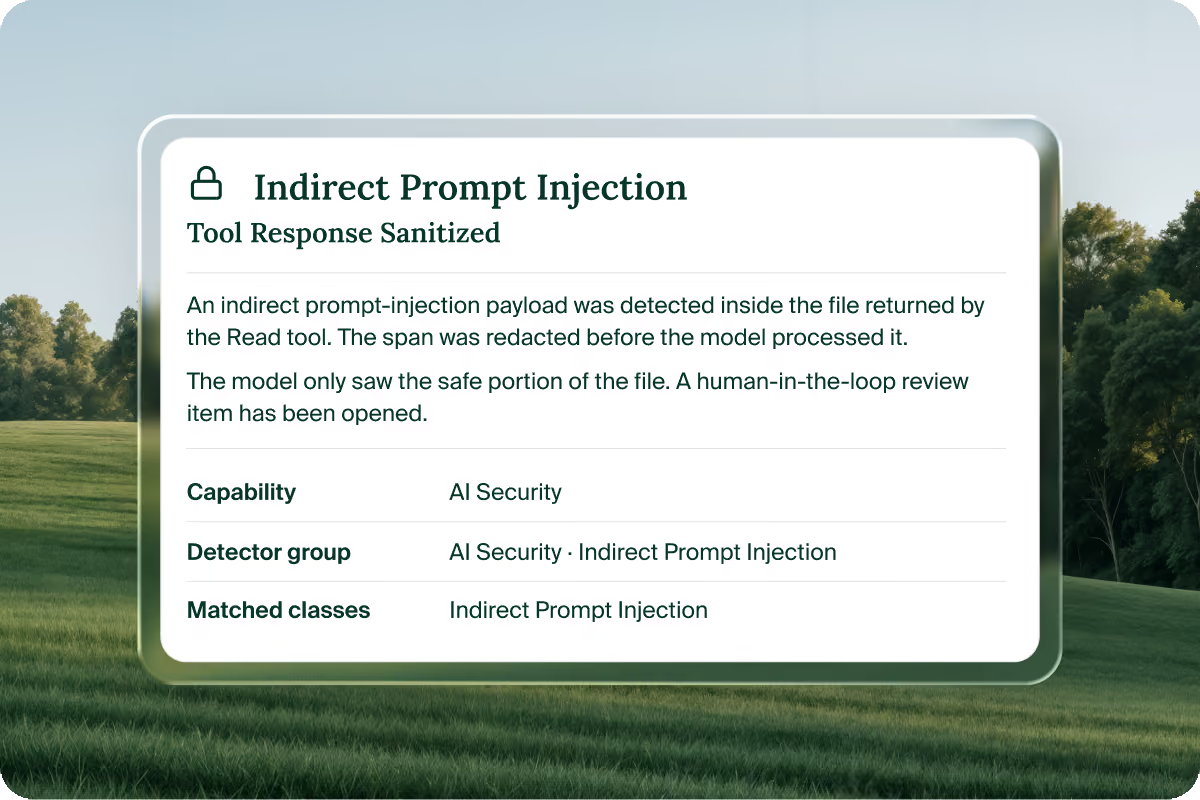
Session-level detection for the patterns no single rule catches
Two detection engines run inside Island's own infrastructure. The first catches known patterns across a full session. The second, agentic investigators, examines the data the way a person working an incident would, with no fixed rule to follow.
- An agent pulls account data from Salesforce and writes it to a personal Google Drive
- No static rule flags either step on its own
- An agentic detector reads the sequence and raises it as an incident
- The whole chain ties back to the session and the person who made the request
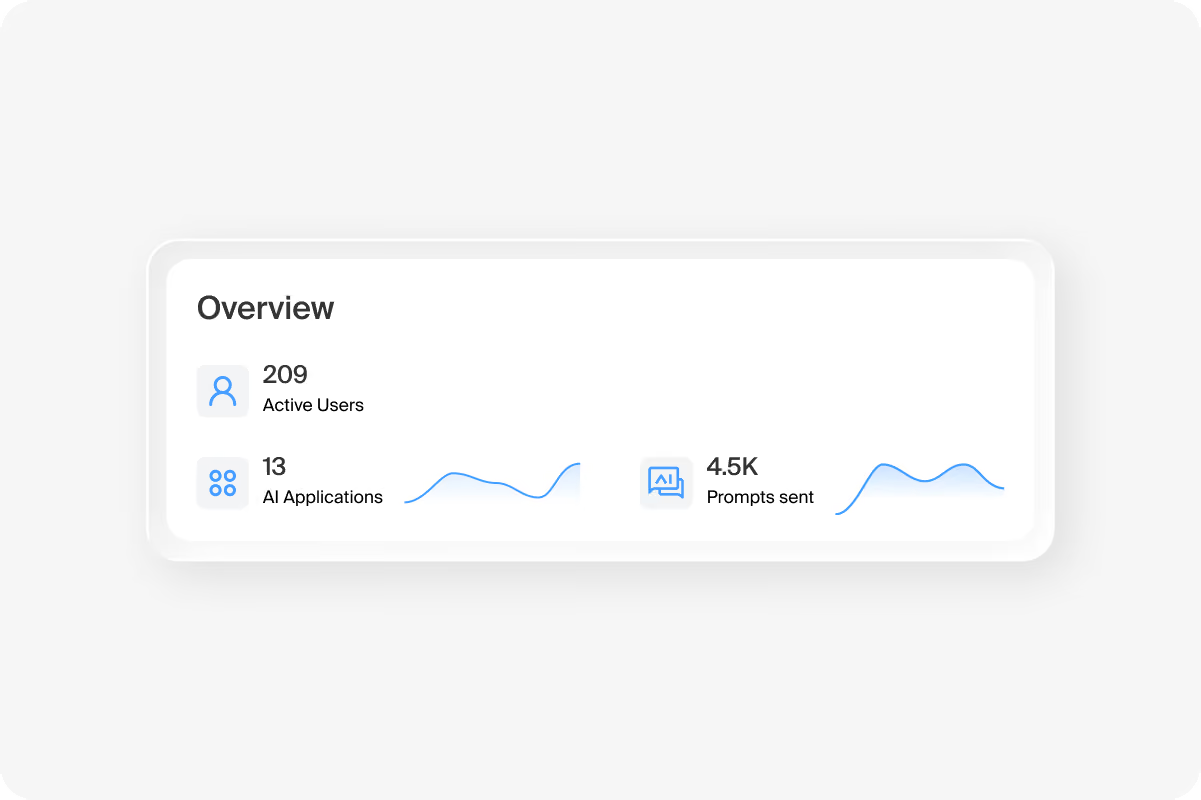
One policy engine across every agent surface
AI Runtime Protection runs at every control point an agent can touch: the Island Enterprise Browser, the Island Extension, Island Desktop, the Island Network, the Island MCP Gateway, the Island browser MCP server, a large language model (LLM) gateway integration, inference hooks, application programming interface (API) integrations (including the Claude Compliance API), endpoint detection and response (EDR) and mobile device management (MDM) integrations, and OpenTelemetry ingest.
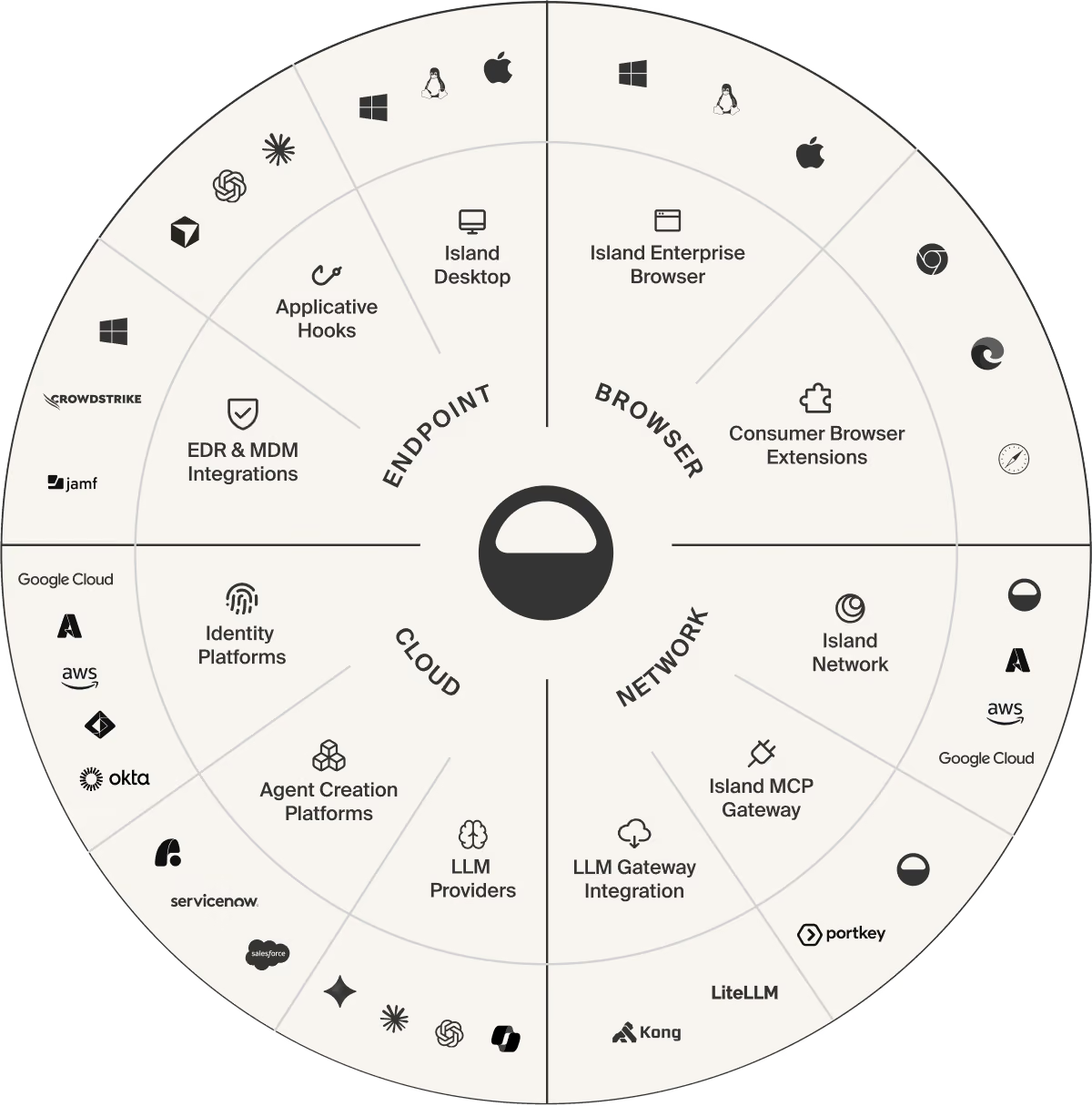
Governing the entire agentic lifecycle
Agentic Endpoint Posture, Agentic Identity, and AI Runtime Protection work together to govern the agent lifecycle, from prompt and resources to actions and responses.
FAQs
Everything that happens once an agent starts working. The prompt, the response, every tool call, the tool response, the files accessed, and the skills and sub-agents invoked. Island reads the full content of each rather than a metadata summary.
A component of the Island Enterprise Agentic Control Plane that governs what an AI agent does once it starts working. It reads the full content of every prompt, response, tool call, tool response, file action, skill, and sub-agent, catches threats such as prompt injection inline, and acts on them by policy at every control point an agent can touch.
It acts. Attempted exfiltration or an unintended destructive action leads to prevention, context returned to the agent explaining why, and a log entry for the administrator.
The agent gets told why and keeps working within the boundary. Most tools return an error code and end the interaction.
Traditional data loss prevention (DLP) watches content moving between a person and an application. AI Runtime Protection reads the whole sequence an agent runs, including tool calls and tool responses that never look like a data transfer, and connects steps that separate tools each log as low severity.
Prompt injection, jailbreak, agent drift, malicious URLs, malicious MCP servers, data leakage, and unwanted content.
Island built the classifiers as small, single-purpose models trained for one threat type each, rather than routing every check through a general-purpose LLM. That design keeps them fast enough to sit inline.
AI Runtime Protection applies one central policy across the Island Enterprise Browser, the Island Extension (for Chrome, Microsoft Edge, Firefox, and Safari), Island Desktop, and agent hooks. The same policy covers Model Context Protocol (MCP) traffic through the Island MCP Gateway, Island Network inspection through the secure web gateway (SWG), large language model (LLM) gateway integrations, AI provider compliance application programming interfaces (APIs), OpenTelemetry ingestion, and local activity collection. The browser, the extension, agent hooks, the MCP Gateway, network inspection, and LLM gateways that call Island synchronously all sit inline, so they can stop an action before it happens. Provider APIs, OpenTelemetry, and local collection report after the event and feed the same audit trail and alerts.
Island integrates directly with Claude Code, Claude Cowork, Codex, and Cursor through hook integrations. Those hooks let Island inspect a prompt before it reaches the model and a tool call before it runs, and deny either one wherever the application exposes that event. After a tool runs, Island can withhold its result, or replace it on hosts that support replacement, before the model reads it. Other agents can send events to Island's API and act on the verdict it returns.
Island covers them in two ways. The agent hook integrations read prompts and tool calls in plain text before the application sends them, so the network connection stays encrypted. Desktop AI clients, AI browser extensions that call a model directly, local models, and scripts that call a provider's API or software development kit (SDK) can route through Island Network inspection instead. Traffic reaches it from Island Desktop, an explicit proxy, or a transparent tunnel or connector on-ramp. That path inspects compatible requests before the provider receives them, on or off the corporate network, while the device stays connected to Island. Transport Layer Security (TLS) inspection requires the device to trust Island's certificate.
Supported Microsoft 365 web applications run through browser or network inspection, and native Microsoft 365 applications can use compatible network inspection. For enterprise AI accounts, Island's provider integrations retrieve interaction records from ChatGPT Enterprise, from Claude through the Claude Compliance API, and from Microsoft Copilot. Island also ingests OpenTelemetry data and Amazon Bedrock invocation logs. These sources report after the fact. They add audit coverage and alerts for activity outside Island's inline paths, and each provider integration needs that provider's enterprise licensing and administrator permissions.
Island integrates with LLM gateways such as LiteLLM and Kong and inspects the events the gateway forwards to it. When the gateway calls Island synchronously and honors the verdict, the decision applies inline, and model and version allowlisting applies wherever the gateway exposes those values. Applications can also call Island's API directly, and supported integrations handle streaming model traffic.
A firewall or gateway inspects the traffic routed through it, one request at a time. AI Runtime Protection runs at the gateway too, through the Island MCP Gateway and LLM gateway integrations, and adds what a gateway cannot see: the browser session, the files an agent touched on the endpoint, and the tool calls before and after, all tied to one identity. Each verdict draws on the whole session, and one policy engine applies at every control point.
The same runtime integrations work in development, test, staging, and continuous integration (CI) environments, including cloud workloads, through network or gateway inspection and supported hooks. Background and scheduled agent runs get the same inspection when they use a connected path. On Linux, Island covers activity through network inspection and separately installed hooks.
Island's data loss prevention (DLP) detectors find personal data, payment data, secrets, and source code, along with regional identifiers such as International Bank Account Numbers (IBANs) and national identification numbers. Organizations can add their own data types, match exact values from their own records, and fingerprint documents. Where a control point can read a Microsoft Purview sensitivity label, policy can use the label alongside the detectors, and semantic classifiers complement the patterns, labels, and exact matches. Administrators can tune DLP sensitivity for supported data types.
There’s lots more to learn.

.png)
.svg)
.svg)

