Enterprise Browser for Agents
Agents already work in the same web apps your people do. Today they get there through a consumer browser and an AI extension, with no policy, no audit, and your users' passwords within reach. Island gives them a governed browser instead.
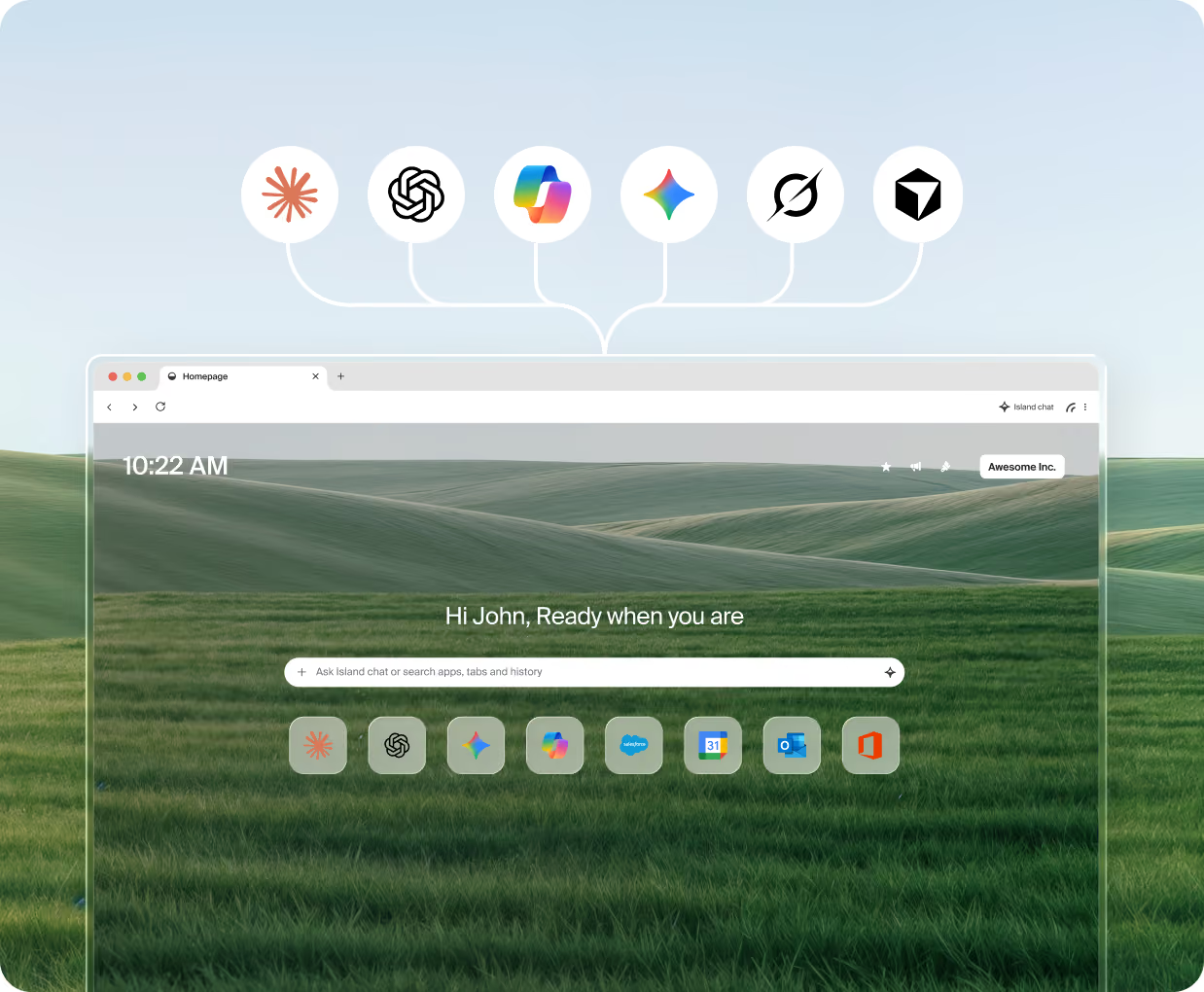
The world’s leading enterprises run on Island.
.png)
.png)
.png)
.png)

.png)










The browser wasn’t built for the agentic enterprise
When agents access web content, they often circumvent enterprise controls and protections.
The current approach doesn't work for the enterprise
Today's setup is a consumer browser with an AI provider's browser extension that exposes browser tools to the agent over the Model Context Protocol (MCP). This works for consumers but has significant drawbacks for enterprises.
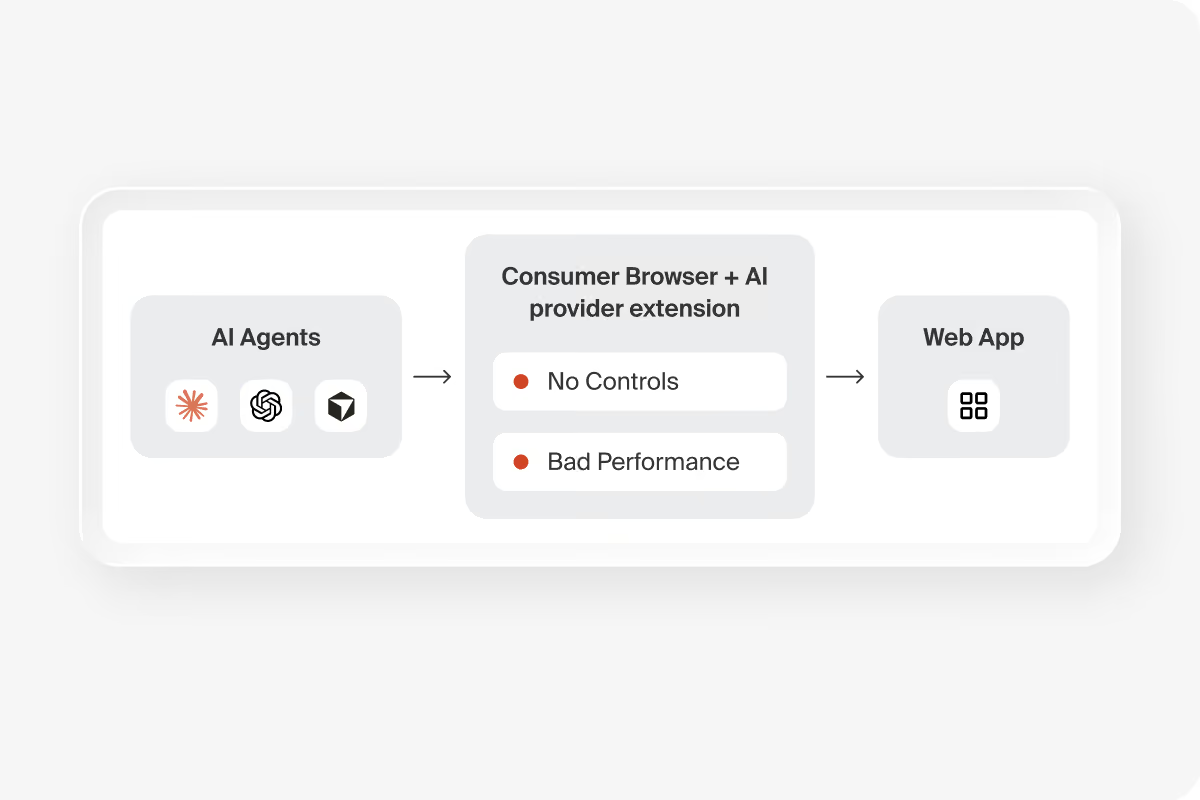
Poor enterprise controls
Agents can read everything and do anything with no governance or oversight. There is no way to tell an agent's action from the user's. Sensitive credentials are exposed.
It makes agents slower
Oftentimes, agents are overly reliant on screenshot-based analysis to understand a webpage. This is a slow, sometimes unreliable process compared to headless direct ingestion of the page.
Increased costs
Web pages have a lot of content to process, including HTML, CSS, and JavaScript. This often requires the agent to do extensive analysis to make sense, leading to excessive token consumption and increased expenses.
How AI agents use Island
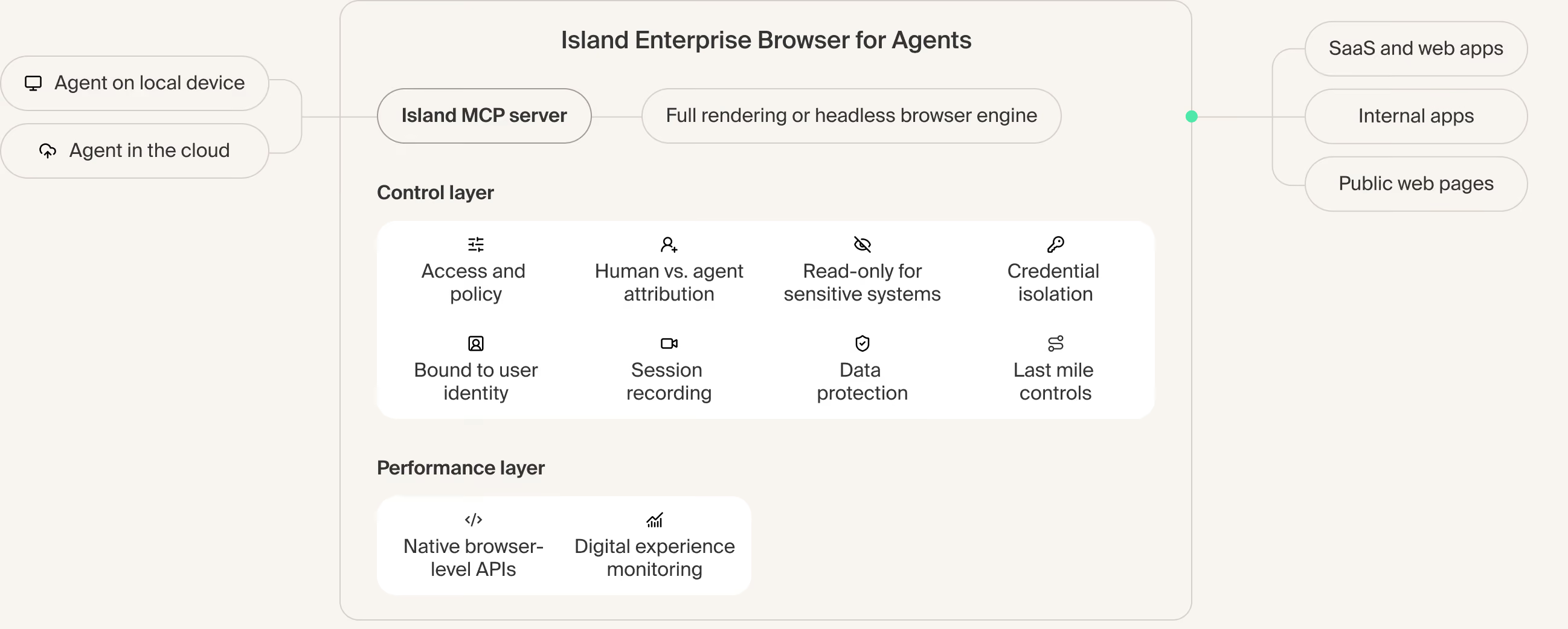
The Island MCP server is part of the Island Enterprise Browser itself. Any agent that uses MCP connects to it directly, from the device or from the cloud, and works in web pages and web applications under the browser's policy and audit trail.
Governed access and identity
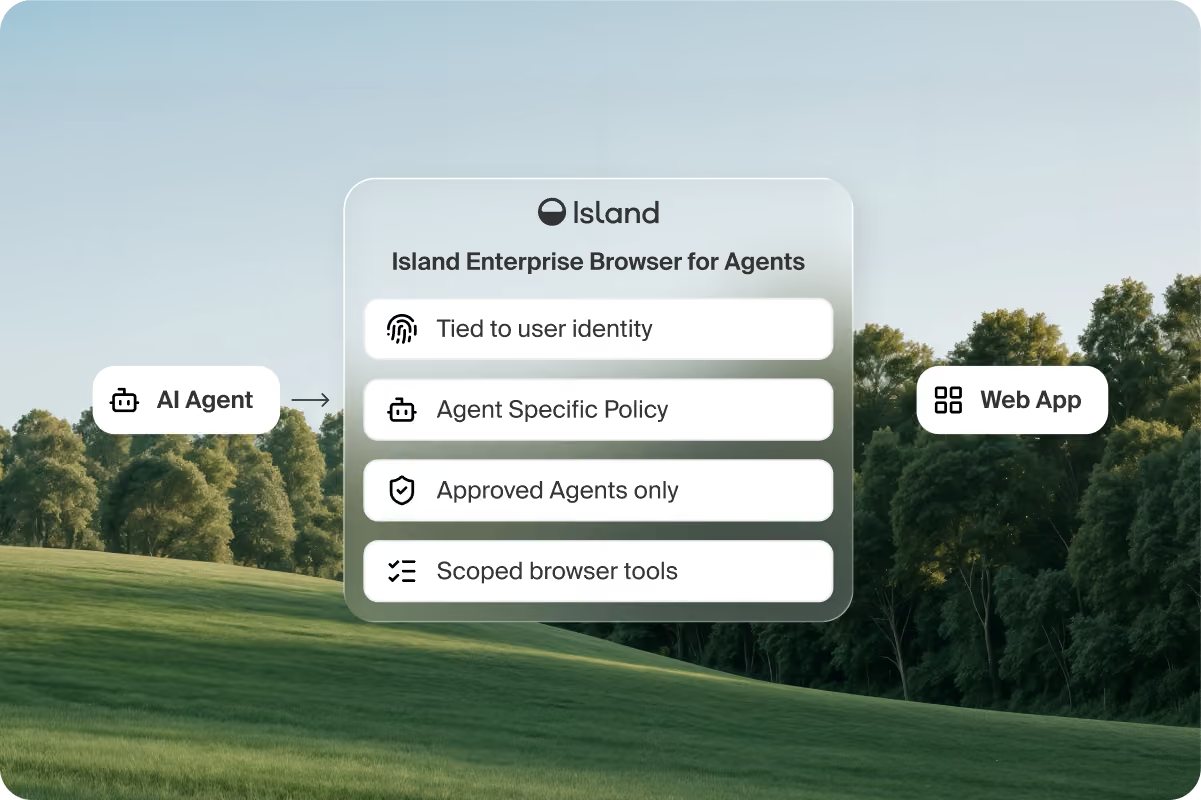
The browser knows the identity, group membership, roles, device posture, and network context behind the session. Island then applies the same enterprise policy set to agent activity that it applies to people.
- Policy targets the user, their agents, or both, so permissions can differ
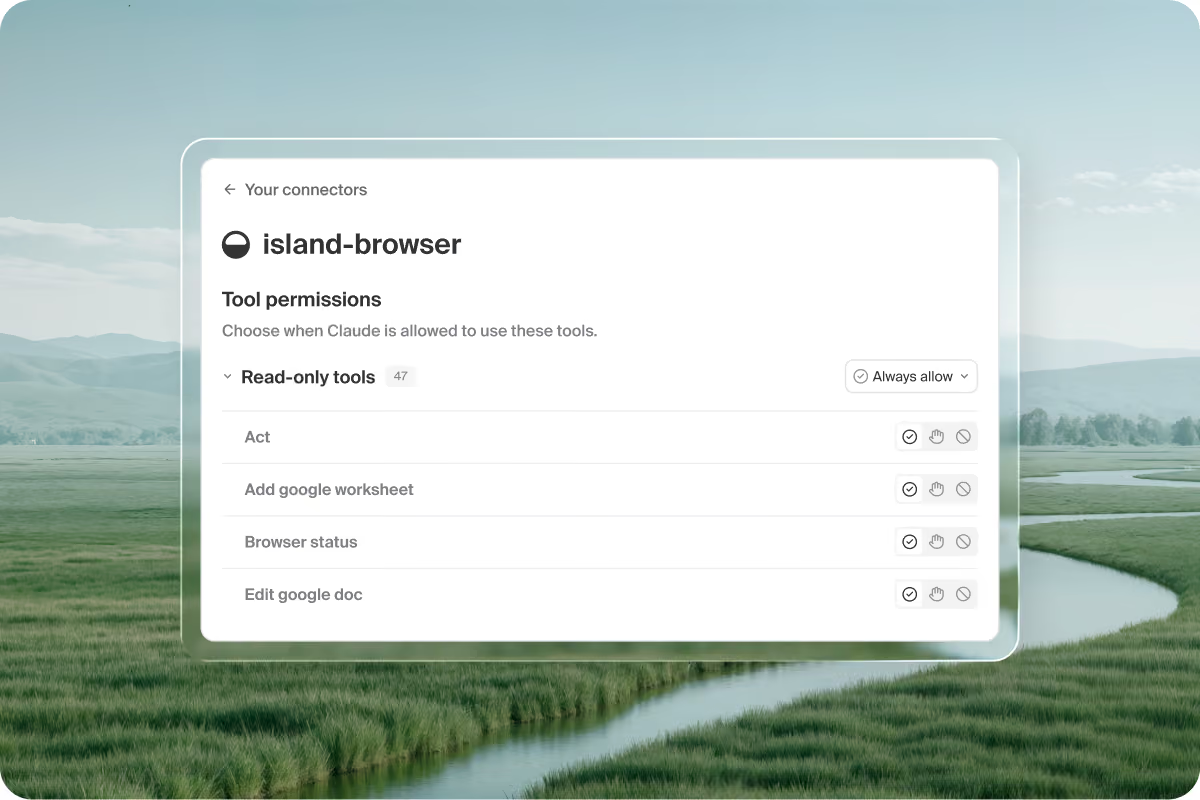
- Island decides which agents reach the browser and which tools they get
- Policy sets the pages, DOM operations, and writes allowed for each agent
- An agent gets only the tools its policy allows, not every tool by default
Faster agents, lower token cost
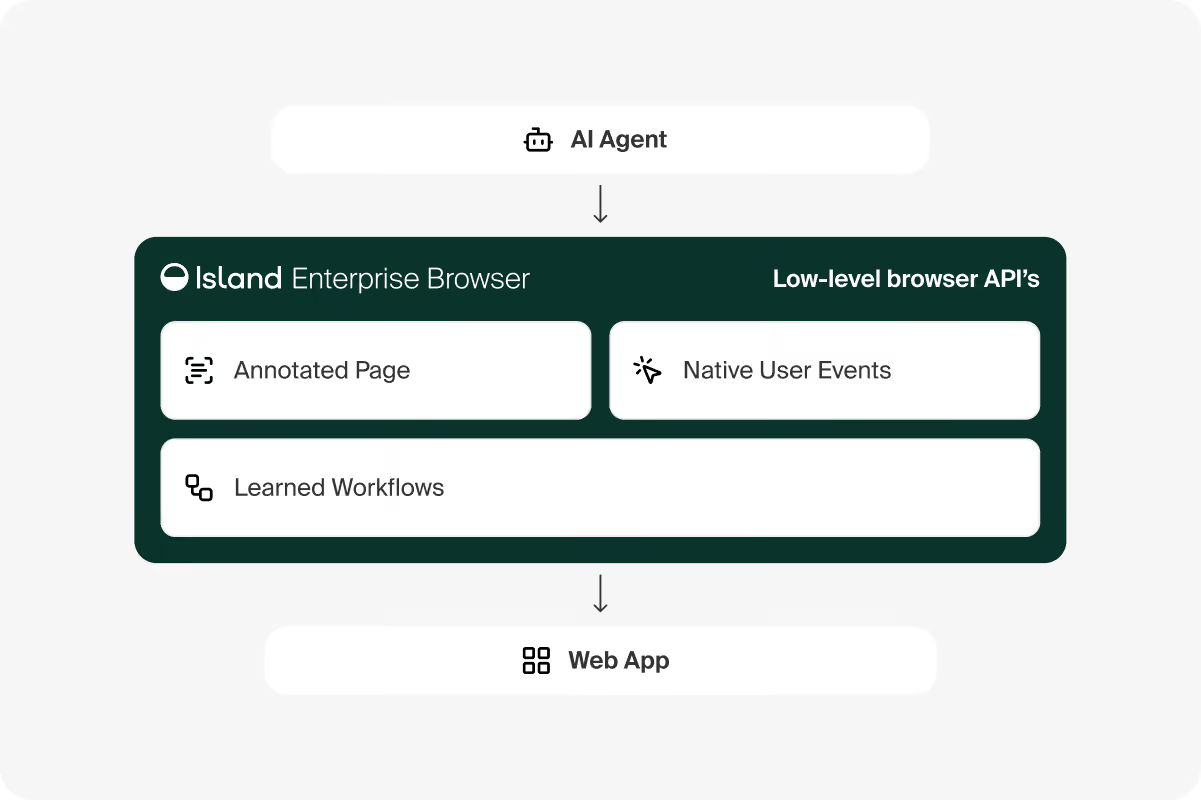
Island owns the browser engine. Agents reach pages through direct headless ingestion, which returns precise, agent-ready information. Those APIs also inject user events, which the DOM cannot do.
- Island learns repeated workflows and pre-loads resources for faster runs
- Agents read pages faster and act more accurately than screenshot methods
- Agents process less content and skip screenshots, so tokens per action drop
- Lower token use brings down the running cost of agent work in the browser
Control what an agent extracts and where it can send it
Island enforces data protection at the presentation layer, where content is already decrypted and visible. That covers rendered content, clipboard operations, file uploads, print jobs, and screen captures. Admins also draw a data boundary, a perimeter of sanctioned business applications that agents work inside.
- Per-application read-only mode lets an agent read and extract, never write
- Control what data the agent can see and what it can do with that data
- Work inside the perimeter runs normally, and Island blocks moves outside it
- Copying data to personal mail or an unsanctioned web app fails
Credential isolation
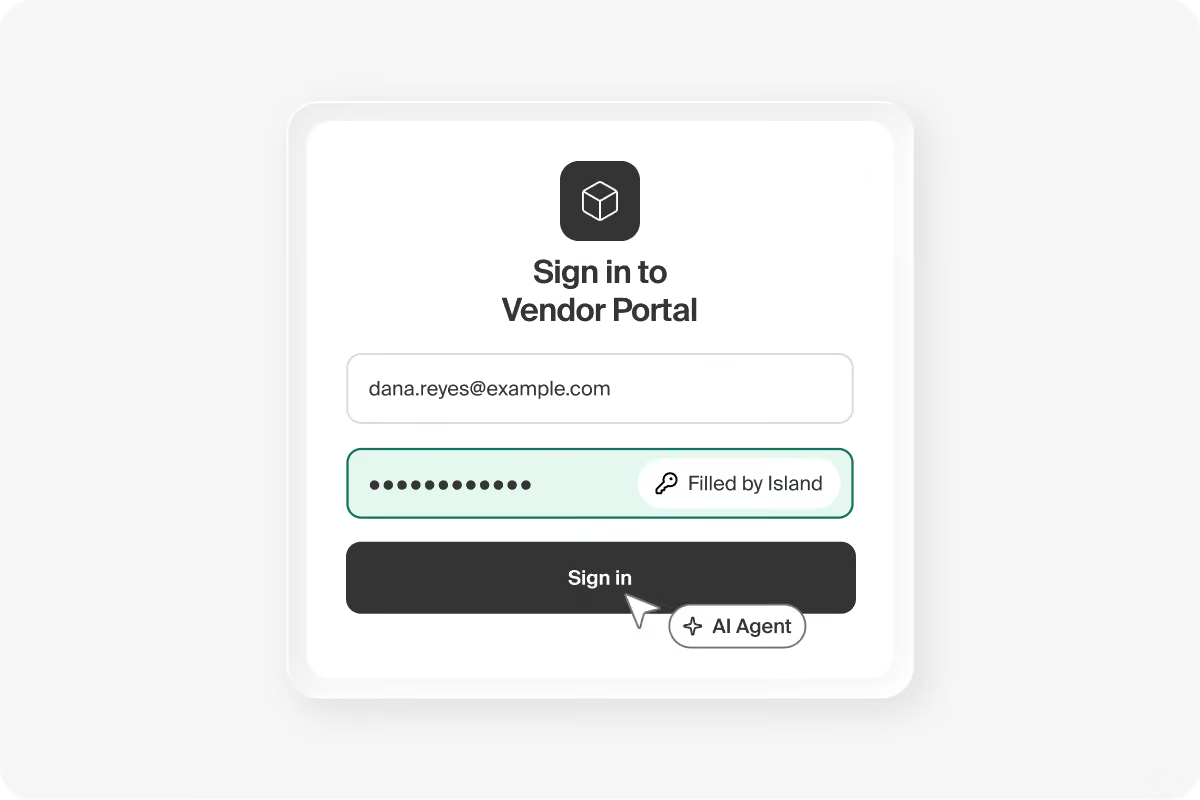
Island's built-in password manager fills credentials into login forms. An agent can authenticate into any web application, including pages without single sign-on (SSO), without directly accessing the credentials.
- The vault fills the form, so nobody hands an agent a password
- Credentials stay out of the AI model's context window
- Island adds protections against programmatic credential extraction from the page
- Agents can sign in to applications with no identity provider integration behind them
Reach internal applications
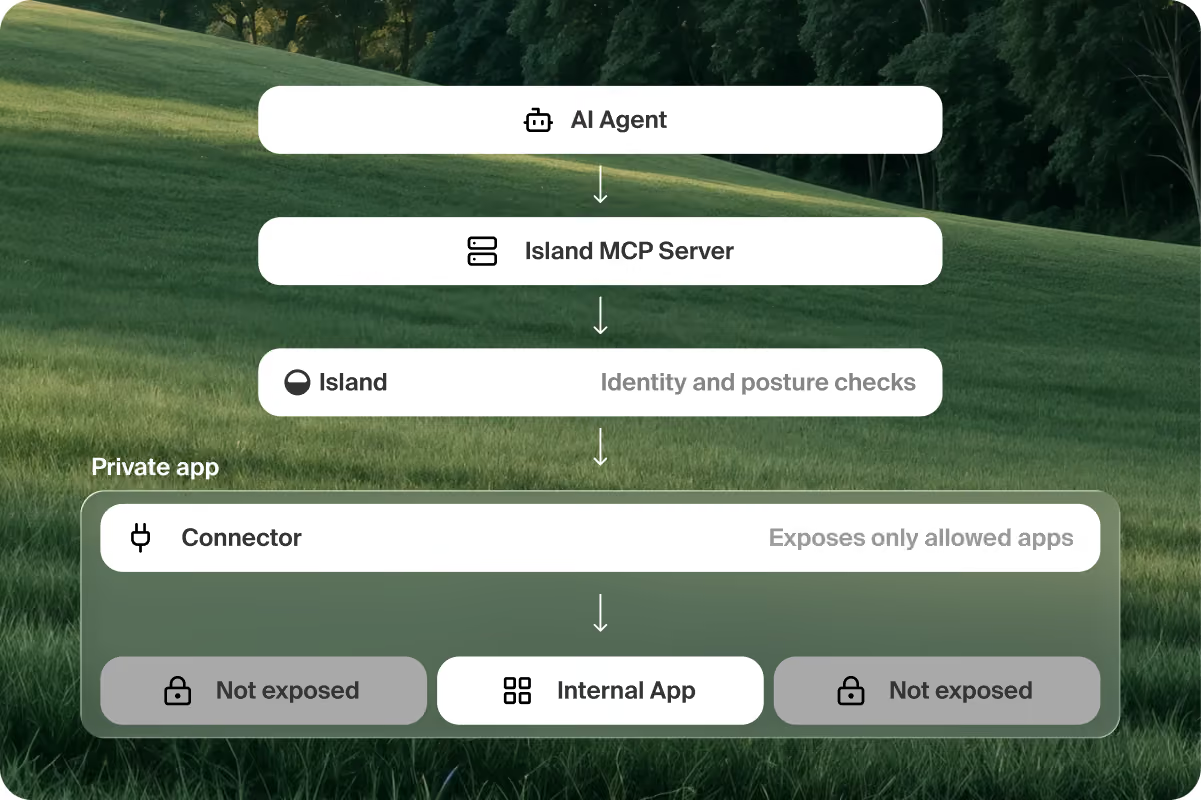
Island Private Access gives an agent zero trust network access (ZTNA) to internal applications. Access policy determines which agents can access these apps.
- Connectors expose only the applications policy allows, so an agent holds no lateral reach across the network
- Identity and device posture checks run on every internal application request
- An agent reaches one application rather than a network segment
- Agents work internal and legacy applications through the interface people already use
FAQs
It is a headless version of the Island Enterprise Browser with its tools opened to AI agents. The browser exposes those tools through the Island MCP server, a local browser MCP server that any agent using the protocol can connect to. Each agent works under per-agent, per-application policy, with the user's identity, data boundaries, and audit trail attached. The Island MCP server is separate from the Island MCP Gateway, which sits between agents and the other tools they call.
Yes, from inside the browser. To the network and to the endpoint the traffic looks identical either way, which is why policy that treats the two differently has to run where the session runs.
Yes. Island exposes a local MCP server, so any agent that uses the protocol can connect to it regardless of vendor.
An AI provider's extension connects the agent to a consumer browser's tools, and that connection sits outside admin control. Nothing inspects the data moving through it, gives the agent private access to internal systems, records what the agent did, or separates what a user may do from what their agent may do. The Island MCP server runs inside the Island Enterprise Browser, so the same data protection, access policy, and audit apply to agents as to everything else, whichever vendor built the agent.
Yes. Island Extension supports AI browsers including Atlas and Comet, with the same feature support it has in Chrome and Edge, so data protection and access policy follow employees who choose them. The Enterprise Browser for Agents covers a different case, agents that need governed web access of their own through the Island MCP server.
Per-agent, per-application policy decides which browser tools an agent gets, which pages it can touch, which DOM operations it can run, and whether it can write or only read. Read-only mode on a sensitive application lets the agent view and extract data while Island blocks record changes, form submissions, and other writes. A person can also hold a permission their agents do not.
Through Island Private Access, which provides a governed path to that specific system.
Island runs a prompt injection detector inline on every interaction, paired with an evaluator model and data loss prevention (DLP) on egress. Adversarial instructions embedded in web content, MCP responses, and document inputs get caught before the agent acts on them.
No. The Island Enterprise Browser reads content in plain text inside the session, before anything leaves it, so policy applies without decrypting the network connection.
The browser applies Island's DLP detectors: personal data, payment data, secrets, source code, regional identifiers, custom data types, exact matches against the organization's own records, and document fingerprints. Where it can read a Microsoft Purview sensitivity label, policy can use the label too. Island can block the action or mask the sensitive value and let the rest through.
Each event Island logs includes the authenticated user, the agent or application, and the session wherever the source exposes them, and Island links the event to the responsible person whenever it can determine that link. A person's own actions stay separate from the actions their agent takes on their behalf.
Island integrates with Okta, Microsoft Entra ID, and many other identity providers, so agent policy in the browser can target the same users and groups as the rest of the organization's policy.
The Island Password Manager fills the login form, so the agent authenticates without receiving the password, and the credential stays out of the model's context window. Island also protects against programmatic attempts to extract the credential from the page. It works on applications with no identity provider integration behind them, where SSO is not an option.
Yes. Island includes tamper protection for its managed browser and endpoint components on supported platforms.
There’s lots more to learn.



.svg)
.svg)

