.svg)

Key takeaways
- Most enterprise DLP stacks protect files and endpoints but lack visibility into the browser sessions where sensitive data actually moves today: clipboard actions, AI prompts, SaaS form fields, and uploads.
- Legacy approaches like network proxies and endpoint agents were designed before the browser became the primary work surface. Remaining with them creates an architecture gap, not just a controls gap.
- Browser-native data protection, where DLP policies are enforced inside the browser at the moment data moves, closes the visibility gap that bolt-on tools cannot reach.
- Evaluating browser-layer protection requires testing adoption friction, not just security depth. The strongest controls fail if the workforce routes around them.
Most data protection stacks were designed before the browser became the workplace
You've spent years assembling a data protection stack you trust. Endpoint agents, network proxies, CASB, DLP policies mapped to file shares and email gateways. Each tool was a sound investment when it was made, and most of those tools still do exactly what they were designed to do.
The problem isn't the tools. It's that the work surface moved out from under them.
According to Omdia's "State of Workforce Security" report (2025), approximately 85% of the enterprise workday now happens inside the browser through SaaS applications, web apps, and cloud platforms. Endpoint agents still monitor file operations on disk. Network proxies still inspect traffic between hosts. Neither can see what happens inside a browser tab: a paste into a SaaS form, a prompt submitted to an AI assistant, a download triggered from a web application the proxy never knew existed.
This isn't a failure of the tools themselves. It's a timing mismatch. The criteria those tools are now being measured against (clipboard monitoring, in-session content inspection, real-time policy enforcement within the browser) simply weren't design criteria when the architectures were selected. Gas cars aren't flawed for not plugging in; that option didn't exist when they were engineered.
The consequences of that mismatch show up in the data. The Verizon 2025 Data Breach Investigations Report found that 68% of breaches involve a human element. Increasingly, that human element means browser-based actions: copy and paste into unauthorized apps, uploads to personal cloud storage, confidential data shared with AI tools. These are exactly the actions your current stack wasn't built to see.
The sensitive data you're losing moves in places your stack can't see
You've closed the gaps you can measure. Your endpoint DLP coverage is broad, your network segmentation is solid, and your email DLP catches policy violations before they leave the gateway. What keeps the risk profile elevated is the activity happening in the spaces between those controls.
Sensitive data now moves through five browser-specific vectors that endpoint and network tools typically miss:
- Clipboard actions: copying and pasting between tabs, into AI assistants, and into personal applications
- AI prompt submissions: employees pasting confidential data into ChatGPT, Gemini, or other AI tools
- SaaS form field entries: entering sensitive data into web applications that operate entirely in the browser
- Browser-to-browser data movement: transferring data between work and personal profiles or incognito windows
- Screen captures and prints: capturing sensitive content displayed in browser tabs
These aren't theoretical risks. Picture a routine workflow: an employee copies a client list from Salesforce, pastes it into a ChatGPT prompt to generate a summary, then drops that summary into a personal Gmail draft. Three data movements, zero DLP alerts. The endpoint agent saw no file operation. The network proxy saw encrypted traffic to domains you've already allowed. The data left your organization without triggering a single control.
Network-layer tools see encrypted traffic but can't inspect content inside the browser session. Endpoint agents see file operations but not what happens within a tab. The result is a structural blind spot, not a configuration gap. According to IBM's Cost of a Data Breach Report (2025), the average breach costs $4.44 million and takes 241 days to identify and contain. Browser-layer blind spots contribute directly to that detection gap, because the data movement that matters most is the data movement nobody sees.
Three architectural approaches to protecting data inside the browser
You've identified the gap. Now the question becomes what to do about it, and the answer depends on where the enforcement point lives. Three distinct architectures address browser-layer data protection, each with a fundamentally different relationship to the browser itself.
1. Enterprise browser with built-in data protection
Security is native to the browser. DLP policies evaluate content at the moment it moves: paste, upload, download, print, screenshot. The browser sees everything because it is the environment. There's no translation layer between the security engine and the user's actions, which means policies can consider context that external tools never access: the source and destination of a paste, the sensitivity of content displayed on screen, the posture of the device and identity of the user, all evaluated in real time.
2. Browser extensions that add security layers
Extensions can monitor some browser activity, but they inherit the consumer browser's permission model. They operate within the constraints the browser vendor allows, and those constraints can change with any update. When Chrome or Edge modifies its extension API, an extension-based security tool may lose visibility or break entirely. Extensions also can't control the browser's core rendering, networking, or storage layers, which limits their ability to enforce policies on screenshots, downloads, or encrypted connections.
3. Network and proxy-based browser security
Proxies and SASE solutions inspect traffic outside the browser. They see URLs and can decrypt payloads, but they can't observe in-session actions: clipboard events, form field entries, AI interactions, or screen captures. Break-and-inspect architectures add latency and raise privacy concerns, especially for organizations subject to data residency requirements. These tools were built for a world where the interesting activity happened on the wire. Inside the browser, they're effectively blind.
The gap between these approaches isn't a feature checklist. It's a question of where enforcement happens. Extensions and proxies enforce around the browser, intercepting traffic and monitoring behavior from a distance. An enterprise browser enforces inside it. That distinction determines whether you can evaluate a clipboard action before it completes or only discover the data has already left.
What changes when data protection is embedded in the browser
Your security architecture doesn't need another layer. It needs the existing layer where work happens to carry its own controls. When DLP lives inside the browser, the enforcement point shifts from the network or endpoint to the moment of interaction, where content is accessed, viewed, copied, or shared.
With the Island Enterprise Browser, that shift makes several capabilities possible that bolt-on tools structurally cannot deliver:
- Clipboard policies that evaluate content at the moment of paste and enforce rules based on source, destination, and content sensitivity
- On-screen data masking that redacts sensitive fields based on user role, device posture, and location
- Watermarking applied to sensitive content viewed in the browser, tying every screen to a specific session and user
- Download, print, and screenshot restrictions applied per-application and per-user, not globally
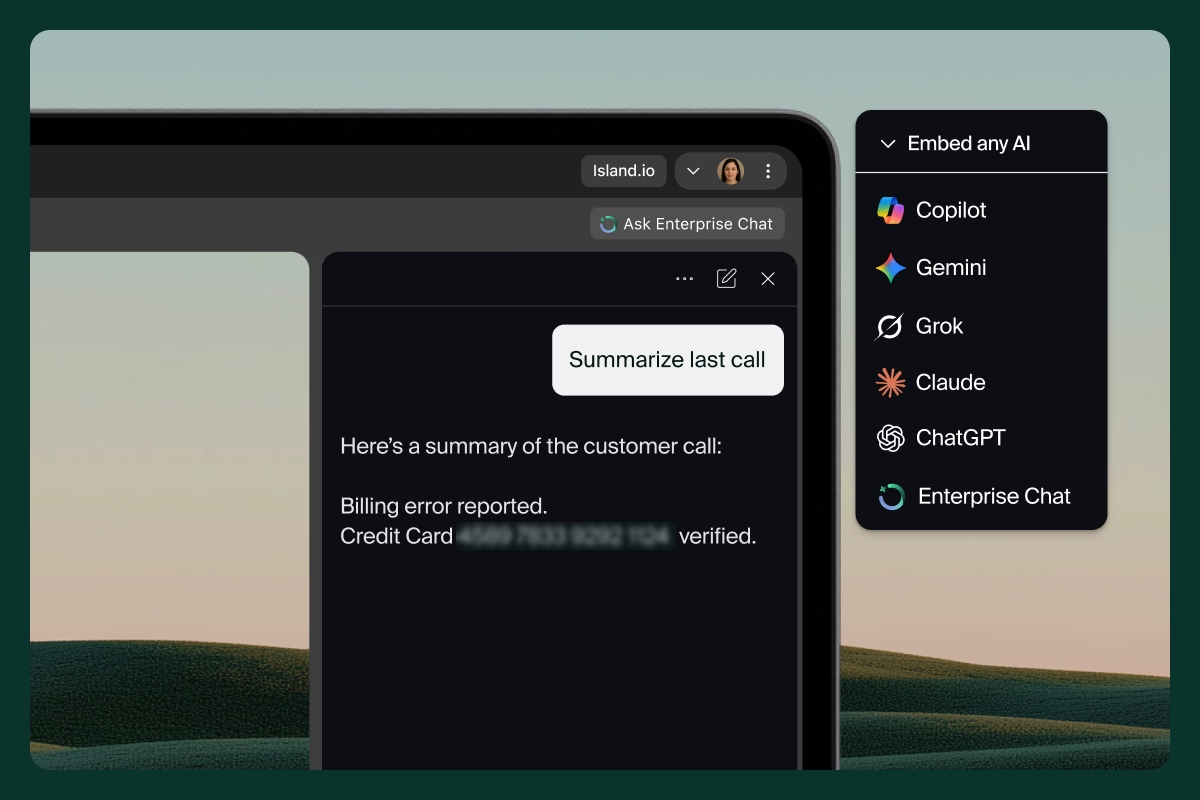
- AI protection that redacts sensitive data before it reaches AI providers, allowing teams to use AI tools without data exposure
Organizations using this approach have reduced contractor onboarding from 45 days to 45 minutes by replacing VDI-based access with browser-based access controls that enforce data protection policies from the first session. No hardware shipping. No virtual desktop infrastructure. Contractors open the browser and work within the same controlled environment as full-time employees on managed devices.
The experience doesn't feel like a security tool. Users open the browser and work. The controls are invisible unless they're triggered, and when they are, the user sees a contextual explanation rather than a block page. That distinction matters more than it sounds. Security that's invisible to the user is security that stays deployed, because nobody routes around a tool they don't notice.
The adoption question most evaluations miss
You're building an evaluation framework, and if it looks like most RFPs, it focuses on security depth: features, policies, detection rates, compliance certifications. Those criteria matter. They're also insufficient. The strongest browser security fails if the workforce routes around it, and that's the most common failure mode in browser-layer deployments.
What to test beyond the feature checklist:
- Deployment friction: How long to roll out to 10,000 users? Does it require device management? Can contractors access it from personal devices without shipping hardware?
- User experience continuity: Does the browser look and behave like what users already know? Can they use their existing Chrome extensions? Do web apps work identically?
- Policy granularity without admin overhead: Can you set different rules per application, per user group, per device type without building a policy matrix that requires a dedicated team to maintain?
The proving ground isn't the hardest use case. It's the most routine one: the daily workflow where security is most likely to create friction. If the browser slows down a claims processor's daily work by three seconds per action, that's a larger adoption risk than any feature gap on the checklist.
Integration with the existing stack matters more than replacing it. The browser should work with identity providers, SIEMs, and endpoint tools, not demand their removal. The goal is to close the browser-layer gap in your data loss prevention architecture, not to rebuild the architecture from scratch. When the environment is right, work becomes effortless.
FAQs
How do enterprise browsers protect sensitive data differently than browser extensions?
Enterprise browsers enforce DLP policies natively at the browser layer with full visibility into clipboard actions, session content, and user behavior. Extensions depend on the consumer browser's permission model and can lose visibility when the underlying browser updates or restricts extension capabilities.
Can browser-level data protection prevent sensitive data from reaching AI tools?
Yes. Browser-native controls can evaluate content at the moment it's pasted into an AI interface and enforce policies that redact, block, or warn based on content sensitivity, before the data ever reaches the AI provider's servers.
What types of sensitive data are most at risk in browser environments?
Customer records, financial data, intellectual property, and credentials are the most commonly exposed through browser-based workflows, particularly through clipboard actions, SaaS form submissions, and AI prompts.
How does browser-based data protection work for BYOD and unmanaged devices?
An enterprise browser can be deployed without device management, enforcing data protection policies from the browser itself regardless of device ownership. Users on personal devices access the same controlled environment as managed endpoints, with no VDI or hardware shipping required.
See it in practice
If you're evaluating browser-layer data protection for your environment, we're happy to walk through what we've built. Schedule a demo.

Island is defining the future of work for people and AI agents. Its enterprise agentic control plane helps organizations enable, govern, and audit agentic workforces alongside people. Island boosts productivity across devices, browsers, applications, networks, and data while protecting sensitive information, simplifying access, and helping enterprises scale AI safely.



.svg)
.svg)

