.svg)
TaskUs Runs on Default Deny. It Still Said "Yes" to AI.
Enabling AI at scale by measuring what employees actually use, enforcing control where the user meets the tool, and governing AI as an identity rather than an application.

TaskUs helps to power leading global companies in AI, autonomous vehicles, social media, gaming, and retail — "your favorite brand's favorite brand," as TaskUs information security risk management lead Erik Lowe puts it.
As a business process outsourcer (BPO), TaskUs is trusted with privileged access to customer data and backend tools at some of the world’s leading companies. Every engagement is customized from the ground up to that customer's requirements, and frontline customer projects run default/deny: nothing is permitted unless InfoSec explicitly permits it. "It's a little bit like operating hundreds of separate companies, each of them with their own little niches and risk appetites," Lowe says.
Despite this, TaskUs has safely put AI in the hands of 40,000 employees. Lowe joined Island's webinar series on real-world enterprise AI to explain how, and what he'd do differently.
Measurement before enforcement
TaskUs started where most companies start, with a written AI policy that limited employees to approved tools and forbade sharing sensitive data. But it was impossible to see whether employees were actually following the policy, or if it covered emerging use cases like AI being embedded into third-party SaaS tools.
"Frankly, we just needed more information,” Lowe says, and his team used Island's AI Protection and Shadow IT modules to track all the AI that TaskUs employees were using. The browser sees every tool an employee logs into and every site they visit, and that traffic can be categorized: which AI tools, which modalities (image generation, grammar help, coding, chat), and which models were used. Island also showed whether the login used corporate or personal credentials, and when they uploaded files.
“The data that we collected with Island showed our leadership TaskUs employees were using AI and helped them make decisions about what AI tools to adopt and promote as the official company resources,” Lowe explains. “The next step was to control and enforce our security on that policy.”
Now, users can only access the specific company-managed instance of Gemini that the company maintains. With Island, TaskUs controls the prompts employees enter, the files they upload and download, and the AI-related extensions they install — none of which requires a backend management console. The company’s AI policy renders on screen the moment a user hits an AI page, with users acknowledging it before proceeding. "We don't need to even own the AI tool itself," Lowe said. "Because the browser is where the user meets the tool, we can just control what the user sees on their screen.
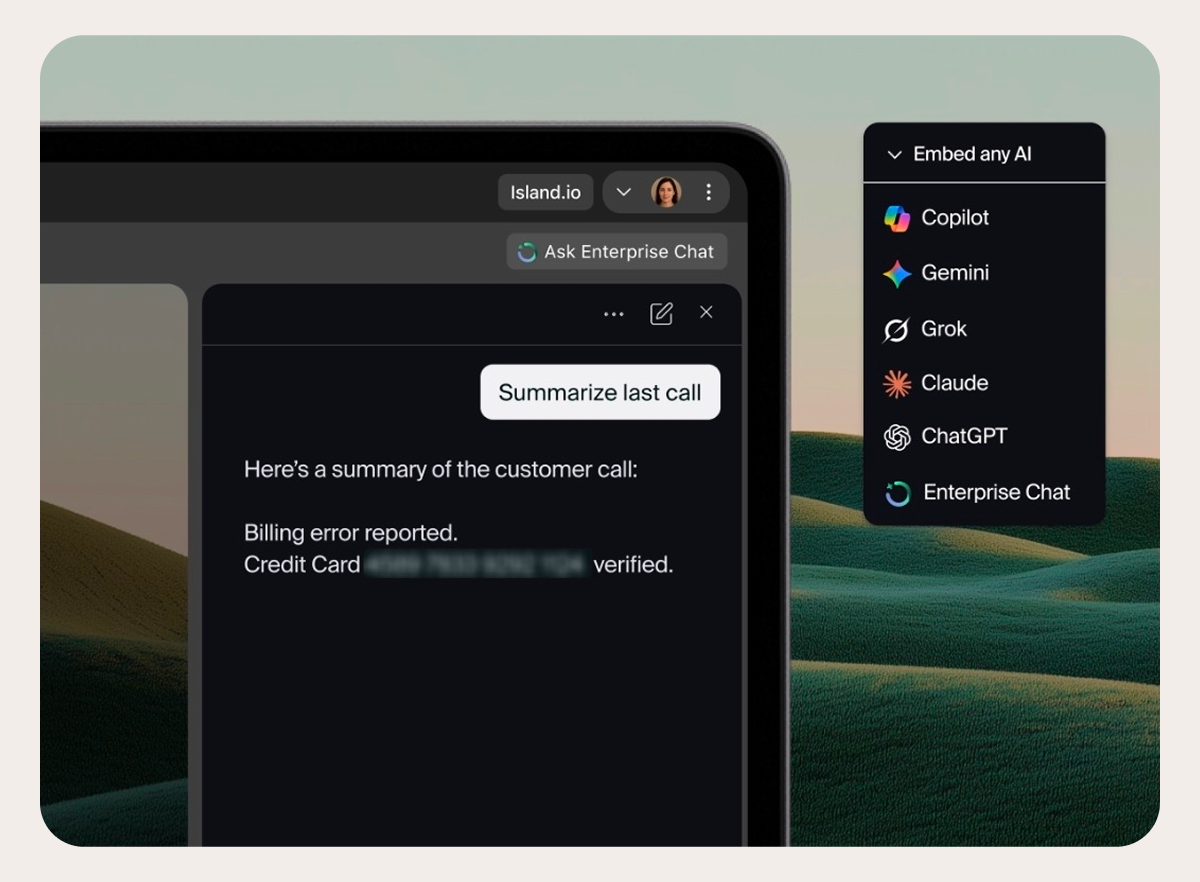
Safely saying "yes" to AI for everyone
DLP was good enough when AI was a chatbot on a website and the prompt was the entire attack surface. Now, however, Lowe says, any employee can spin up digital workers that act on their own. Developers already inside the CI/CD pipeline and AppSec standards are building AI applications, but so is the rest of the business — Gemini Gems and chat assistants that became workflows their departments now depend on.
"The cookies on the cookie jar shelf are getting lower and lower, and more and more people can reach that shelf," Lowe says, "My advice is to just embrace this." His team’s approach is to find out what people built and what value they got, then productize it for all users. A persona living in one employee's personal Gemini, for example, becomes a managed chat assistant replicated across the enterprise. "When you can wrap it in the Island browser and deliver it securely that way, you can take the smartest people in all your departments, the ones who are learning about AI on their own, and say yes to them building AI apps.”
Treat AI as an identity, not an application
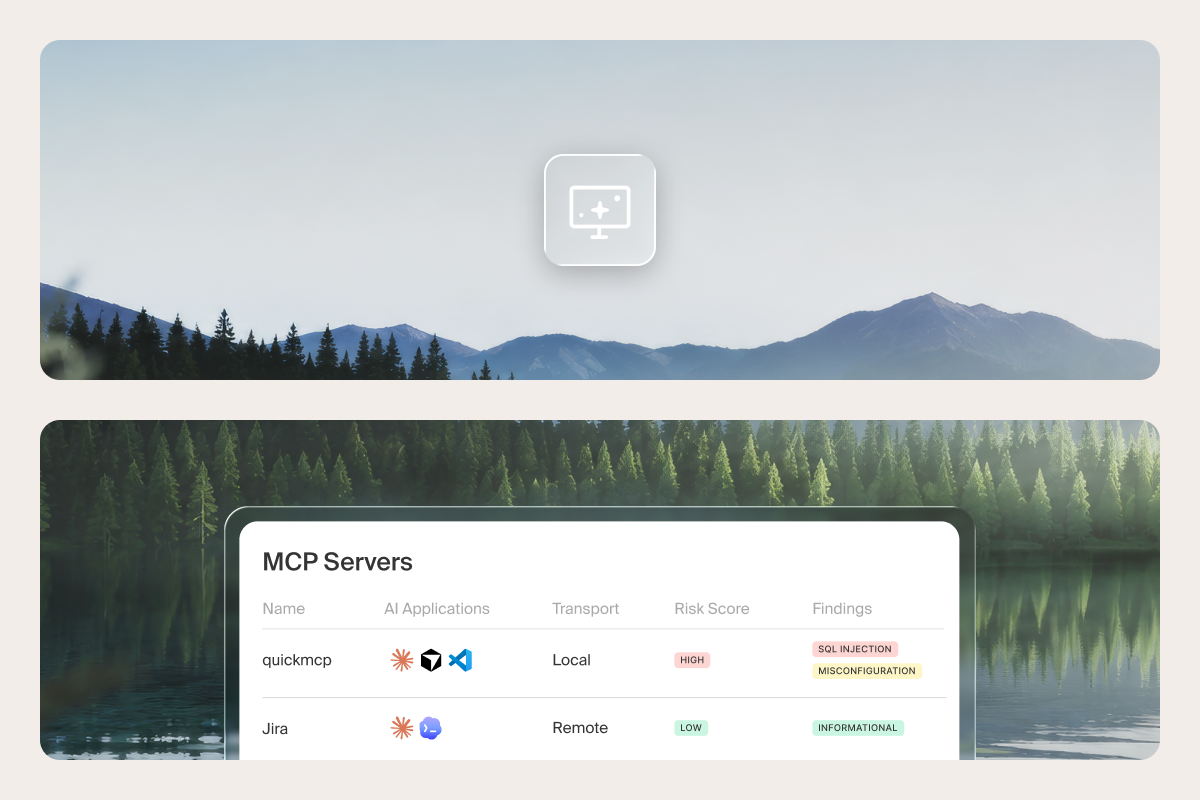
When employees can spawn digital workers at will, the control model needs to match. Lowe says the key is to stop thinking about AI in the traditional application security way, and start treating it more as an identity with its own access and tools and behavior.
“When you think about it that way, you can apply a lot of the same security objectives to AI that you would to a human user,” he says. “Least-privilege access, just-in-time provisioning — all the things that are best practices for a person you can equally apply to an AI identity.” TaskUs is building threat intelligence tooling on that premise, feeding Island Browser telemetry and SIEM data to agents that hunt the internet for IOCs and report back.
Lowe's guidance for teams starting out: begin with one dataset or one mini workflow, provide only the data you are comfortable with the AI knowing, and say yes earlier than feels comfortable. "Our initial reaction to things we don't understand is to block them, to fear them, but that tribal cybersecurity practice doesn't really keep us safe,” he says. “We know the users find a way."
Watch the full conversation
Lowe covers many more topics in the webinar’s 30 minutes, including his experience moving 40,000 people from an unmanaged browser to a managed one and how he handled the pushback from users when browser-level controls arrived. He walks through the agentic threat intelligence tooling TaskUs is building on browser telemetry and SIEM data and how ISO 42001 functions as a risk framework rather than a checklist across global privacy regimes.
He also discusses how expanding AI across the company has expanded the TaskUs InfoSec team’s presence within the org itself. “We had been used to being observer-only in the background, and I think Island has really pulled us into the mainstream conversation of the business now,” he says. “Because if the business wants to do anything new now, we are part of the conversation about how we are going to enable that.”
FAQs
Can a company operating under default deny still put AI in employees' hands?
Yes. TaskUs permits nothing unless InfoSec explicitly permits it, and still enabled AI for 40,000 employees. The path ran through measurement first, then enforcement: track what people actually use, then narrow access to a company-managed instance with controls on prompts, file movement, and extensions.
Is a written AI policy enough to govern AI use?
No. Written policies typically are blanket limitations to approved tools only while locking down data sharing, but these documents give no visibility as to whether anyone followed it.
Does the browser give you real visibility into shadow AI?
Yes. It sees every tool an employee logs into and every site they visit, and that traffic can be categorized: which AI tools, which modalities — image generation, grammar help, coding, chat — which models, whether the login used corporate or personal credentials, and when files were uploaded.
Do you need to own or integrate with an AI tool to control how employees use it?
No. Because the browser is where the user meets the AI tool, Island gives you full control over what the user sees on their screen. No backend management console is required to govern prompts, uploads, downloads, or approved AI-related extensions.
Should security teams shut down AI apps built outside the development organization?
No. Teams inside TaskUs are already turning Gemini Gems and chat assistants into workflows they depend on. The InfoSec department finds out what people built and what value they got, then productizes it; for example, a persona living in Gmail in one employee's Gemini instance becomes a managed assistant replicated across the enterprise.
Is DLP still sufficient for governing AI?
No. DLP was good enough when AI was a chatbot on a website and the prompt was the entire attack surface. Once any employee can spin up digital workers that act on their own, AI needs to be governed as an identity with its own access, tools, and behavior — least-privilege access and just-in-time provisioning, the same practices applied to human users.

Shawn Surber is Director of Solutions Engineering at Island, where he leads a high-performing team driving innovative enterprise security and IT modernization initiatives. With more than 20 years in IT and security—including 15 years as a security administrator and architect along with senior leadership roles at Tanium and Fortinet—Shawn brings rare credibility in bridging strategy and execution. He has built and led global pre-sales organizations, founded technical evangelism programs, and helped Fortune 500 companies modernize securely. A frequent industry speaker, Shawn is known for making complex technical concepts clear, actionable, and relevant to executives and practitioners alike.
.png)


.png)
.svg)
.svg)

