.svg)

Key Takeaways
- Most data leaks aren't dramatic break-ins; they happen when ordinary work moves sensitive data through the browser without oversight.
- To prevent data leaks in Chrome and other consumer browsers, teams disable features and add extensions, but bolt-on controls miss the moment data actually moves.
- The browser is where most enterprise work now happens, making it the largest data-leak surface most security stacks can't see into.
- Preventing data leaks at scale means putting controls where the data moves: inside the browser, across copy, paste, download, upload, and screenshot in real time.
Most data leaks start with everyday work, not a break-in
Think about the last hour of work at your organization. Someone pasted a customer list into a spreadsheet, downloaded a contract to review offline, and uploaded a deck to share with a partner. None of it felt risky. All of it moved sensitive data, and most of it happened somewhere no one was watching closely.
That's the uncomfortable truth about how data leaves companies today. A data leak isn't the same as a data breach. A breach is what happens when an attacker forces their way in and takes something. A leak is quieter: sensitive information ends up somewhere it shouldn't, usually through ordinary work rather than a deliberate attack. The distinction matters because the defenses are different.
Most exposure traces back to people doing their jobs. According to the Verizon 2026 Data Breach Investigations Report, the human element is present in 62% of breaches. Read that number carefully. It doesn't mean most employees are careless or malicious. It means most incidents involve a person doing something routine that quietly crossed a line: uploading a file to the wrong account, pasting content into the wrong tool, or downloading data to a device the company doesn't manage.
None of these people are villains. They're the byproduct of legitimate work moving faster than the controls around it. That's the pattern most organizations underestimate. When leaders picture a data leak, they imagine a sophisticated intrusion. The reality is closer to a Tuesday afternoon: a well-meaning employee, a familiar tool, and a piece of data that quietly slipped out of view.
The browser became the workplace, and the leak surface moved with it
Where does your team actually spend the workday? Not in a desktop application from a decade ago. They spend it in the browser: SaaS platforms, cloud consoles, email, internal tools, and, increasingly, AI assistants. The browser quietly became the primary interface for enterprise work, and the data-leak surface moved right along with it.
Here's the problem. The browser is where the majority of the workday now happens, yet it's the layer most security stacks see the least. Network tools watch traffic. Endpoint tools watch the device. The browser session sits in between, doing the actual work, largely unobserved.
Data leaks through the browser along a handful of predictable paths:
- Copy and paste of sensitive content into personal accounts, messaging apps, or AI tools.
- File downloads to unmanaged or personal devices outside company control.
- Uploads of confidential files to personal cloud storage or the wrong tenant.
- Browser sync and autofill carrying credentials and personal data into personal profiles.
- Extensions with broad permissions that can read page content across sessions.
Each of these is invisible to controls that live outside the browser. That's what makes the browser such an effective blind spot: the data doesn't cross a network boundary a proxy can inspect, and it doesn't touch the file system in a way an endpoint agent flags.
The risk compounds the moment work extends beyond employees. Third-party involvement appeared in 48% of breaches, according to the Verizon 2026 Data Breach Investigations Report, a jump of roughly 60% year over year. Contractors, vendors, and partners do most of their work in a browser too, often on devices most companies never see. Same surface, more people, less visibility.
Locking down Chrome isn't the same as controlling it
Faced with browser risk, most teams reach for the tools they already have. The instinct is reasonable: disable browser sync, turn off autofill and saved passwords, add a data-loss-prevention extension, and route traffic through a network proxy. Each of these moves solved a real problem in its time.
Disabling risky features made sense when the browser was a simple window to the web. Network proxies were the right control when work traveled predictable paths in and out of the data center. Extensions were a practical way to add oversight without replacing the browser everyone already used. These weren't mistakes. They fit the environment they were built for at the time.
The environment changed. Turning features off doesn't remove the need behind them; it pushes people toward workarounds that are even harder to see. Block a convenient paste and someone emails the file to a personal address instead. Network and proxy controls can't see inside an encrypted browser session, so a copy-paste or an upload that never leaves as inspectable traffic slips past. Extensions add a useful layer, but they sit on top of a browser that was never built to enforce policy in the first place.
It helps to think in terms of a hierarchy. Data control is strongest when the browser itself is built to enforce it, because the policy lives exactly where the data moves. An extension adds a layer to a consumer browser it doesn't fully control. Network and proxy controls sit outside the browser entirely and can't see the actions that happen within a session. The closer the control sits to where data moves, the more it can actually prevent.
This isn't a knock on any one tool. It's a question of where control can live. To prevent data leaks in Chrome and browsers like it, you eventually run into the ceiling of what you can bolt onto software you don't control.
When data controls live inside the browser, leaks stop where they start
So what changes when control moves inside the session? The short answer: you protect sensitive data in the browser at the moment it would move, rather than reconstructing what happened afterward from logs.
This is the shift Island was built around. Island embeds data protection directly into the enterprise workspace, so the browser becomes a place where policy already lives instead of a tool something gets bolted onto. Security ends up being a byproduct of the architecture, not a layer fighting the browser for control.
In practice, that means controls apply as data moves, right inside the session:
- Copy and paste governance that allows internal work while blocking sensitive content from leaving.
- Download and print controls tied to the data and the user's context.
- Screenshot restriction and on-screen data masking for regulated information.
- Watermarking that ties visible data back to the person viewing it.
- Application boundaries that keep data from crossing between tabs and tools.
Because the control is embedded, it travels with the data whether the person is on a company laptop or an unmanaged one. The same policy that governs an employee in the office governs a contractor at home, without shipping anyone a device or routing them through a maze of infrastructure.
This model isn't theoretical, and it isn't a niche experiment. Island is trusted by 20% of the Global 1000 and 20 of the Fortune 100, including some of the most heavily regulated organizations in the world. The point isn't the logos. It's that embedding data controls in the browser scales to the environments with the least tolerance for leaks. When prevention lives where the work happens, it stops competing with the work, and people stop routing around it.
Contractors, BYOD, and AI tools expose the blind spot first
If the browser blind spot has a proving ground, it's the work that happens at the edges of the organization. Three scenarios expose it faster than anything else: contractors, BYOD, and AI tools. All three run through the same unmonitored surface.
Start with contractors and third parties. They need access to internal systems, they work from devices no one manages, and traditional onboarding tries to solve this by shipping a locked-down laptop and waiting. That's slow and expensive. When data control lives in the browser instead, the session itself is governed, so a contractor can log in and start working safely on their own device. One pattern Island customers see is contractor onboarding compressed from 45 days to 45 minutes, because the control travels with the work instead of the hardware.
BYOD programs follow the same logic. The goal was never to manage someone's personal phone or laptop. It's to control the work session running on it. Govern the session, and the personal device stays personal while company data stays protected.
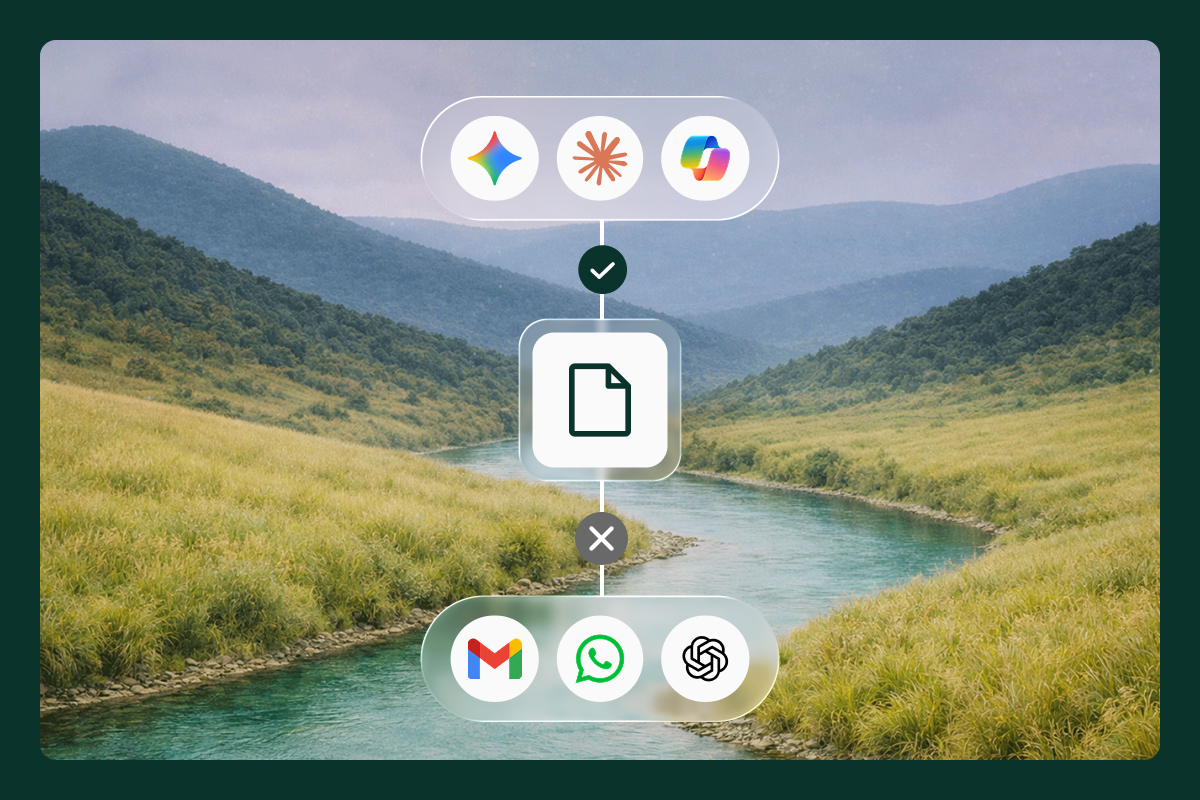
Then there's AI. Sensitive data pasted into a browser-based AI assistant is one of the fastest-growing leak paths in the enterprise, and the instinct to block these tools outright rarely holds. People find another way in. The better answer is to say yes to AI safely: govern what sensitive data can be pasted or uploaded into AI assistants at the point of use, so employees get the productivity without handing over regulated data. Island Enterprise AI is built for exactly this, treating AI as something to enable and protect rather than fence off.
How to evaluate tools that prevent data leaks in the browser
If you're weighing options to prevent data leaks at the browser layer, the evaluation matters as much as the shortlist. Most reviews score the wrong things well and the right thing not at all. Here's a lens worth applying:
- Visibility inside the session: can it see copy, paste, upload, and download in real time, or only what crosses the network?
- Coverage everywhere work happens: does protection hold on both managed and unmanaged devices, or only on corporate hardware?
- Policy that follows the user: does control travel with the person and the data, rather than depending on the device?
- Support for AI interactions: can it govern what goes into browser-based AI tools, not just traditional apps?
- Deployment friction and adoption: how hard is it to roll out, and how likely are people to work around it?
That last point is the one most evaluations skip. Teams tend to grade security depth and feature checklists, then discover the hardest problem later: adoption. A control your workforce quietly routes around isn't really a control. It's a false sense of security with a status dashboard.
So ask for the unglamorous data. How long does rollout actually take? What's the help-desk load in the first month? What share of users are still inside the protected environment 90 days later? The real proving ground for data leak prevention isn't the hardest use case in the demo. It's the mundane one everyone tolerates, repeated ten thousand times a day.
Your biggest data-leak surface is also your fastest one to close
The browser is where your data moves most and where you can see it least. That's a hard combination, but it's a solvable one, because the same surface that creates the exposure is where prevention can finally live. If you want to see how embedded data controls close the browser blind spot, schedule a walkthrough.
FAQs
What's the difference between a data leak and a data breach?
A data leak is the accidental or overlooked exposure of sensitive data, usually through ordinary work. A breach is the result of a deliberate attack.
How do I prevent data leaks in Chrome?
Consumer-browser settings and extensions help, but consistent prevention comes from data controls applied inside the browser session as data moves.
Why do traditional DLP tools miss browser-layer leaks?
Network- and endpoint-based DLP can't see inside an encrypted browser session, so in-session actions like copy, paste, and uploads slip past.
How do I stop sensitive data from leaking into AI tools like ChatGPT?
Govern what can be pasted or uploaded into browser-based AI assistants at the point of use, rather than blocking the tools outright.
Can I prevent data leaks from contractors on unmanaged devices?
Yes. Control the browser work session rather than the personal device, so the data stays protected without managing the hardware.

Island is defining the future of work for people and AI agents. Its enterprise agentic control plane helps organizations enable, govern, and audit agentic workforces alongside people. Island boosts productivity across devices, browsers, applications, networks, and data while protecting sensitive information, simplifying access, and helping enterprises scale AI safely.



.svg)
.svg)

