.svg)
The Backward Compatibility Analyzer: How we build APIs that won’t break
Complex systems live and die by their backward compatibility - Here’s the developer-friendly approach we took to building services rapidly without breaking compatibility.
.avif)
Introduction
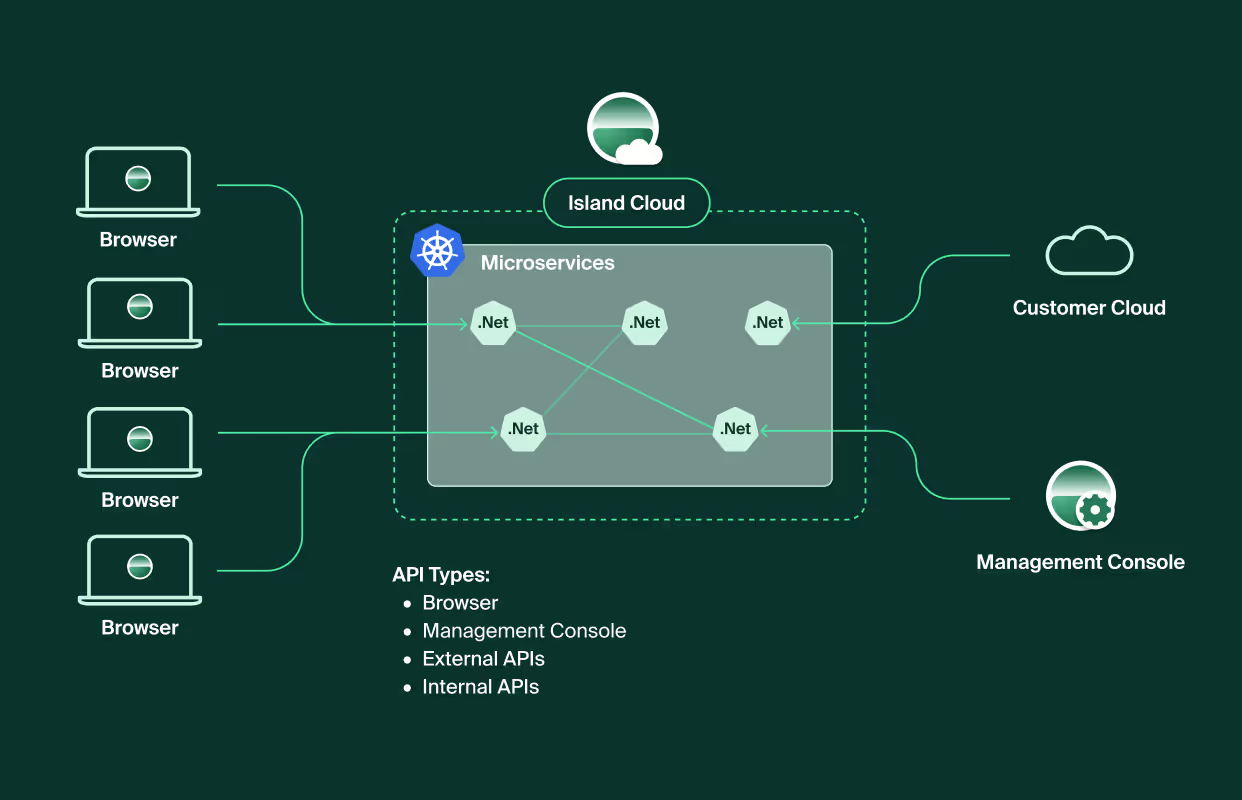
At Island, the browser is the heart of our business, acting as the primary client for our backend services. Yet, our Kubernetes-based microservices cloud architecture also supports a wide range of other clients, including the admin management console, external integrations APIs, and internal service communications, all of which depend on the reliability of our backend services.
In complex systems, backward compatibility issues can disrupt workflows, impact operations, and cause unpredictable behaviours. To address this, we built a Backward Compatibility Analyzer to help us deliver new capabilities fast without compromising on quality or stability.
In this post, we’ll walk through basic concepts in backward compatibility, breaking changes in APIs (including real world examples in .NET code). Then we’ll focus on the developer-friendly approach we’ve taken at Island to help us mitigate these challenges.
* If you’re already familiar with basic concepts in backward compatibility, you can skip to The Impact of Breaking Changes at Island
What is backward compatibility?
Backward compatibility allows a system to work with its older versions. Changes that break this compatibility, often called "breaking" backward compatibility, can lead to unexpected behaviors or outages.
Backward compatibility in APIs
When it comes to API services, there are multiple types of clients, such as external integrations, frontend web applications, and other internal services. It’s critical to ensure that previous versions of those clients will continue functioning with the new version of our service. In Island, each organization handles its own updates, so our API must support multiple versions of our browser.
Examples of Backward Compatibility API Breaks:
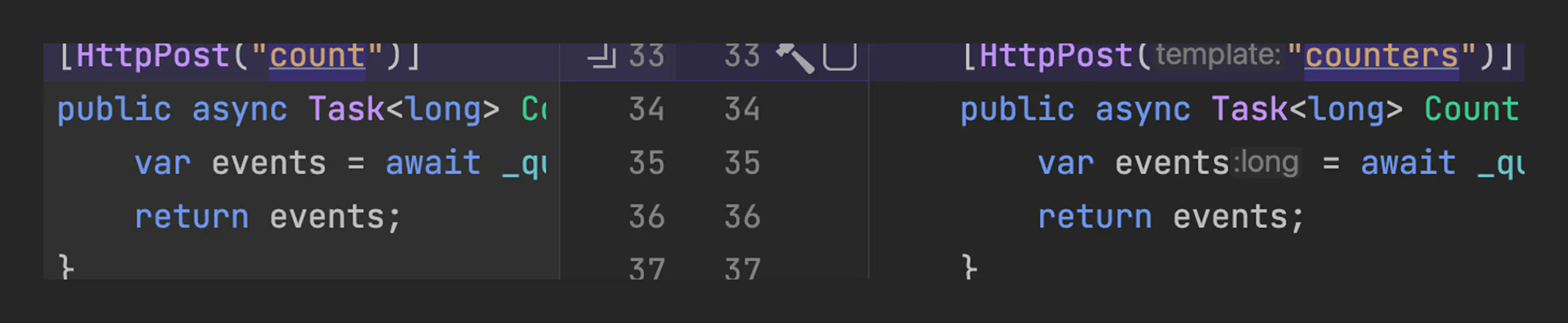
- Changing the endpoint’s URL means old clients won’t be able to access it
- Changing the response type means old clients will get an unexpected response

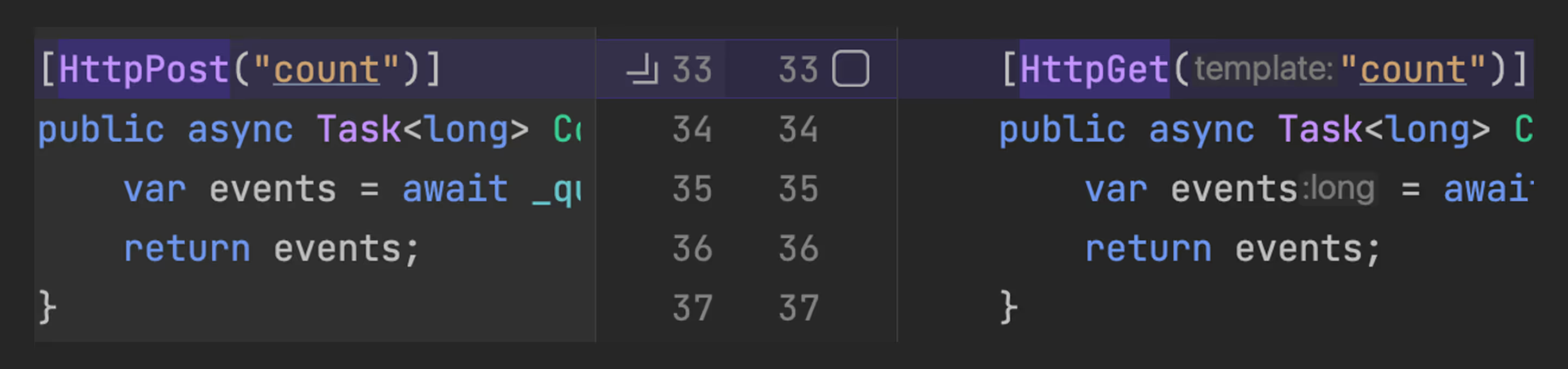
- Changing the HTTP method means old clients will try to access unsupported endpoint
The Impact of Breaking Changes at Island
Let’s take our UrlRisk service as an example. This service enables the browser to assess the risk level of a given website. Now, imagine a developer wants to expand its functionality by adding more details, such as the website’s category. The change might look like this:
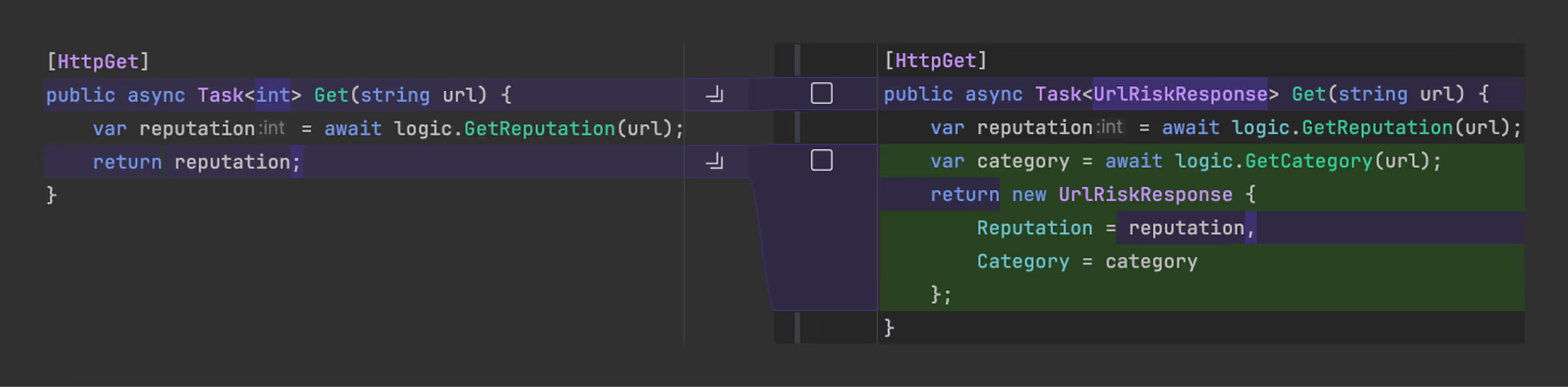
While the change appears valid and may pass tests on the updated browser, older browser versions would fail to interact with the service. Let's assume this simplified implementation of the client:
.avif)
Clients still using this version will interpret the response object as a number. Any comparison with a numeric threshold will always be evaluated as false. As a result, it will not block navigation to malicious websites, exposing customers to potential risks. With this in mind, we aimed to develop a solution that met the following requirements:
- Enforcement: Prevent developers from breaking the API.
- Immediate Feedback: Faster feedback means better developer experience, reduced friction in CI and ease of use.
- Automatic Maintenance: Ensures schemas are always up to date without manual intervention.
After considering a few options, we chose to implement a custom source generator utilizing the .NET Roslyn Compiler to analyze our code.
What is a Source Generator?
“A Source Generator is a piece of code that runs during compilation and can inspect your program to produce additional files that are compiled together with the rest of your code.”
Introducing C# Source Generators, Microsoft
Source Generators provide the ability to:
- Inspect your code (in .NET, based on Roslyn SDK)
- Create your own heuristics and checks during the compilation process
- Fail a build with an indicative error
- Generate .NET source files
Our Backward Compatibility Analyzer
We leveraged the capabilities of a source generator to analyze our code and persist state for backward compatibility. The flow of the analyzer can be described as three steps:
- Extracting the new API schema
- Comparing the new schema with a baseline schema (current state of the application)
- Persisting the new schema as the new baseline
Extracting the new API schema
This step forms the core logic of the analyzer, utilizing various features of the Roslyn SDK to construct a schema that represents the entire service interface. Since our API is based on ControllerBase, we implemented ISyntaxReceiver to locate all ClassDeclarationSyntax nodes corresponding to the controllers. When analyzing the action methods for each controller, we had to consider the following:
- Action methods’ MVC routing attributes
- Base classes and generic types
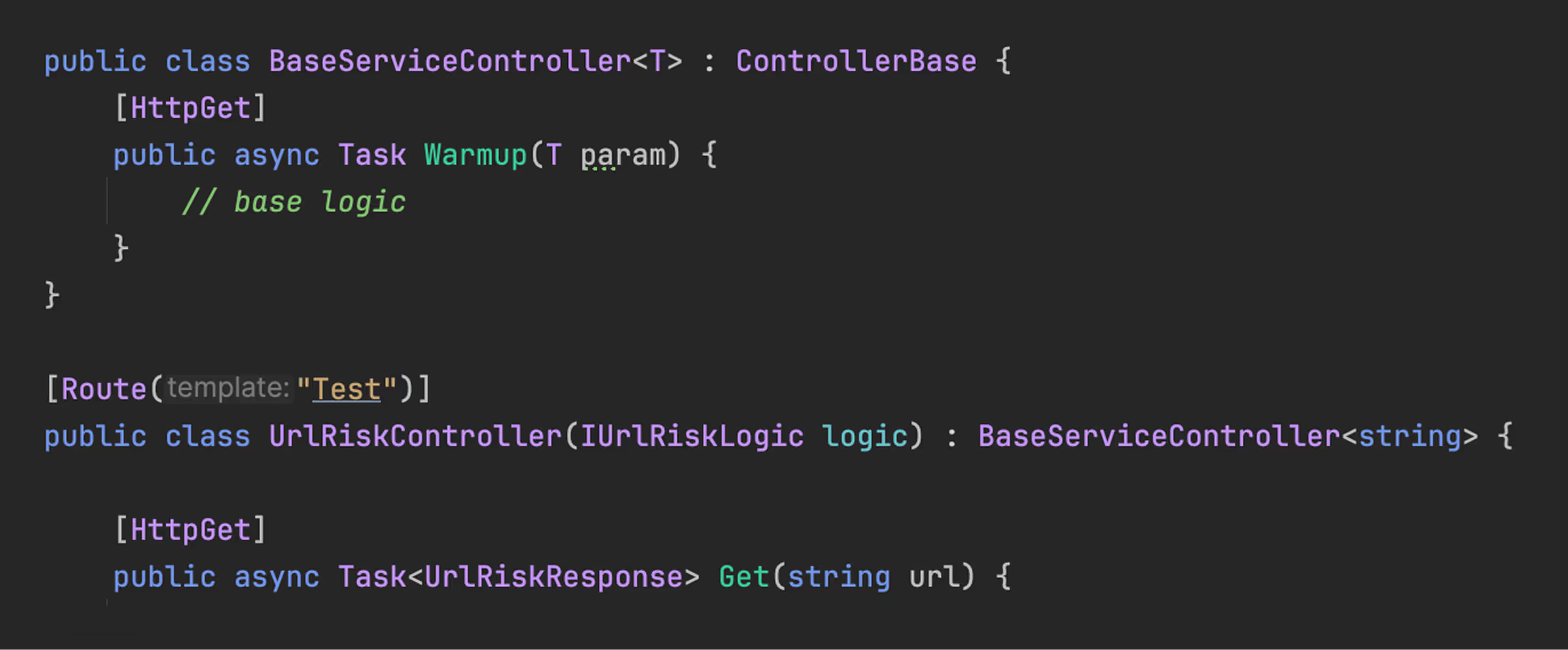
- .Net routing supports many options and variations

For each action method, we track its parameters and return value types, including all referenced types within complex objects. This allows us to construct a full and accurate schema of the service interface.
Example schema:

Comparing the schemas
With the two schemas on hand, we then compare the request and response objects. For each, we use a specific set of rules to determine whether there was a compatibility break.
For example:
In a response object:
- Only optional properties can be safely removed
- Any property can be safely added
- Changing a property to optional is not allowed
In request parameters:
- Only optional properties can be safely added
- Removal of any property is acceptable
- Changing or adding required property is not allowed
If a violation is detected during the comparison, we fail the compilation and report an error on the relevant endpoint leveraging the Roslyn SDK. The developer gets an error with a message describing the breaking change and a reference to internal documentation for best practice.

In the example described at “The Impact of Breaking Changes at Island”, we changed the endpoint return type.
With the analyzer, once the developer attempts to build the project, it will fail locally. The error produced will point out the potential break and guide developers on how to avoid it.

Persisting the new schema as the baseline
In the final step of the analyzer, we generate code to represent the schema. .NET source generators support generating only .cs files. Therefore, we created a serializer and deserializer for our schema and added them to a valid .cs file.
The deserializer is used before comparing schemas. We use the serializer to update the baseline state.
Our baseline state is stored in Git and updated as part of the deployment pipeline to represent our production environment.

What we learned
Given the importance of supporting backward compatibility at Island, we’ve given a lot of thought into making our detection mechanism as accurate, efficient and friendly as possible. In the time since developing the analyzer, we also learned a lot of best practices related to backward compatibility and came up with a few key rules on the subject:
- Extend functionality rather than modifying or removing existing APIs.
- Mark features as deprecated first and provide clear migration paths.
- Remove deprecated features carefully and only after validating migration to the new API.
- Implement robust testing strategies, including contract and regression tests.
In summary, the API Backward Compatibility Analyzer achieves a delicate balance between system stability and developer experience. Integrating it into the development workflow has helped our teams maintain product reliability while ensuring a seamless experience for developers, a win for both innovation and consistency.

Amit Shapira is a senior software engineer at Island. With 10 years of experience in software development at Island and the IDF’s elite 8200 Cyber Intelligence Unit. Today, Amit is part of Island’s Cloud infrastructure team.



.svg)
.svg)

