.svg)

Key Takeaways
- Blocking AI doesn't reduce risk. It pushes employees into shadow AI the security team can't see, which is why enterprise AI security works better as governed enablement than as prohibition.
- The productivity-versus-security tradeoff is a false choice created by where controls sit, not by AI itself.
- Traditional network and endpoint tools can't interpret what an employee types into an AI prompt, because that interaction happens inside the browser.
- Moving enforcement to the point of interaction, where the prompt is typed, lets enterprises say yes to AI while keeping full visibility and data protection.
Blocking AI doesn't remove the risk, it hides it
You're caught between two pressures that don't want to coexist. The board wants an answer on AI, the kind that shows up in the next earnings call. Your instinct, the one built from years of watching data walk out the door, says slow down. So the first reaction most organizations reach for is the familiar one: restrict it. Block the public tools, publish a policy, move on.
The trouble is restriction rarely removes the behavior. It relocates it. When the sanctioned path is closed, people find the unsanctioned one, and the usage goes underground into what's now called shadow AI. An analyst pastes a contract into a personal chatbot to summarize it before a meeting. A developer drops proprietary code into a free assistant to debug it faster. A marketer feeds last quarter's numbers into whatever tool writes the cleanest summary. None of this is malice. It's convenience meeting a policy nobody can quite remember, and often the person has no idea what the tool retains, whether the input trains a public model, or where it lives after they close the tab.
What makes shadow AI different from earlier waves of unsanctioned software is how little it announces itself. There's nothing to install and no obvious footprint on the device. It's a browser tab and a login, indistinguishable from a hundred other tabs open at the same moment. So the behavior doesn't just move out of policy's reach. It moves out of the security team's field of view entirely, which is the part that should worry a leader more than the usage itself.
That matters because AI adoption isn't a fringe habit you can wait out. The Stanford HAI AI Index 2025 found that 78% of organizations reported using AI in 2024, up from 55% the year before. When adoption climbs that fast, a blanket ban isn't holding a line. It's arguing with a tide. And the harder the tide is pushed back, the less any security team can see about where the data is actually going.
A policy nobody can find isn't a control. It's a hope. The question worth asking isn't how to stop employees from using AI. It's how to give them a governed way to use it, so the usage happens where you can see it.
Your stack watches the network and the endpoint, and AI happens in the tab
Picture your Monday status check. You have data loss prevention. You have a web proxy. You have endpoint agents on every managed device. And you still can't answer a simple question with confidence: what did my people paste into an AI tool over the weekend? The tooling is doing its job. It's just watching the wrong layer for this particular problem.
Most enterprise controls were built to inspect two things: connections and files. A proxy examines where traffic goes. Endpoint agents watch what runs on a device and what leaves it as a file. An AI prompt is neither. It isn't a classic file transfer, and it isn't an obvious exfiltration event. It's a person typing sensitive text into a box, and that text moves inside an encrypted session the network can only see the destination of, never the intent. Your DLP might flag a spreadsheet leaving over email. It has no equivalent read on the same figures typed line by line into a chat window.
Network proxies and endpoint agents were the right answers to the problems of their era. Perimeters needed watching, and devices needed control, and both approaches solved those problems well. The browser layer simply wasn't where policy could live when they were designed. Work hadn't fully moved into the tab yet, so nobody built the enforcement point there. The environment has since evolved, and the place where the risk now originates has moved with it.
Here's where that leaves the visibility gap. The moment that actually matters, sensitive text entering a prompt, happens inside the browser tab. It's downstream of the network path your proxy inspects and upstream of the AI provider your policy worries about. It sits in the one spot your existing tools weren't positioned to reach. This isn't a gap you created. It's a gap the modern workflow surfaced, and closing it means looking at where the interaction lives rather than where the connection travels.
The consequence is a quiet erosion of the answers a security leader is expected to give. Which AI tools are in use across the org, and by whom? What categories of data have gone into them? If a regulator or a customer asked you to reconstruct a single sensitive interaction, could you? For most teams the honest answer is a shrug, not because they've been careless, but because the visibility was never designed to sit where the activity moved. The tools kept doing exactly what they were built to do while the work quietly relocated one layer away.
Enforcement has to live where the prompt is typed
For years the reflex has been to guard the perimeter and trust the tools inside it. That reflex made sense when the perimeter was the risk. With AI, the goal has to shift from watching the perimeter to governing the interaction, because the interaction is where sensitive data now changes hands. If the risk is created at the point of use, that's where the control has to be applied, before the data reaches the AI provider and while identity, role, and context are still known.
Applying control at that point, rather than after the fact, makes a specific set of things possible:
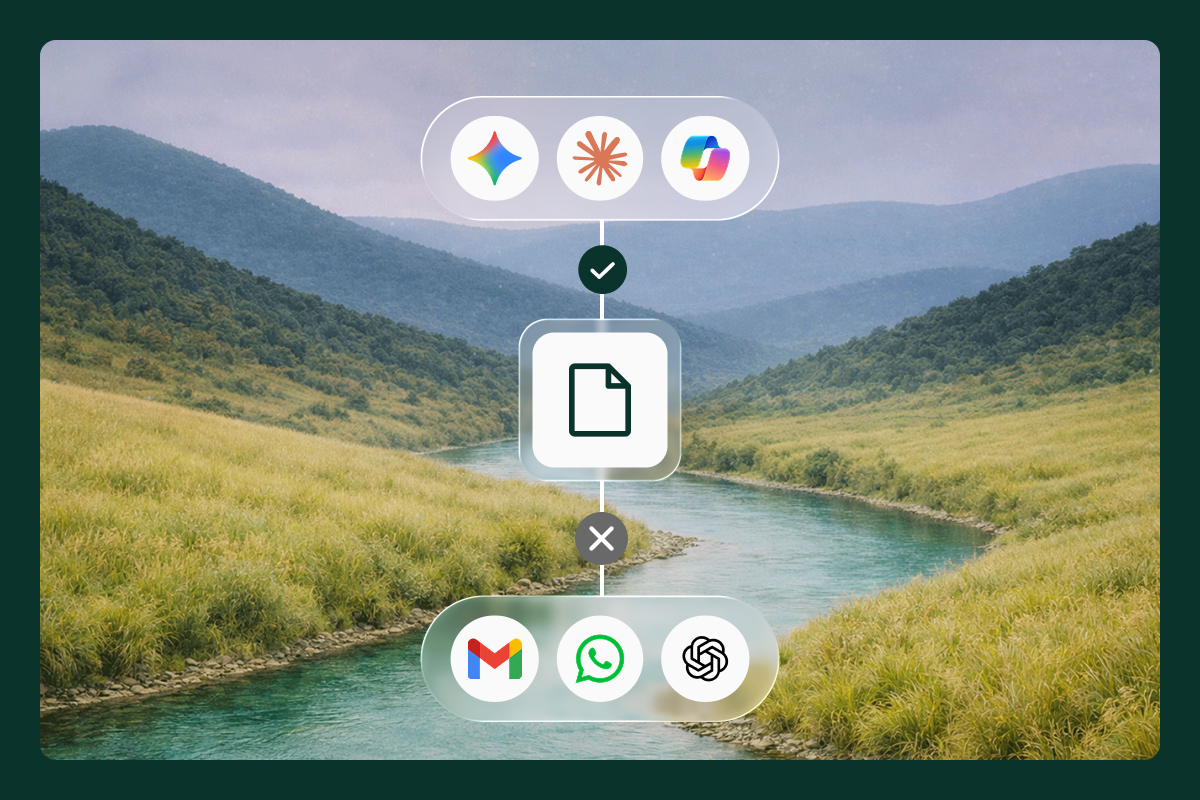
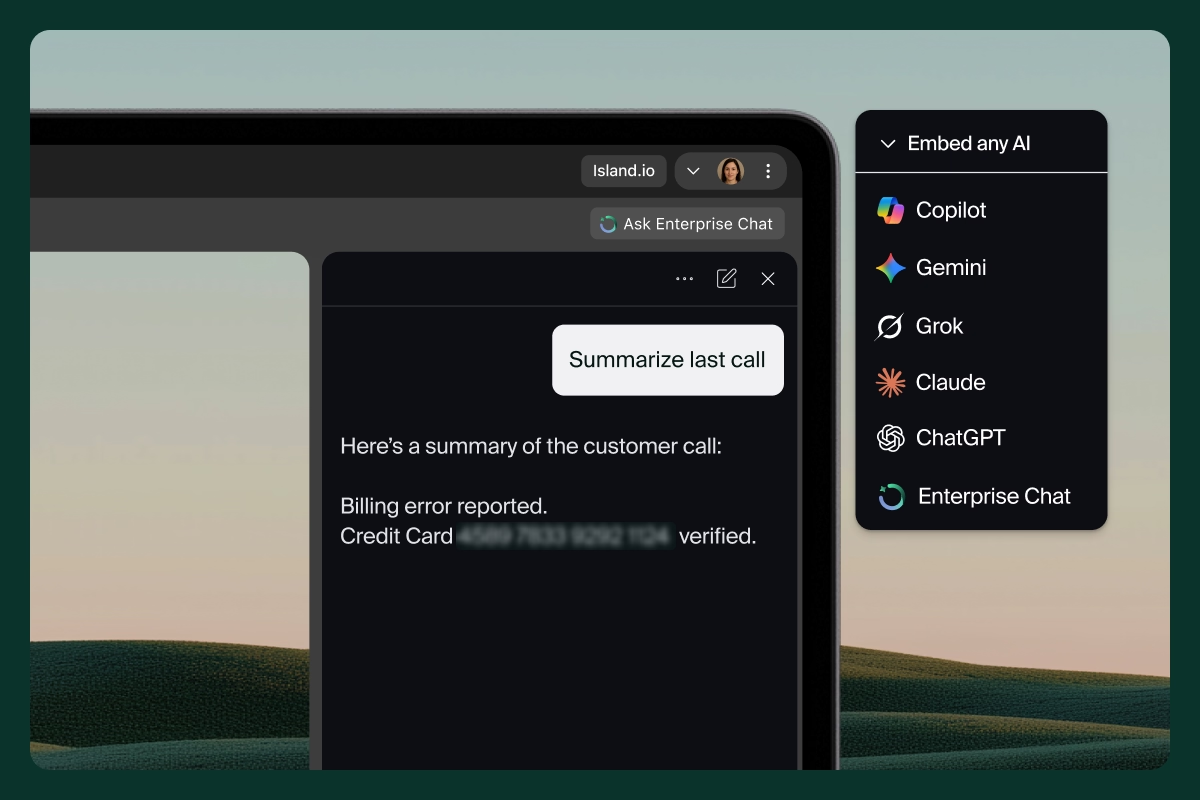
- Redacting or blocking sensitive inputs before they ever leave for the AI provider, not flagging them after they've been sent.
- Distinguishing a corporate AI account from a personal one, so the same tool can be allowed in one context and governed in another.
- Applying policy that reflects who the person is, what role they hold, and what they're working on in the moment.
- Keeping a full record of what was asked and what came back, so an audit isn't guesswork weeks later.
Where that control physically sits also matters, and there's a natural hierarchy to it. Security built natively into an enterprise browser sits closest to the interaction, right where the prompt is typed and where identity and context are richest. An extension carries similar control into the consumer browsers people already use, extending reach without forcing a change in habit. Network and proxy approaches sit furthest from the tab, which is why they can see the connection but not the contents of the session. Each has a role, and the right mix depends on your environment. What changes as you move closer to the interaction is how much you can see and how early you can act. The principle underneath them doesn't change.
Policy in a PDF is a suggestion. Policy at the point of use is a control. The difference between the two is whether governance lives in a document employees have to remember or in the workflow they're already using, quietly doing its job as they work.
Saying yes to AI, with visibility instead of guesswork
Imagine being able to green-light the AI your teams keep asking for and knowing, not hoping, that your data is still protected. That's the version of "yes" most leaders actually want. It becomes realistic when AI, data protection, and access aren't three separate tools bolted around the workspace, but capabilities embedded in the environment where the work happens. When they're built into the same place the prompt is typed, enablement and control stop competing.
This is the idea Island was built around, and it's where Island Enterprise AI turns the principle into something concrete. Rather than forcing security to stitch together separate products for each AI entry point, it brings visibility and data protection to every one of them, across the browser, the desktop, extensions, and the network. It embeds the AI providers people already prefer directly into their workflow, so the sanctioned path is also the convenient one. And when teams build governed agents to handle repeatable work, every action carries an audit trail. The result is less a feature list than a shift in posture: AI and security working with each other instead of against each other, built in, not bolted on.
What changes for the people involved is worth spelling out. Security stops being the team that says no and becomes the team that made yes safe. IT stops maintaining a separate governance layer for every new AI tool and instead applies policy once, in the place the tools are used. And employees stop weighing the sanctioned path against the faster personal one, because the governed option is now the path of least resistance rather than the obstacle they route around.
That posture is what makes "say yes to AI" literal rather than aspirational. Employees get the AI they want, inside an environment that keeps security in line of sight, and neither side has to lose for the other to win. It's an approach that roughly 20% of the Global 1000 already rely on for their most sensitive work, which suggests the balance between enablement and control isn't theoretical. It's operating at scale today.
What separates enablement from a slower kind of blocking
You're about to evaluate options, and you've seen enough feature matrices to know they rarely tell you what actually happens once a control meets a workforce. So here's the criterion those matrices tend to miss, and it decides more than any line item does: the control that wins isn't the strictest one. It's the one employees don't route around. Add enough friction and people quietly drift back to shadow AI, and you're blind again, this time with a compliance checkbox ticked. Adoption and deployment friction are worth measuring as seriously as policy depth, because a control nobody uses protects nothing.
With that in mind, a handful of questions separate genuine enablement from blocking with extra steps:
- Does it see inside the AI session, or only the connection it travels over?
- Does control apply before data leaves, or only after it's already been sent?
- Does it cover every entry point, including the browser, extensions, the desktop, and the network, or just one of them?
- Does it enable the AI employees actually want, or mostly restrict what they can reach?
There's a second-order effect worth weighing, too. An approach that only restricts tends to age badly, because the next AI tool your teams want is already on its way, and a control scoped to today's list of blocked destinations is out of date the moment it ships. An approach that governs the interaction itself is more durable. It cares about what data is moving and who is moving it, not which specific tool is in fashion this quarter. That's the difference between a policy you'll rewrite every few months and an architecture that absorbs the next tool without a fire drill.
The tell is in how people experience it. Real enablement feels like help, the AI they wanted showing up in the flow of work with the guardrails invisible behind it. Blocking with extra steps feels like a wall, no matter how it's labeled in the procurement deck. If you want one honest gut check before you sign anything, ask whether your own team would choose the sanctioned tool over a personal account when no one is watching. Their answer is the real evaluation.
You can say yes to AI without saying goodbye to visibility
If you're deciding how to open the door to AI without losing sight of your data, we're happy to walk through what we've built and how it maps to your environment. Request a demo.
FAQs
How do you balance AI productivity with enterprise data security?
Treat security as enablement rather than a gate: give employees governed access to the AI they want and apply controls at the point of interaction, so productivity and protection stop competing.
What is shadow AI, and why does banning AI make it worse?
Shadow AI is employees using unsanctioned AI tools outside the security team's view. Blanket bans don't remove that usage; they push it further out of sight, which increases exposure rather than reducing it.
Why can't traditional security tools see what employees share with AI?
Network and endpoint tools inspect connections and files, but an AI prompt is typed inside an encrypted browser session they can't interpret, so the destination is visible while the contents are not.
Where should enterprise AI security controls live?
At the point of interaction, in the browser where the prompt is entered, so sensitive data can be governed before it ever reaches the AI provider and while identity and context are still known.

Island is defining the future of work for people and AI agents. Its enterprise agentic control plane helps organizations enable, govern, and audit agentic workforces alongside people. Island boosts productivity across devices, browsers, applications, networks, and data while protecting sensitive information, simplifying access, and helping enterprises scale AI safely.


.svg)
.svg)

