Digital Experience
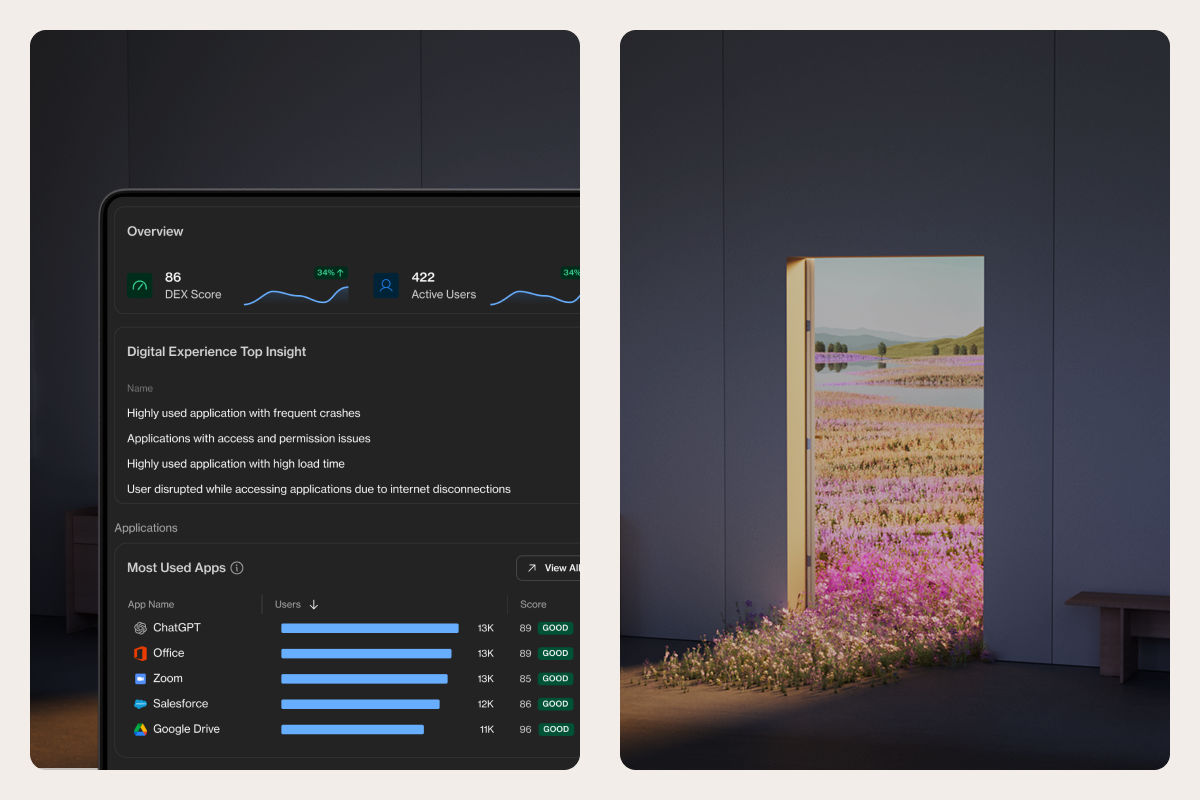
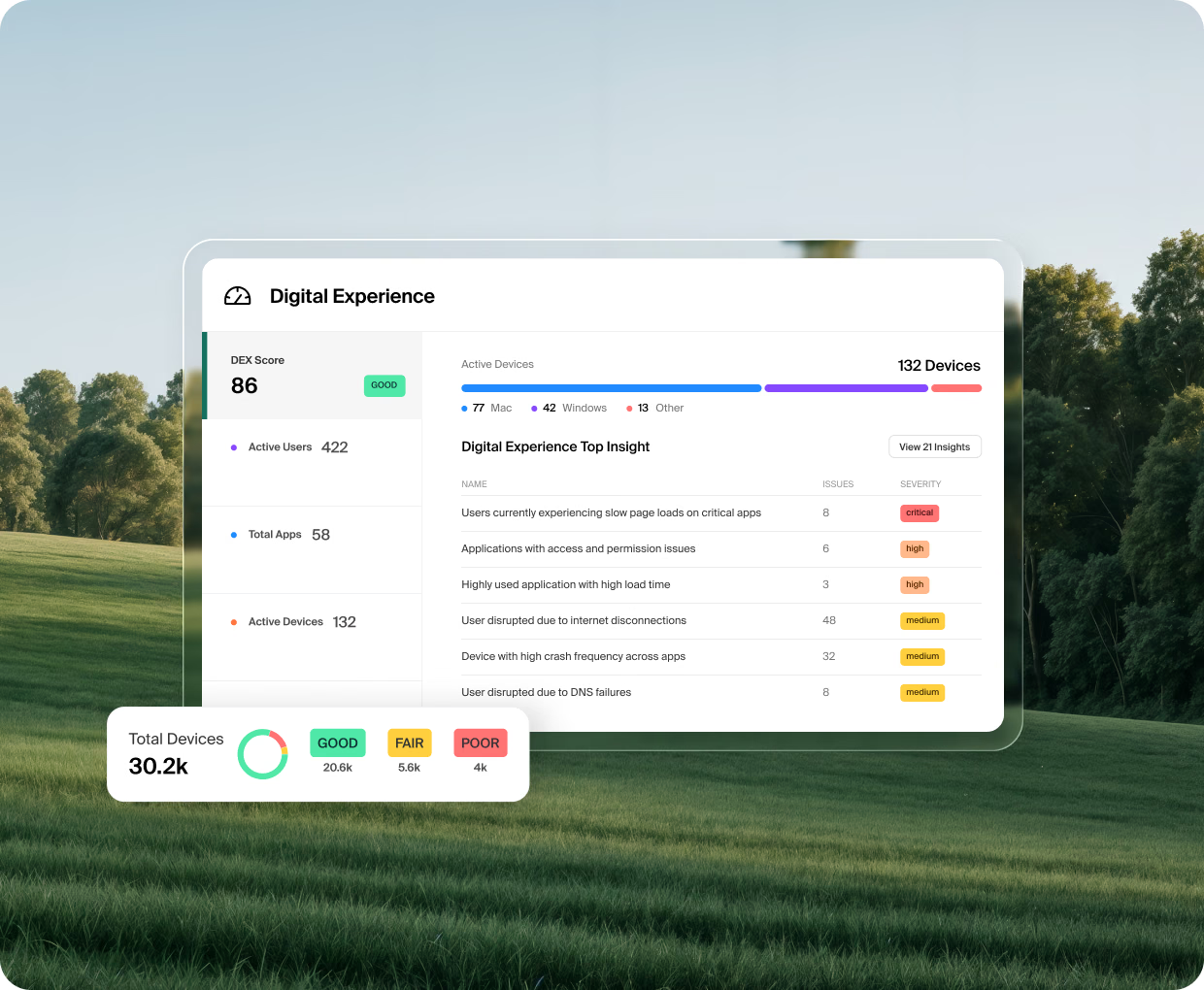
Island Digital Experience (DEX) measures real application performance, device health, and network connectivity, alerting admins to performance problems in real time.
The world’s leading enterprises run on Island.
















The Problem
The hardest ticket in IT says the app is slow
Performance problems can be caused by the device, the Wi-Fi, the network, DNS, the server, or the application itself. Identifying the root cause is challenging.
Network monitoring measures packets
Round-trip times and throughput describe the pipe. They say nothing about how long the user waited for the page to paint.
Another agent, another console
Standalone experience monitoring means one more thing to deploy on every device, one more console to learn, and one more bill.
Identifying the root cause is hard
Without one view that correlates device, network, and application signals, multiple teams have to investigate to identify the cause.
The Solution
Digital Experience Monitoring
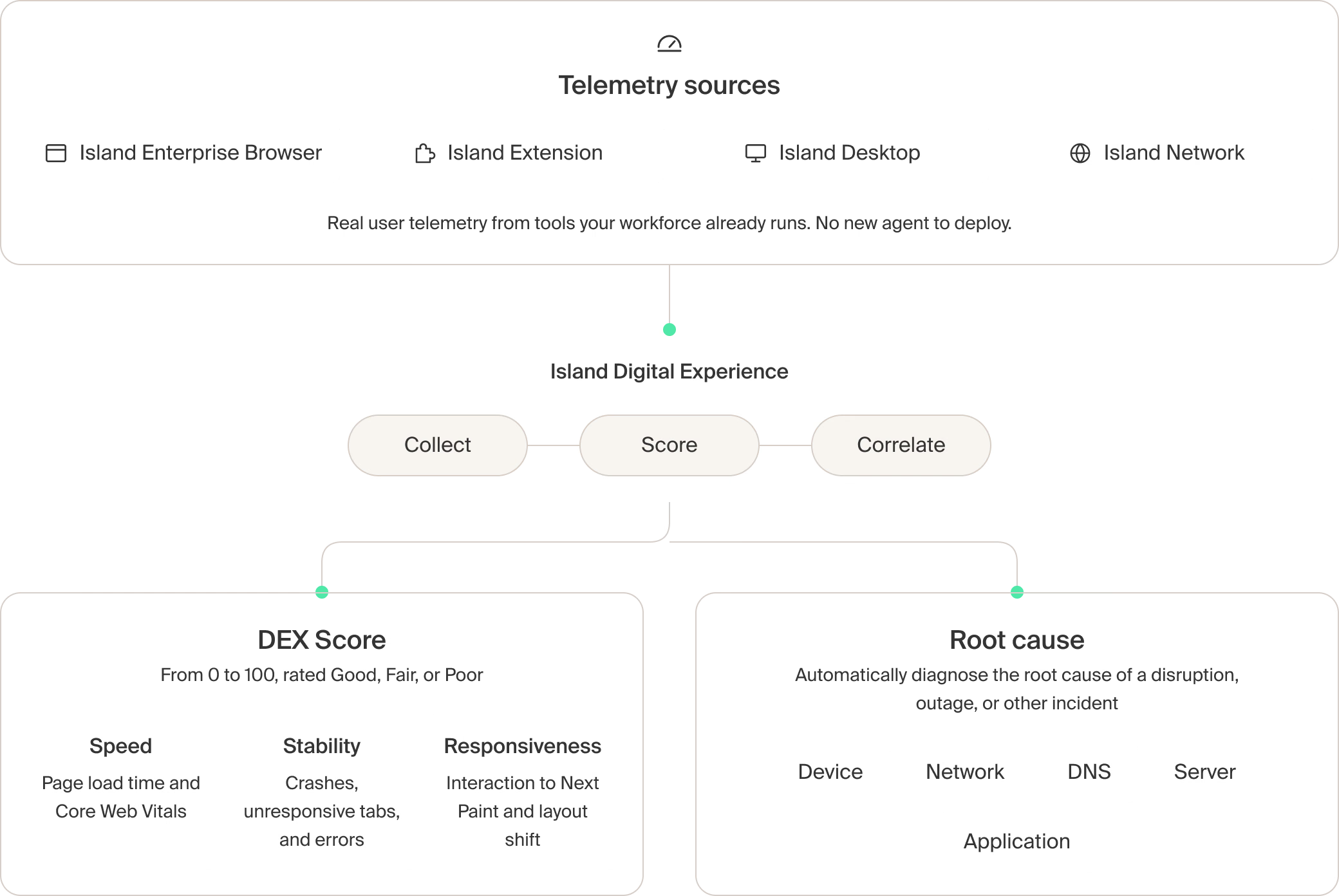
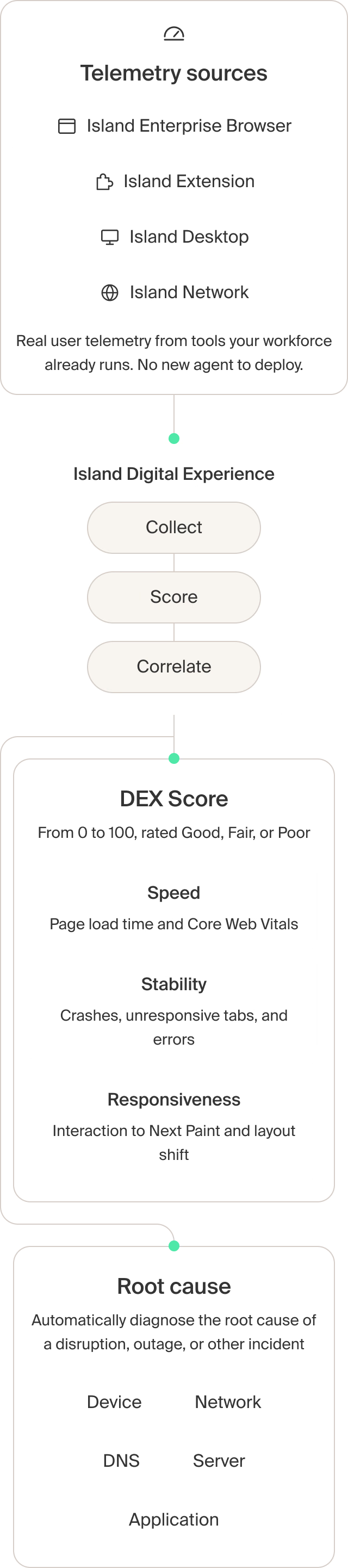
Island collects telemetry from the Island Enterprise Browser, the Island Extension, Island Desktop, and Island Network, then scores and correlates it.
See and monitor all environments
See application and device performance across all users and environments.
- Capture the digital experience of your entire workforce, including contractors and remote staff, on any hardware they choose to use
- See real-time insights into the performance and health of your desktop applications, web applications, and VDI.
- Master your environment with a centralized view of application health and adoption patterns to ensure every tool delivers value.
Resolve issues faster
Detect problems and identify the root cause of performance problems as they happen, before the user raises a help desk ticket.
- Understand, diagnose, and proactively address issues from the employee's perspective like device health and user experience.
- Uses full session context across the device, browser, and network to resolve issues faster.
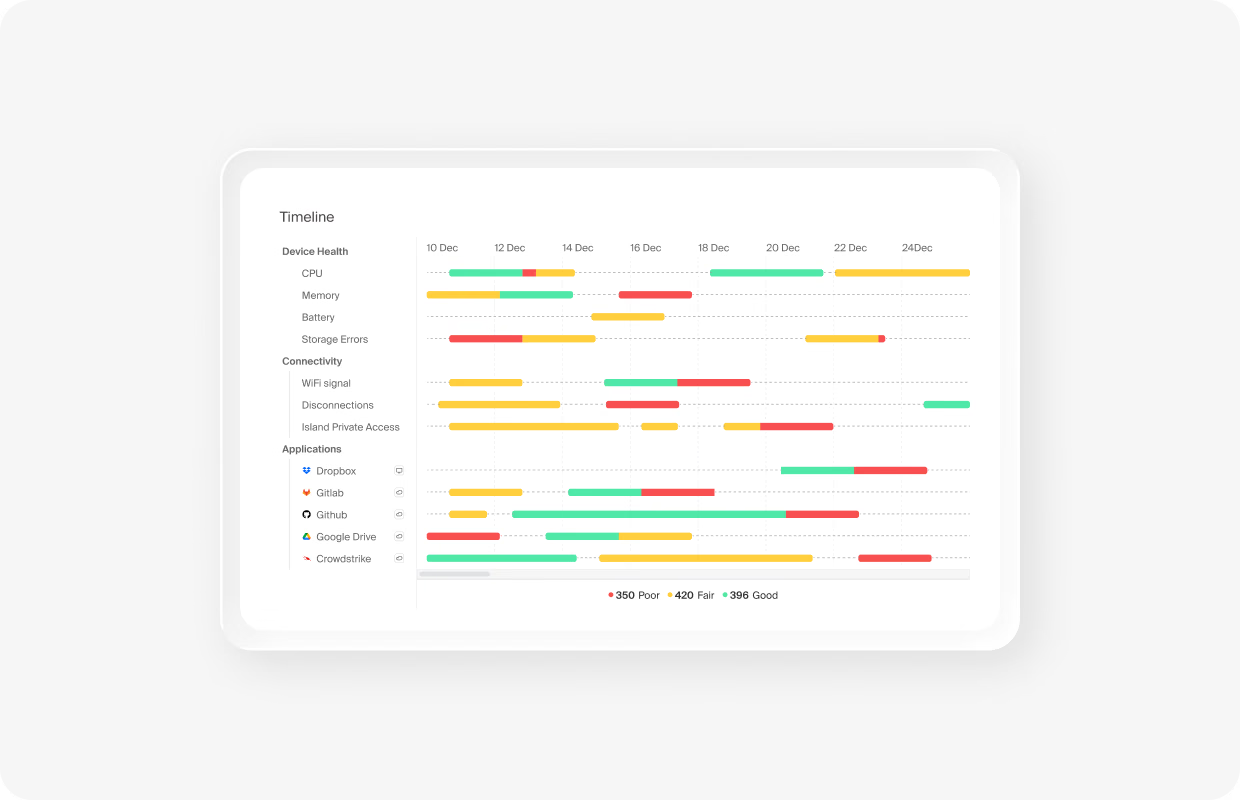
- Review historical telemetry to see exactly what was happening at the moment an incident occurred.
Focus on strategic initiatives
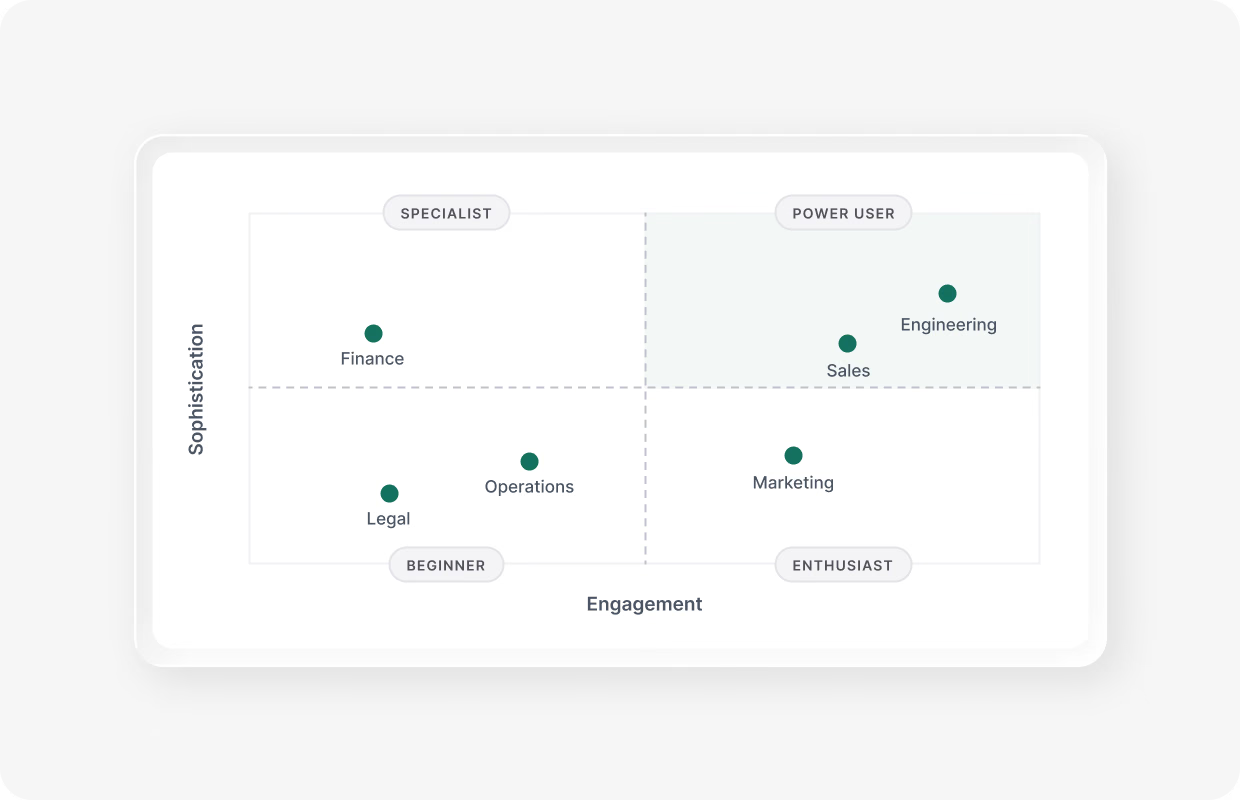
Use DEX data to track adoption progress and make critical decisions about application and device fleet investments.
- Make sure your AI investments actually pay off by identifying your power users versus those facing adoption gaps across your application suite.
- Identify devices with high failure rates and low user experience to prioritize who should get refreshed first.



Zero Trust Access
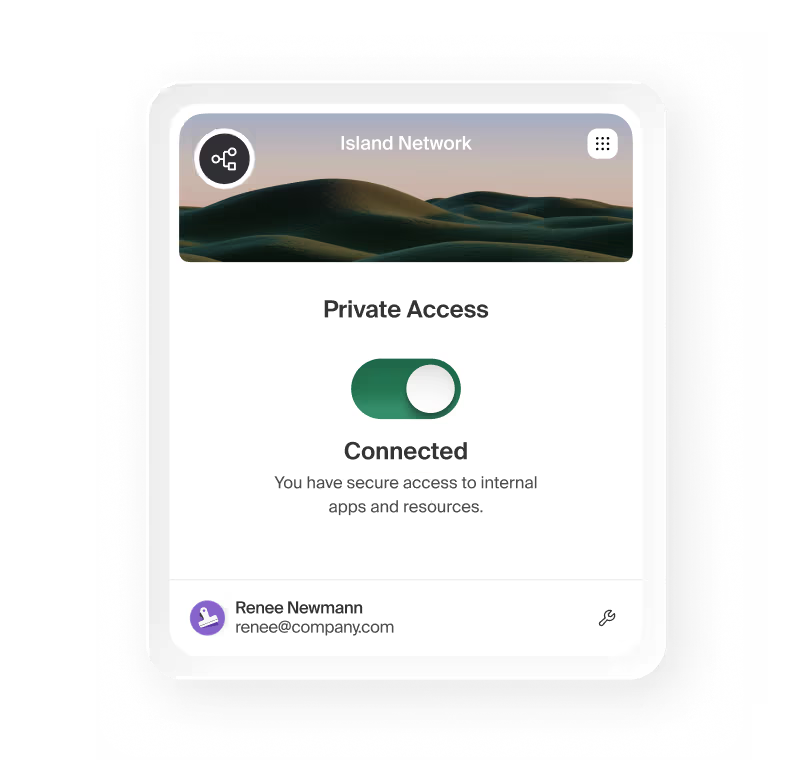
Deliver Zero Trust Access to private applications without VPNs or exposed networks.
Learn more


Secure Web Gateway
Provide precision-first web security without default backhaul or forced TLS inspection.
Learn more
Remote Browser Isolation
Apply native controls inline by default. Invoke cloud RBI only for high-risk or unknown sites.
Learn more
SaaS API
Extend visibility into SaaS apps where data lives via native APIs without rerouting traffic.
Learn more
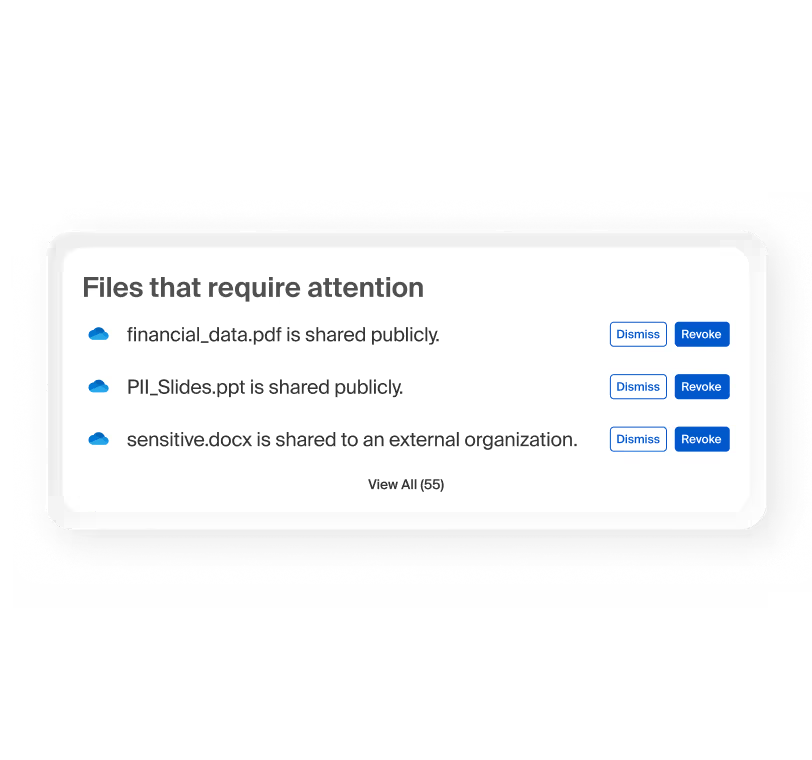
AI Gateways
The Island LLM Gateway and MCP Gateway help you manage AI models and tools, enforce policy, and protect data.
Learn more

FAQ
Island Digital Experience, or DEX, measures and scores the digital employee experience across applications and devices. It collects real user telemetry from the Island Enterprise Browser, the Island Extension, and Island Desktop, scores devices and applications from zero to 100 on speed, stability, and responsiveness, and correlates application, network, and device signals in the Island Management Console.
The score runs from zero to 100 and combines three pillars. Speed covers page load time and Core Web Vitals such as First Contentful Paint and Largest Contentful Paint. Stability covers crashes, unresponsive tabs, and HTTP and connection errors. Responsiveness covers Interaction to Next Paint and Cumulative Layout Shift. Scores are rated Good, Fair, or Poor, and each pillar opens into the underlying data.
No. DEX uses the Island Enterprise Browser, the Island Extension, and Island Desktop that your organization already runs for security. Browser and extension users contribute web application telemetry. Devices with Island Desktop add device health and connectivity.
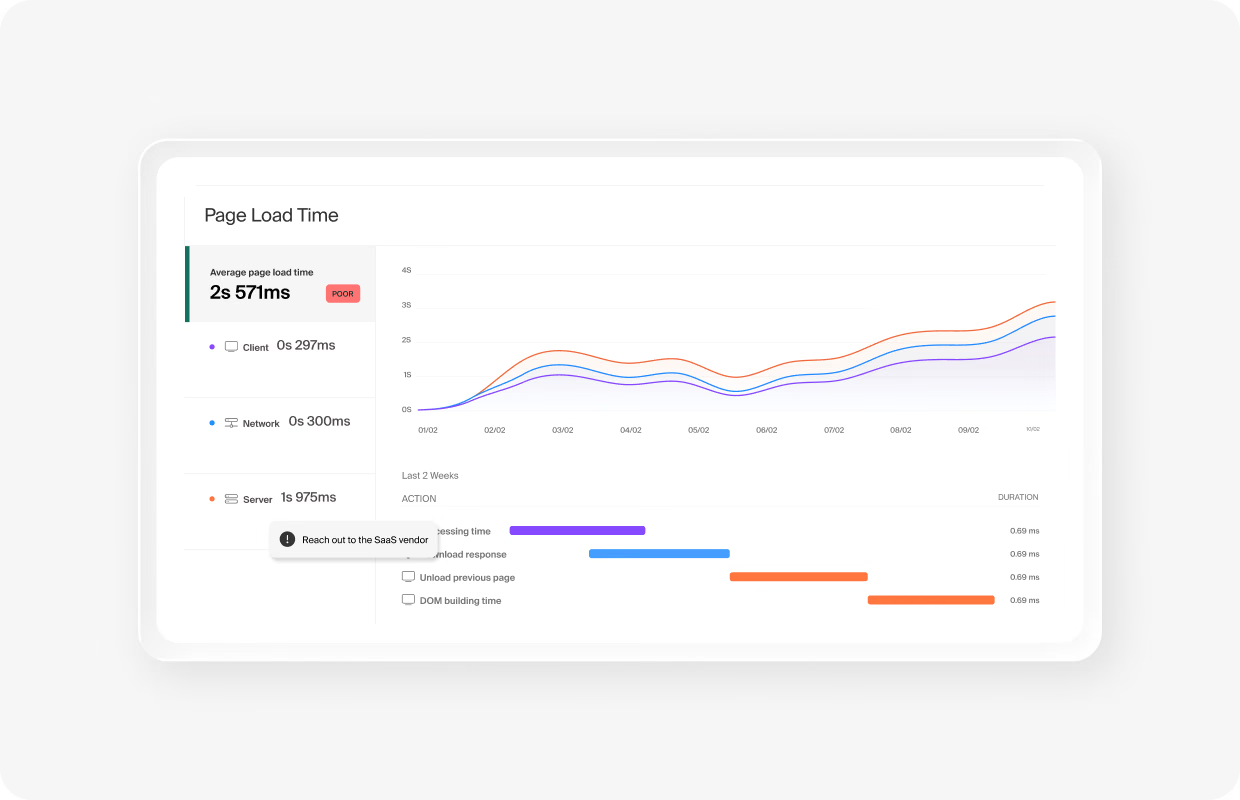
Page load time is split into client, server, network, and DNS components, and each page load action, from DNS lookup through TLS handshake to server processing and DOM build, appears on a timeline with its own duration and threshold. The Device Timeline then lines up CPU, memory, battery, storage, Wi-Fi signal, disconnects, and latency with application behavior, so a slowdown can be matched to its cause.
Yes. Island Desktop extends DEX telemetry to applications running on the device, for all applications or selected application groups, alongside the device health and connectivity signals it already collects.
DEX pinpoints the cause and the affected users, applications, and devices, and it can notify teams when performance drops on critical applications. It does not run remote actions or scripts on endpoints. Remediation stays with your IT tools and processes.
Windows, macOS, and Linux desktops through the Island Enterprise Browser and Island Desktop, plus Chrome and Edge through the Island Extension.
Up to 90 days. The most recent 30 days support 15-minute granularity and older data is kept at daily granularity. Each dashboard widget exports to CSV or image.
There’s lots more to learn


Forrester: Total Economic Impact of the Island Enterprise Browser