.svg)

Key takeaways
- The "top secure browsers" that dominate search results, names like Brave, Firefox, and Tor, are optimized for consumer privacy: blocking trackers and fingerprinting, not enterprise browser security.
- For enterprise work, the real risk isn't being tracked by advertisers. It's corporate data leaving through sanctioned apps, downloads, copy and paste, and AI prompts inside the browser.
- The most secure browser for a business isn't one you download to hide better. It's a browser where security policy, visibility, and data controls are built into the workspace where work happens.
- Evaluating an enterprise browser on privacy features misses the point. The criteria that matter are visibility, policy enforcement, and low enough friction that the workforce doesn't route around it.
What the top secure browsers are actually built to do
You search "top secure browsers," and every list hands you the same answer. Brave, Firefox, Tor, Mullvad, arranged in a slightly different order depending on who wrote the article. Ask an AI assistant and you get the same roster, ranked by the same handful of criteria. After a few tabs, you start to wonder whether anyone is measuring the thing you actually came to find out.
Those criteria are real strengths, and it's worth saying so plainly. Tracker blocking, anti-fingerprinting, anonymity, minimal telemetry: these browsers do that work well. For an individual protecting personal privacy, they're genuinely good tools, and the people who build them care about the problem they set out to solve. It simply isn't the enterprise problem. These browsers were designed to shield a person from advertisers and prying websites, and they're honest about it. That was the assignment, and they deliver on it.
Look a little closer and the whole category rests on one quiet assumption. "Secure" has come to mean "harder for advertisers and websites to identify me." That's a perfectly good definition for a person sitting at home on a personal laptop. The trouble starts when a business borrows the same word and expects it to cover something entirely different. For an organization, hiding an employee from a tracking pixel says almost nothing about the thing you're actually responsible for protecting: the corporate data flowing through that browser every hour of the day. A person can afford to define safety as being left alone, because they own everything they touch. An organization can't, because most of what moves through its browsers belongs to customers, partners, and regulators who never agreed to be left to chance. That shift in who bears the risk is precisely what the consumer definition was never built to carry, and it's the reason a strong privacy score can sit right next to a serious exposure without either one noticing the other.
For a business, the risk isn't being tracked. It's what leaves through the browser
The worry that keeps most security leaders up at night has nothing to do with an advertiser following an employee around the web. It's the customer list a contractor could paste into a personal account, the sensitive file quietly synced to a personal drive, the confidential draft dropped into whatever AI tool happened to be open in the next tab. None of that shows up in a privacy score, and none of it gets one bit safer because a browser blocks third-party cookies. Those are two different problems wearing the same word.
Part of what makes this hard is where work now lives. The browser has become the front door to almost everything: SaaS apps, cloud consoles, internal tools, collaboration platforms, and increasingly the AI assistants people lean on all day. Gartner expects that trajectory to hold, projecting that by 2030, enterprise browsers will be the core platform for delivering workforce productivity and security software on managed and unmanaged devices. The work moved into the browser years ago. For most organizations, the controls never quite followed.
That gap matters because the enterprise risk lives in the ordinary motion of data through that browser: what gets downloaded, copied, pasted, uploaded to an unsanctioned app, or dropped into an AI prompt. AI assistants deserve a special mention. They've become one of the fastest-growing places where corporate data leaves the organization, one prompt at a time, and the answer isn't to lock the door on them. The workforce needs AI, and they'll find it with or without permission. The goal is to say yes to AI safely, with the visibility to know what's flowing where.
A consumer privacy browser has no concept of any of this. It can hide a user from a website. It can't tell an organization what left the building, and it certainly can't stop it. The uncomfortable part is that most incidents begin exactly where these tools have no visibility: the moment a person clicks, pastes, or types. Verizon's 2024 investigation found the human element was a component of 68% of breaches. That human moment now happens, overwhelmingly, inside a browser tab.
Enterprise security belongs in the browser, not around it
For years, the sensible move was to wrap the browser in other tools. Route traffic through a proxy. Isolate the riskiest sessions in a virtual desktop. Layer on another endpoint agent to watch the device. Those were reasonable answers for their era, when the browser layer simply wasn't a place where policy could live. They solved the access and inspection problems sitting right in front of teams at the time, and they solved them well enough to run production for a decade.
The environment has shifted underneath those decisions, quietly and completely. Work happens in the browser now, and analysts see enterprises moving to match it: Gartner projects 25% of organizations will use secure enterprise browsers by 2028. So it's worth being precise about where enterprise security can actually sit today. Broadly, there are three approaches, ordered here from strongest to weakest for the modern workspace:
- Security built into the browser itself, native to the workspace and able to see inside the session where the work actually occurs.
- A security extension added to a consumer browser, a reasonable and complementary layer that's strong alongside an enterprise browser and thinner when it's asked to stand in for one on its own.
- Network- or proxy-based controls positioned around the browser, which can see the connection but not what happens inside the tab.
Each of these was built to answer the question of its moment, and each did. What the modern environment has surfaced is a limitation none of them were designed against: controls positioned outside the browser can't govern what happens inside the session, because the session is where meaning lives. A proxy sees that traffic went to a sanctioned app. It can't see the field a user pasted a Social Security number into. The same blind spot repeats everywhere a control sits outside the tab. An endpoint agent knows a file exists on the disk, but not that its contents were typed line by line into a chat window that never touched the file system. A network gateway can log the destination, yet the decision that actually mattered, what a person chose to share and with whom, happened one layer above where it was watching. Most teams discover this the hard way, reconstructing an incident after the fact and realizing the one moment they needed to see was the one moment nothing recorded. So the useful question was never "which browser is most secure." The better question is where enterprise security policy should live, and the honest answer is as close to the work as possible. Today, that place is the browser.
What the Island Enterprise Browser does that a private browser can't
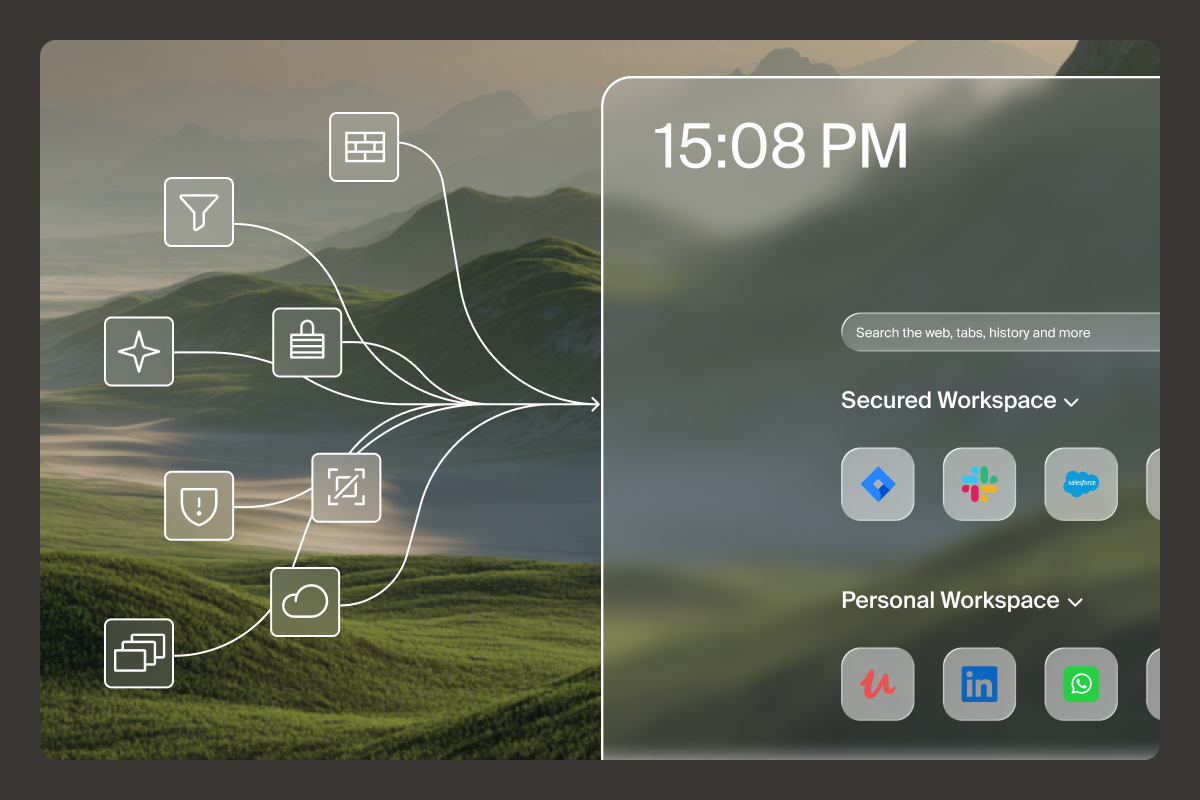
Picture the things you'd want your browser to handle on day one, before you install a single extra agent. Know exactly who's on the other side of a session. Control where sensitive data can and can't go. See a clear record of what happened, without stitching together five consoles to reconstruct it. When security is part of the browser itself, that wish list stops being a wish. Island's Enterprise Browser is a Chromium-based browser with enterprise controls built in, not bolted on, and it serves as the interface to the broader Island environment, where security, networking, and AI operate as one.
What that looks like in practice is control without the drag that usually comes with it. Conditional access reads identity, device, and location before granting entry. Last-mile data controls govern the download, the copy and paste, the screenshot, the print job, so protection sits at the exact point where data tries to move. And a full audit trail records what actually happened, so visibility stops being a hopeful guess. Consider the contractor problem every organization knows too well. With controls in the browser, a contractor logs in on their own device and gets to work with access to only the applications their role allows. When the engagement ends, that access ends cleanly along with it. Onboarding that once took weeks can happen in minutes, without shipping a corporate laptop or standing up a virtual desktop, as Island's third-party contractor customers have found.
The same built-in model is what finally lets an organization say yes to AI without holding its breath. Because the browser sees inside the session, sensitive data can be redacted before it ever reaches an AI provider, and every AI interaction stays visible and governed rather than invisible and hoped-for. Teams get the AI they've been asking for, and the organization keeps its data. This is also why many organizations find they can lean less on VPN, virtual desktop, and proxy sprawl over time. It's not a wholesale replacement of everything you run, and anyone promising that is selling something. It's a quieter architecture, where a good deal of the friction simply recedes, and security shows up as a byproduct of sound design instead of one more layer to babysit.
How to evaluate a browser for enterprise work
You already know how the next vendor meeting tends to go. A feature matrix arrives with more checkmarks than the last one, every row engineered to look decisive, and an hour later you're no closer to knowing whether the thing will hold up in your environment. It helps to walk in with your own frame instead, built around the questions that actually decide the outcome:
- Visibility: can the organization see what really happens inside the session, including AI interactions, rather than only the connection to it?
- Policy: can controls be enforced by identity, device, and context, at the last mile where data actually moves?
- Coverage: does it work across managed and unmanaged devices, contractors, and BYOD without shipping hardware to anyone?
- Adoption friction: will the workforce genuinely use it, or quietly route around it when no one's looking?
That last question is where most evaluations quietly go wrong. Teams tend to over-weight security depth and under-weight whether people will actually live with the tool. It's an understandable instinct, and it backfires more often than anyone likes to admit. The strongest browser security in the world fails the instant it feels slower than someone's personal browser, because they'll simply switch back and take the data with them. So it's worth asking vendors for deployment and daily-use friction data, not another feature checklist. The real proving ground was never the hardest, most exotic use case a security team can dream up in a workshop. It's the ordinary Tuesday, when every user has an easy escape hatch and gets to decide, all on their own, whether they feel like using it. Picture a sales rep racing to send a proposal before a call, or a support agent juggling a dozen tabs while a customer waits. If the sanctioned browser adds even a few seconds of lag to each of those moments, the personal browser sitting one click away starts to look like the reasonable choice, and the data quietly follows. So the questions worth pressing are mundane on purpose. How fast does it load, how often does it get in the way, and how many people will still be using it a month after rollout when no one is watching.
Put security where the work already is
If you want to pressure-test this model against your own environment, we're glad to walk through what we've built and where it fits, no slideshow required. Schedule a walkthrough at island.io/schedule-demo.
FAQs
What is the most secure browser for business
The most secure browser for a business isn't a consumer privacy browser. It's an enterprise browser where visibility, access, and data controls are built into the workspace where work happens.
Are consumer secure browsers like Brave or Tor safe enough for enterprise use
They're strong at protecting individual privacy, but they can't give an organization visibility or control over corporate data moving through the browser, which is the actual enterprise risk.
What makes a browser "secure" for an enterprise versus a consumer
Consumer security means blocking trackers and fingerprinting. Enterprise browser security means enforcing policy, controlling data at the last mile, and auditing activity inside the session.
Does an enterprise browser help govern AI usage
Yes. Because it sees inside the session, it can control what data reaches AI tools and keep every AI interaction visible, letting organizations enable AI without losing control.

Island is defining the future of work for people and AI agents. Its enterprise agentic control plane helps organizations enable, govern, and audit agentic workforces alongside people. Island boosts productivity across devices, browsers, applications, networks, and data while protecting sensitive information, simplifying access, and helping enterprises scale AI safely.



.svg)
.svg)

